Biller Genie vs Upflow: choose Biller Genie if you are a US small business that wants invoicing, chasing, a late fee and card and ACH payments in one tool; choose Upflow if a finance team manages collections by metric and can work with a quote. They are priced at opposite ends of the category, and neither one charges per user.
Biller Genie’s last reported price was $49.95 a month plus 0.50% of invoices collected. Current prices are hidden and must be requested. G2 and Capterra list $24.95 a month as a starting price. Upflow publishes nothing at all, on any of its five tiers.
That makes the usual side-by-side impossible, because one number is a rate and the other is a quote. This page sets out what each vendor last showed and what sits behind it.
One vendor charges a rate, the other issues a quote, so the two headline prices cannot be set side by side as they stand.
Biller Genie’s last reported price was $49.95 a month plus 0.50% of invoices collected. Current prices are hidden and must be requested. G2 and Capterra list $24.95 a month as a starting price. Upflow prints nothing on any of its five tiers.
What does accounts receivable software do?
Accounts receivable software works the invoices a business is owed, from reminder to payment. Both tools here connect to Xero and QuickBooks Online, send reminders, run a branded customer portal for card and ACH payments, and report on what is still outstanding.
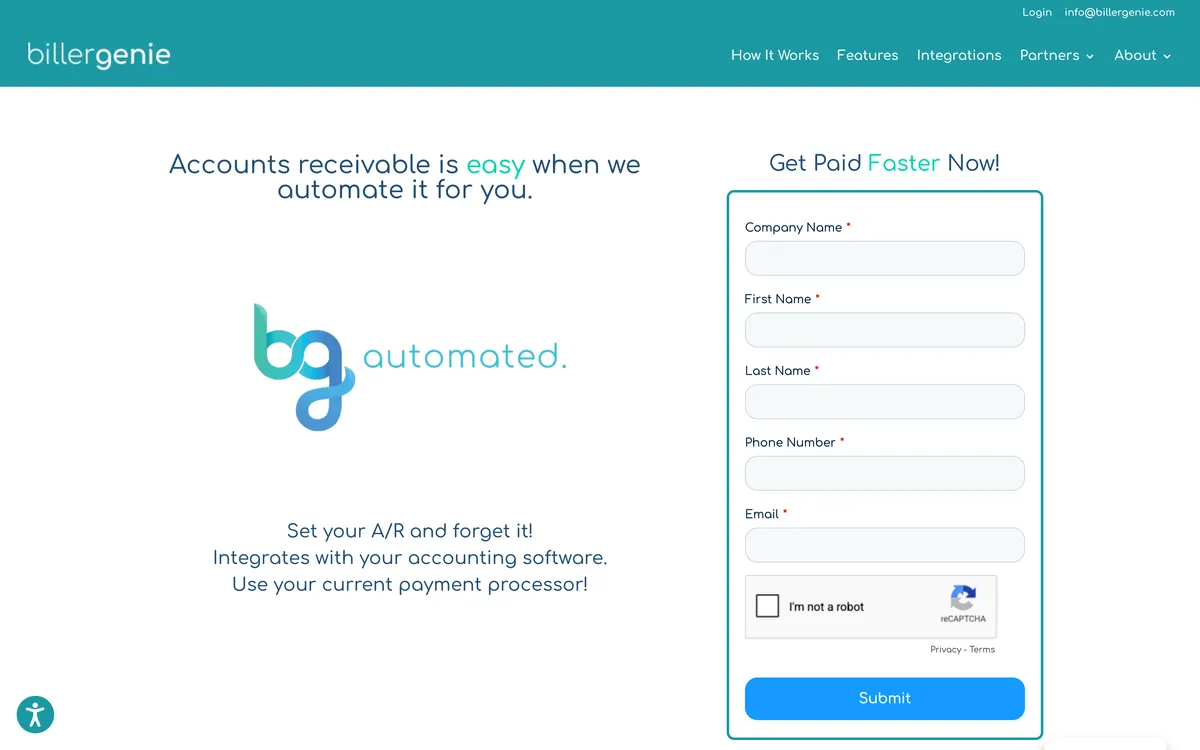
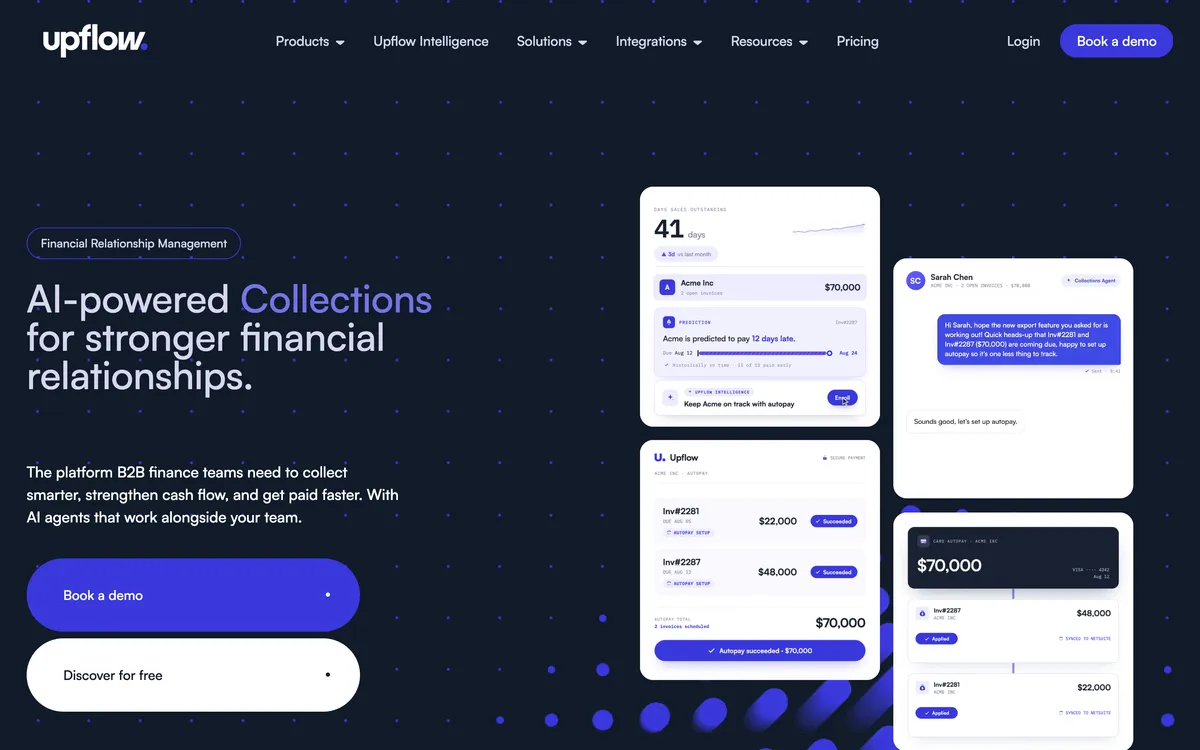
Each goes further in one direction. Biller Genie adds invoice delivery, paper mail, surcharging and a late fee add-on that fires at day 30. Upflow adds multi-step workflows with SMS, cash application, and collections analytics such as countback DSO against best possible DSO.
What it is not:
- Not the ledger. QuickBooks Online, QuickBooks Desktop, Xero or NetSuite holds the books. Biller Genie books its late fee to a finance charge account there, and Upflow routes fees to the ERP.
- Not the payment processor by default. Biller Genie pushes its own merchant services, but its docs say you can connect your own gateway. Upflow takes payments as a Stripe partner.
- Not an interest calculator. Neither product calculates interest. Biller Genie’s fee is a charge on one rule for every customer.
- Not the billing system for subscriptions. Upflow connects to Stripe Billing, Chargebee and Zuora, where subscription invoices are raised.
It sits between the ledger and the customer. Invoices come in from the accounting file, and reminders, payments and reports go back out.
How does a percentage of collections compare with an unpublished quote?
Neither vendor charges per seat, which removes the variable that usually decides these comparisons and leaves a reported rate facing a sales conversation.
Biller Genie’s last reported price is a formula: $49.95 a month, plus half a percent of whatever the tool collects for you that month.
Biller Genie now hides its prices, so confirm the rate in a quote before you rely on it.
Upflow’s price is a conversation. Nothing is printed on any tier, and quotes are set by gross invoice value tier. Upflow’s last published prices were $440 a month for Grow and $880 for Scale. Current prices are hidden and must be requested from Upflow, so treat them as a place to start negotiating rather than a price.
Four questions separate the two tools: how much of the price can be pinned down before a sales call, what the bill does as the business grows, whether a late fee exists inside the product, and how much verified review evidence stands behind each one.
Biller Genie is stronger on the first and third, because its last reported rate is a formula you can run and it has a late fee add-on. Upflow is stronger on the fourth, at 4.8 from 235 G2 reviews against a Xero App Store listing that carries 2.33 from 3. The second question, what the bill does as the business grows, needs a quote from each vendor.
How do Biller Genie and Upflow compare?
Two rows decide this and neither is a feature: what each vendor can be pinned to on price, and whether a late fee exists inside the product at all.
 |
 |
|
|---|---|---|
| Best for | US small businesses paying for collections out of what they collect | Finance teams that manage collections by metric |
| Revenue fit | Not published; the bill scales with the value collected | Not published; quoted in five tiers by gross invoice value, from up to $10m to above $100m |
| Billing model | Monthly fee plus 0.50% of invoices collected (last reported; now hidden, request a quote) | Not published at any tier; every paid plan is a sales quote |
| From (monthly) | $49.95 plus 0.50% of invoices collected (last reported; now hidden, request a quote). G2 and Capterra list $24.95 a month as a starting price | Last published prices were $440 a month for Grow and $880 for Scale; current prices are hidden, request a quote |
| Ledger integrations | QuickBooks Online, QuickBooks Desktop, Xero, AccountingSuite | Xero, QuickBooks Online, NetSuite, Sage Intacct, Stripe Billing, Chargebee, Zuora |
| Late fee grain | Yes (one global rule, add-on); nothing is late until 30 days past due | No (via your ERP only) |
| Reminder grain | Yes (one global cadence per account) | Yes (multi-step workflows by invoice age, behavior and risk profile) |
| SMS | None found | Yes (in workflows, alongside email and letter) |
| Statements | Yes (as a reminder type) | Portal PDF statement, no scheduled send |
| Payment plans | Yes (the customer requests, the merchant approves) | No (promise to pay and customer-initiated part payments only) |
| Payments | Yes (card and ACH; pushes its own merchant services, but its docs say you can connect your own gateway; surcharging and dual pricing) | Yes (ACH, cards and direct debit through the portal, with autopay; optional Payments add-on at $390 a month platform fee, 3.5% + $0.30 per card payment, 0.8% capped at $5 for ACH) |
| AI | Yes (Reminders + AI module, you approve each send, and a Billie connector for Claude and ChatGPT) | Yes (cash application, with a Cash Application Agent on Accelerate; promise-to-pay detection, dispute signals) |
| Collections analytics | Dashboard level | Countback DSO against best possible DSO, collection effectiveness, at-risk rate above 90 days, aging |
| Rated | 4.8 from 27 on Capterra, 3.0 from 4 on G2, 2.33 from 3 on the Xero App Store | 4.8 from 235 on G2, 4.5 from 15 on Capterra, 5.0 from 1 on the Xero App Store |
The rating row carries counts as well as scores because the two review bases are not the same size or the same age: 235 reviews on one platform against 27, 4 and 3 on three others, with the lowest of those three attached to a reported sync fault. Averaging them would hide the disagreement, so all of them are printed.
1. Biller Genie
Best for: A US small business that would rather pay for collections out of what it collects, last reported at $49.95 a month plus 0.50%.
What is Biller Genie best for?
For a US small business that would rather pay for collections out of the money collected than negotiate a subscription, on QuickBooks Online, QuickBooks Desktop, Xero or AccountingSuite.
- Fits
- US small businesses on QuickBooks Online, QuickBooks Desktop, Xero or AccountingSuite with steady card and ACH volume. No revenue band is published; the bill scales with the value collected
- Regions
- United States. Founded 2019 with the software launched in 2020, head office in Orlando and an engineering office in Belfast
- Entry cost
- Last reported by third-party listings at $49.95/mo plus 0.50% of invoices collected, with no long-term contracts and cancellation any time, per its pricing page, and current prices are hidden and must be requested. The same listings last reported ACH as an add-on at $0.50 a transaction with a $20 monthly minimum and a $25 setup fee, and paper mail at $1.50 a reminder plus $0.25 an extra page. G2 and Capterra list a $24.95 a month starting price.
- Rated
- 4.8 from 27 reviews on Capterra; 3.0 from 4 on G2; 2.33 from 3 on its Xero App Store listing, where one 1-star review says "Working with Biller Genie has been a headache"
- Awards
- Inc. 5000 number 259, 2024
- Runs on
- QuickBooks Online through a two-way sync, QuickBooks Desktop through a separate connector, Xero, AccountingSuite, and 24 named gateways including USAePay, Maverick, Sola, Authorize.Net, Elavon and PayPal
- Late fees and interest
- Yes, through a Late Fee Manager add-on. An invoice is not treated as late until it is 30 days past due, then charges recur on a 30-day schedule and post to a finance charge account. There is no interest calculation and nothing varies by customer
- Does best
- Surcharging and dual pricing with their own checkout flows, with the fee reconciled back to the ledger automatically
Biller Genie is a payments product with receivables automation attached, and its last reported price says so. The subscription is small and the vendor’s return grows with the value of the invoices it settles for you, which is a merchant-services model rather than a software one.
What the money buys is a whole billing loop. Invoices are raised and delivered from the accounting file, six reminder types run from upcoming payment through to upcoming late fee, paper mail goes out as an option, and the customer pays in a branded portal with autopay, per-customer thresholds and bulk invoice grouping.
Behind that sit named gateways including USAePay, Maverick, Sola, Authorize.Net, Elavon and PayPal, surcharging and dual pricing with dedicated checkout flows, a virtual terminal and check capture.
Biller Genie pushes its own merchant services, but its site and docs say you can connect your own gateway, and they name USAePay, Maverick, Sola, Authorize.Net, Elavon and PayPal. Ask which processor a quote assumes, because the card and ACH rates on that processor belong in the price comparison as much as the subscription line does.
Installment plans follow the same logic as the rest of it: the customer requests them through the portal and the merchant approves or rejects each request, rather than the finance team building a schedule up front.
Limitations with Biller Genie. The percentage is levied on money collected rather than on work done, so a strong month costs more than a weak one. The price is no longer published, so the real figure needs a quote.
Reminder timing is set once for the whole account, so a difficult customer cannot be chased on a different schedule from an easy one; only reminder types and the email or paper mail channel can be set per customer. SMS does not exist as a channel, and every paper reminder is billed individually. The late fee waits until day 30 and has no interest calculation behind it.
The vendor pushes its own merchant services, so check whether a quote assumes them; its docs say you can connect your own gateway instead. Its three review scores disagree with one another, the Capterra figure sitting far above the G2 and Xero App Store ones, and two of the three reviews behind the lowest score give 1 star. On Xero, Biller Genie has no batch reconciliation, no refund sync and no multi-currency.
Best suited for: A US small business on QuickBooks Online, QuickBooks Desktop, Xero or AccountingSuite that wants to pay for collections out of what it collects. The drawback is one reminder cadence for every customer, no SMS and a late fee that cannot fire before day 30.
2. Upflow
Best for: Finance teams that manage collections by metric, quoted in five gross invoice value tiers from up to $10m to above $100m.
What is Upflow best for?
For a finance team that will accept a quote-only vendor because the reporting is the reason it is buying, on Xero, QuickBooks Online, NetSuite or Sage Intacct.
- Fits
- B2B finance teams that manage by metric, quoted in five tiers by gross invoice value, from up to $10m on Starter to above $100m on Enterprise
- Regions
- United States and Europe. Founded in Paris in late 2018, head office now in New York, with around 500 customers in more than 30 countries
- Entry cost
- Not published. Upflow prints no figure on any tier and quotes five tiers by gross invoice value. Upflow offers a free Discover dashboard tier and a 14-day free trial on its Xero App Store listing; its pricing page lists no trial. Upflow’s last published prices were $440 a month for Grow and $880 for Scale; current prices are hidden and must be requested.
- Rated
- 4.8 from 235 reviews on G2; 4.5 from 15 on Capterra; 5.0 from 1 on its Xero App Store listing
- Awards
- None found
- Runs on
- Xero, QuickBooks Online, NetSuite, Sage Intacct, Stripe Billing, Chargebee and Zuora, with a public API
- Late fees and interest
- No, via your ERP only. Upflow's own documentation points the job back to the ERP, and there is no native calculation
- Does best
- Collections analytics, with countback DSO against best possible DSO, collection effectiveness and an at-risk rate above 90 days
Upflow is a different kind of purchase for a small buyer. No figure is printed on any tier and quotes are set by gross invoice value tier, so the cheapest way to find out what it costs is to spend an hour on a call.
What that buys is the measurement layer, and it is the deeper half of this comparison: countback DSO set against best possible DSO, collection effectiveness, at-risk balances above 90 days, aging and billing-cohort cash forecasting, on dashboards filtered by workflow, country or account manager and scheduled out by email.
The chasing is a multi-step workflow rather than one cadence, sequencing email, SMS, letter, call and task steps against invoice age, customer behavior and risk profile, with a branded portal where the customer pays, disputes or sets a promise to pay.
The AI work sits in cash application (the Cash Application Agent is on Accelerate): payments matched to invoices with suggestions and rules, promises detected from replies, dispute signals surfaced.
Limitations with Upflow. No native late fees, so any fee goes back to your ERP, and there is no interest calculation anywhere. No payment plans, only customer-initiated part payments and promises to pay. Statements are a PDF the customer downloads from the portal; there is no scheduled statement send.
Automatic actions fire once a day and on business days only. Sending through your own SMTP disables open and click tracking, and the QuickBooks link polls every five minutes with payments landing in Undeposited Funds for manual reconciliation. Its last published prices were $440 a month for Grow and $880 for Scale; current prices are hidden, so request a quote.
Best suited for: A finance team on Xero, QuickBooks Online, NetSuite or Sage Intacct that buys for the reporting and accepts a quote-only vendor. The drawback is that no price is published, with no native late fees, no payment plans and no scheduled statements.
How do the Biller Genie and Upflow price figures compare?
One last-reported rate against one set of last published prices. Both vendors now hide their prices, so no sum can join them.
Biller Genie’s last reported price was $49.95 a month plus 0.50% of invoices collected. Current prices are hidden and must be requested. G2 and Capterra list $24.95 a month as a starting price. Upflow’s last published prices were $440 a month for Grow and $880 for Scale; current prices are hidden and must be requested.
The two are not the same product. Biller Genie covers invoicing, chasing, a late fee and a card and ACH stack. Upflow covers measurement and, through an optional add-on, payments, and the late fee comes from your ERP.
Card processing is the part the Biller Genie column does not show. Biller Genie pushes its own merchant services, though its site and docs say you can connect your own gateway, so ask which processor its quote assumes; those card and ACH rates are part of the decision as much as the subscription is.
Upflow takes payments through its optional Payments add-on: $390 a month platform fee, 3.5% + $0.30 per card payment, 0.8% capped at $5 for ACH.
Two phrases in the table above carry a fixed meaning where a price should be. “Not published” means the vendor prints no figure anywhere public. “Not documented” means the vendor does not document the capability. A figure that came from a third party rather than from the vendor is labeled last verified.
What does Upflow’s free Discover tier include?
A free tier from a vendor that publishes no price draws a lot of attention, so it is worth being exact about what it does and what it does not do.
Discover shows you your own collections numbers: countback DSO against best possible DSO, collection effectiveness, at-risk balances, aging and benchmarking. It runs no collection automation of any kind, so it sends nothing to anybody and chases nobody.
Upflow offers a free Discover dashboard tier and a 14-day free trial on its Xero App Store listing; its pricing page lists no trial. A trial is the paid product with a clock on it. Discover is a permanent, narrower product, so nothing you configure inside it is chasing that will switch on when you upgrade.
It is also not among the plan cards. Upflow’s pricing FAQ mentions a free Discover plan, but the plan cards list only the five paid tiers, so confirm it is still offered before you plan around it.
What it is genuinely good for is one job: establishing what your collections performance actually is before deciding whether the problem is worth software at all. A business that runs Discover for a quarter and finds its countback DSO is three days off best possible has learned something more useful than either product on this page would have sold it.
Biller Genie has no free tier to compare it with. What it has instead is no contract and cancellation at any time, which is a different kind of low commitment: on the last reported rate you pay $49.95 and the percentage for the month you used it, and stop.
Which tool charges late fees, and when?
Biller Genie applies a late fee through an add-on, on one global rule, and treats nothing as late until it is 30 days past due. Upflow applies none inside the product. Neither one calculates interest.
In the United States a late fee is a term of your contract rather than an entitlement in law, so the rate and the trigger are yours to set within what state law allows.
That makes the grain of the software the whole question: how soon a fee can fire, how often it repeats, and whether it can differ between one customer and another.
Biller Genie’s Late Fee Manager is switched on per account. The merchant sets the schedule, the frequency, the amount and the terms shown to the customer, and the charge books to a finance charge account in the ledger. Nothing is treated as late until day 30, and from then the fee recurs every 30 days and stacks.
The 30-day floor is worth testing against your own aged debtors before the feature is counted as a reason to buy.
Xero’s latest US small business data puts the average US invoice at 8.6 days past due when it finally settles, so a mechanism that cannot fire until day 30 never reaches most of what a small business would call a late invoice. It reaches the accounts that were going to be difficult anyway.
Upflow documents the job in the ERP instead, in a NetSuite article, so the fee is raised where the ledger lives and Upflow reports on what happens next. For a team on NetSuite that is a workable split. For a team on Xero or QuickBooks Online it means the fee is manual.
- Biller Genie
- A charge, not interest. A single rule covers the account, the first charge lands at day 30, and it repeats every 30 days from there. Whether the amount can be a flat sum or a percentage is undocumented, and it is the same for every customer either way.
- Upflow
- Nothing native. The documentation routes late fees to the ERP, so the charge is created there and Upflow measures what follows rather than causing it.
Installments belong here rather than in a section of their own, because they follow the same pattern. A Biller Genie plan is requested by the customer through the portal and approved by the merchant, so the money has dates against it.
Upflow has no plans at all: only a promise to pay, detected automatically from the customer’s reply since December 2025, and ad-hoc partial payments allowed in the portal since August 2025. Both record an intention and leave the follow-up with a person.
Which accounts receivable software fits your use case?
Pick the row that matches the job in front of you. Each names the tool on this page that does that job and the reason from the sections above.
| Use case | Start with | Why |
|---|---|---|
| Invoicing, chasing and card and ACH payments in one tool | Biller Genie | Invoice delivery, six reminder types, a branded portal and named gateways such as USAePay and Authorize.Net |
| Collections reported by metric | Upflow | Countback DSO against best possible DSO, collection effectiveness and an at-risk rate above 90 days |
| SMS reminders | Upflow | SMS is a workflow step; Biller Genie publishes no SMS channel |
| A ledger on QuickBooks Desktop or AccountingSuite | Biller Genie | Upflow lists no route for either |
| NetSuite or Sage Intacct, or billing in Stripe Billing or Chargebee | Upflow | Biller Genie does not list them |
Common questions
What buyers ask when a last-reported rate and an unpublished quote end up on the same shortlist: what each vendor last showed on price, what the free tier includes, and which product charges anybody for being late.
Is Biller Genie or Upflow better?
They solve different halves of the job. Biller Genie sends the invoice, chases it, charges a late fee and takes the card or ACH payment, last reported at $49.95 a month plus 0.50% of invoices collected (now hidden, request a quote).
Upflow measures collections, applies no fee and is now quote-only (last published at $440 a month for Grow and $880 for Scale; current prices are hidden, request a quote).
How much do Biller Genie and Upflow cost?
Biller Genie’s last reported price was $49.95 a month plus 0.50% of invoices collected. Current prices are hidden and must be requested. G2 and Capterra list $24.95 a month as a starting price. ACH and paper mail are billed separately.
Upflow's last published prices were $440 a month for Grow and $880 for Scale; every tier is now quote-only, set by gross invoice value. Upflow takes payments through its optional Payments add-on: $390 a month platform fee, 3.5% + $0.30 per card payment, 0.8% capped at $5 for ACH. Its Cash Application Agent is on Accelerate.
Do Biller Genie and Upflow apply late fees?
Biller Genie does, through the Late Fee Manager add-on. Nothing counts as late until day 30, and from there the charge repeats every 30 days under a single rule covering every customer. Upflow does not: its documentation points late fees back to your ERP, and there is no native calculation in the product.
Is Upflow’s free plan a trial?
No. The Discover tier is analytics and benchmarking only, with no collection automation. Upflow offers a free Discover dashboard tier and a 14-day free trial on its Xero App Store listing; its pricing page lists no trial. Discover is a way to see your own numbers rather than a way to test the chasing.
Do Biller Genie and Upflow send SMS reminders?
Upflow does, as one step type in a workflow alongside email and letter. Biller Genie does not publish an SMS channel at all: it sends email and, as a paid add-on, paper mail.
Which ledgers does each one reach?
QuickBooks Desktop is Biller Genie only, through a separate connector, and Upflow lists no Desktop route. On QuickBooks Online both connect, with Biller Genie syncing two ways through webhooks and Upflow pulling one way on a five-minute poll, landing payments in Undeposited Funds and capping custom fields at three text-only fields.
AccountingSuite is Biller Genie only; NetSuite, Sage Intacct, Stripe Billing, Chargebee and Zuora are Upflow only.
How these two prices were established
Neither vendor prints a price now, which is why every figure above carries a label saying where it came from.
Biller Genie’s site prints no price, so its numbers are the last reported by third-party listings: $49.95 a month, 0.50% of invoices collected, ACH at $0.50 a transaction with a $20 monthly minimum and a $25 setup fee, and paper mail at $1.50 a reminder plus $0.25 an extra page.
One listing still showed three tiers at $19.95, $49.95 and $299.95, with percentages from 1.00% down to 0.25%, so the older plan structure is unconfirmed. Biller Genie’s pricing page now shows no tiers, only a core platform plus optional modules such as Reminders, Paper Mail and Late Fee Manager, with no prices printed; request a quote.
Upflow prints nothing now either. Its last published prices were $440 a month for Grow and $880 for Scale; current prices are hidden and must be requested, and this page labels them as last published every time they appear. Where a number could not be established at all, the cell says so instead of estimating one.
Ratings were read from Capterra, G2 and the Xero App Store with the count and the platform attached to each.
Biller Genie’s three scores disagree sharply, at 4.8 from 27, 3.0 from 4 and 2.33 from 3, and two of the three reviews behind the lowest score give 1 star. All three are printed rather than averaged, because the average would hide the thing worth knowing.
Neither company paid for its place on this page.
Alternatives
Best Biller Genie alternatives
Five alternatives to Biller Genie, compared by price model and late fee.
Alternatives
Best Upflow alternatives
Six Upflow alternatives compared by business type and ledger.
Buyer's guide
Best accounts receivable software
The pillar guide: pick by size and accounting system, with a recommendation matrix.
Late fees
How much can I charge in late fees?
What a late fee can legally be, and how to set the rate.
Sources
6 sources, checked by Julie Turnbridge on November 3, 2026
- Xero App Store apps.xero.com/us/app/biller-genie
- Capterra capterra.com/p/193097/Upflow
- Capterra capterra.com/p/176347/Biller-Genie/reviews
- G2 g2.com/products/biller-genie
- G2 g2.com/products/upflow-upflow/reviews
- Xero App Store listing apps.xero.com/us/app/upflow