In Invoiced vs Tesorio, both automate accounts receivable for mid-sized and larger B2B finance teams. Choose Invoiced, owned by Flywire since 2024, if you want invoice creation, subscription billing, collections and global payments in one platform. Choose Tesorio if your billing system already creates invoices and you want collections, cash application and forecasting on top. Both price by quote only.
In short
- Choose Invoiced if you want billing, subscriptions, collections and payments in one platform.
- Choose Tesorio if your ERP or billing tool already creates invoices and you want deeper collections and forecasting on top.
- Price: neither vendor publishes a price; both quote after a demo.
What does AR automation software do?
AR automation software takes over the work between an issued invoice and cash in the bank for a B2B finance team. Invoiced and Tesorio both do that work for mid-sized and larger businesses, and both connect to NetSuite, Sage Intacct, QuickBooks, Workday and Salesforce.

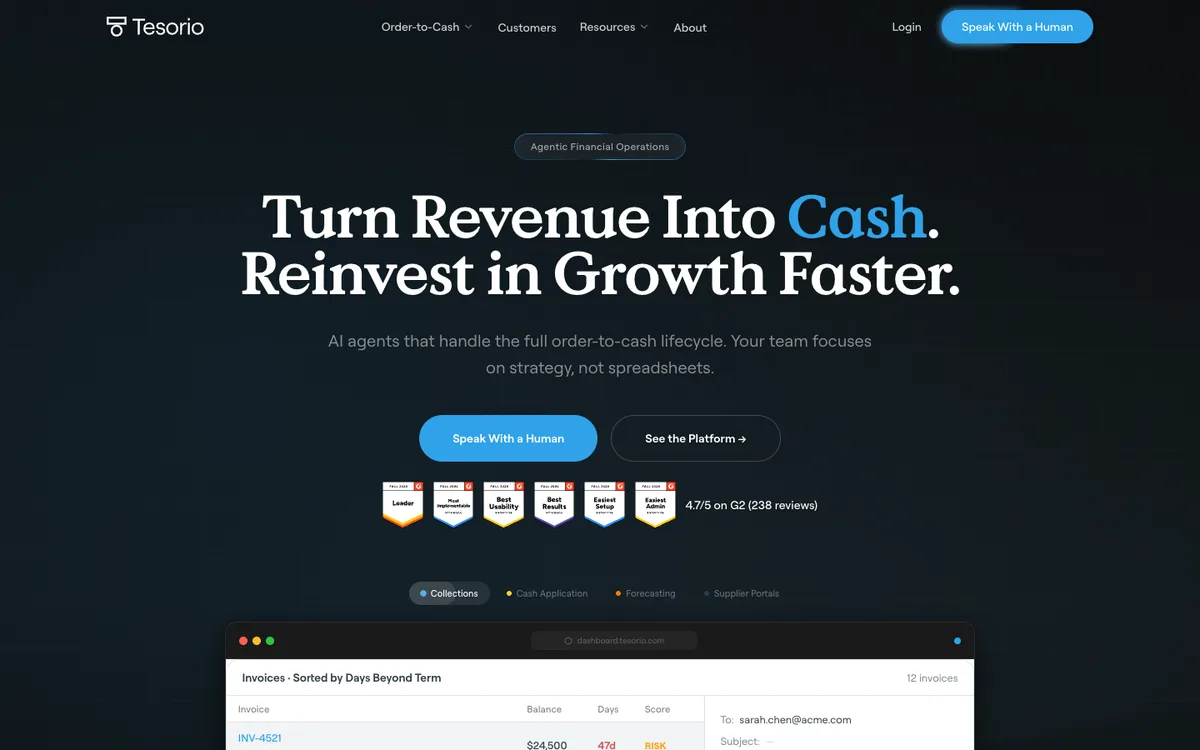
- Collections: Smart Chasing across email, phone and text on Invoiced, and a Collections Agent on Tesorio that drafts follow-ups and records promises to pay.
- Cash application: CashMatch AI matching on Invoiced, the Cash Application Agent on Tesorio.
- A customer portal on both, with payments on the Flywire network in many currencies on Invoiced and a payment portal on Tesorio.
- Forecasting: AR forecasting on Tesorio, cash flow insights on Invoiced.
Invoiced documents native late fees: a flat or percentage fee with a grace period, and different schedules for different customer groups. Tesorio documents no late fee in its product pages, so a late fee in your terms needs its own process there.
It is not always the billing system. Invoiced creates invoices and runs subscription billing, but Tesorio does neither: it reads invoices from your ERP or from billing tools such as Zuora and Stripe.
It is not the ERP or the ledger either. NetSuite, Sage Intacct or QuickBooks stays the record of every invoice, and both tools sit on top of it. Ask each vendor which entities and ERPs a quote includes.
How do Invoiced and Tesorio compare side by side?
Invoiced creates invoices and runs subscription billing, Tesorio does neither. Both quote prices only after a demo. Invoiced has 4.7 stars from 149 Capterra reviews and Tesorio 4.9 from 10.
| Invoiced | Tesorio | |
|---|---|---|
| Best for | Teams wanting billing, subscriptions, collections and payments in one platform | Teams whose ERP already invoices, wanting collections and forecasting on top |
| What it is | Invoice-to-cash platform, "Invoiced by Flywire" | Order-to-cash platform for collections, cash application and forecasting |
| Owner | Flywire (acquired August 2024) | Independent |
| Invoice creation | Yes, including subscription billing | No; works from invoices in your ERP or billing system |
| Collections | "Smart Chasing" across email, phone and text | Collections Agent that drafts follow-ups and records promises to pay |
| Cash application | CashMatch AI matching | Cash Application Agent |
| Forecasting | Cash flow insights | AR forecasting with visualization tools |
| Payments | Flywire payment network, many currencies and payment methods | Payment portal |
| Customer portal | Yes | Yes |
| ERPs and billing systems | NetSuite, Sage Intacct, QuickBooks, Xero, Microsoft Dynamics 365 Finance, Workday, Salesforce | NetSuite, Sage Intacct, QuickBooks, Workday, Salesforce, Zuora, Stripe, and other ERPs through Tesorio Connect |
| Late fees | Yes: flat or percentage fee, grace period, schedules per customer group | None found in its product pages |
| Price | Quote only | Quote only |
| Capterra rating | 4.7 from 149 reviews | 4.9 from 10 reviews |
Features and integrations from each vendor’s own site. "None found" means the vendor’s own pages do not document the capability. Ratings from the linked Capterra pages. Invoiced publishes its own "Invoiced versus Tesorio" article; this page uses only claims that can be checked against each vendor’s own product pages.
Which one fits your business?
Invoiced fits a business that wants invoicing, billing and payments in one platform, and Tesorio fits a business whose ERP or billing system already creates invoices.
Which one fits
- Choose Invoiced if you want one platform to create invoices, run subscription billing, chase and take payments, especially if you bill customers in several countries and currencies. Invoiced also lists Xero and Microsoft Dynamics 365 Finance among its integrations.
- Choose Tesorio if invoices already come from NetSuite, Sage Intacct, Salesforce, Zuora or Stripe, and your finance team wants collections workflows, cash application and cash forecasting on top of that system.
What is the main difference between Invoiced and Tesorio?
The main difference between Invoiced and Tesorio is scope: Invoiced creates invoices and runs subscription billing, while Tesorio reads invoices from your ERP or billing system. Invoiced creates the invoice and runs everything after it: billing, subscriptions, reminders, the customer portal, payments and cash application.
Tesorio does not create invoices or run subscriptions. It reads invoices from the ERP or billing system and adds collections, cash application and forecasting on top. Tesorio’s named customers include GitLab, Veeva, Smartsheet and UiPath.
How do Invoiced and Tesorio differ on cash forecasting?
Tesorio’s AR forecasting uses machine learning to predict when customers will pay, and Invoiced’s own comparison article describes Tesorio’s forecasting and visualization as its strength. Invoiced offers cash flow insights as part of its broader platform.
How much do Invoiced and Tesorio cost?
Neither Invoiced nor Tesorio publishes a price: both pricing pages lead to a demo or a sales conversation. Ask each vendor for the price at your invoice volume, the number of entities and ERPs included, and any payment processing fees. Neither offers a free trial. Capterra reviewers describe Invoiced’s pricing as high relative to alternatives.
What do reviewers say?
On Capterra, Invoiced has 4.7 stars from 149 reviews. Reviewers praise the automation and name slower support, QuickBooks sync issues after updates and a setup that can feel complex. Tesorio has 4.9 stars from 10 reviews on Capterra. Reviewers praise support and name manual handling of unmatched payments and limited custom-field mapping in heavily customized ERPs.
Which AR automation software fits your use case?
Pick the row closest to your setup. The deciding questions are whether the tool must create invoices, which system already holds them, and how many currencies you bill in.
| Use case | Start with | Watch out |
|---|---|---|
| Invoices and subscription billing created in the same tool | Invoiced | Capterra reviewers describe its pricing as high relative to alternatives |
| Customers billed in several countries and currencies | Invoiced | Payments run on the Flywire network, so ask for the processing fees |
| Invoices already come from Zuora or Stripe | Tesorio | Reviewers name manual handling of unmatched payments |
| Cash forecasting is the main need | Tesorio | Its 4.9 Capterra rating rests on 10 reviews |
| Xero or Microsoft Dynamics 365 as the ledger | Invoiced | Reviewers say setup can feel complex |
| Late fees charged automatically | Invoiced | Tesorio documents no late fee in its product pages |
Common questions
Is Invoiced or Tesorio better?
Neither Invoiced nor Tesorio is better for every business: Invoiced fits a business that wants invoicing, subscription billing, collections and global payments in one platform. Tesorio fits a business whose ERP or billing system already creates invoices and that wants collections, cash application and forecasting on top.
Does Tesorio create invoices?
No, Tesorio does not create invoices: its product pages describe collections, cash application, forecasting and a payment portal, and no invoice creation or subscription billing. It works from invoices in systems such as NetSuite, Sage Intacct, Salesforce, Zuora and Stripe. Invoiced creates invoices and runs subscription billing itself.
How much does Invoiced cost?
Invoiced does not publish its prices, and its pricing page leads to a demo or quote. Tesorio’s pricing page also has no published prices. Ask both vendors for a written quote at your invoice volume and include payment processing fees.
Who owns Invoiced?
Flywire, the payments company listed on Nasdaq, acquired Invoiced in August 2024. Invoiced is now marketed as "Invoiced by Flywire" and uses Flywire’s payment network. Tesorio remains an independent company.
Do Invoiced and Tesorio work with NetSuite?
Yes, Invoiced and Tesorio both connect to NetSuite, Sage Intacct, QuickBooks, Workday and Salesforce. Invoiced also lists Xero and Microsoft Dynamics 365 Finance, and Tesorio also connects to Zuora and Stripe. Confirm your exact ERP and edition with the vendor before you buy.
Do Invoiced or Tesorio charge late fees?
Invoiced documents native late fees, with a flat or percentage fee, a grace period and different schedules for different customer groups. Tesorio documents no late fee in its product pages. If your terms carry a late fee, ask Tesorio in the demo how the charge would be raised and posted.
What do reviewers say about Invoiced and Tesorio?
On Capterra, Invoiced has 4.7 stars from 149 reviews, with praise for the automation and complaints about slower support, QuickBooks sync issues after updates and a complex setup. Tesorio has 4.9 stars from 10 reviews, with praise for support and complaints about manual handling of unmatched payments and limited custom-field mapping.
Neither vendor paid to appear on this page.
People also read
Buyer's guide
Best accounts receivable software
AR software compared by company size and accounting system.
Buyer's guide
Best AR automation software
AR automation tools compared on features and price.
Buyer's guide
Best AR software for SaaS
Dunning, failed payments and net-terms collection.
Pricing
Credit control software pricing
Published prices and pricing meters, vendor by vendor.
Sources
2 sources, checked by Julie Turnbridge on November 3, 2026
- Capterra reviews capterra.com/p/222215/Invoiced/reviews
- 4.9 from 10 capterra.com/p/198469/Tesorio/reviews