The best accounts receivable software for SaaS in 2026 is Paidnice, for a subscription business on Xero or QuickBooks Online that chases self-serve and enterprise accounts on different fee rules, from £49 (US$69) a month. Chaser, Growfin, Kolleno and Upflow complete the five, compared on how each collects net-terms invoices off the accounting ledger.
| Tool | Fits | ||||
|---|---|---|---|---|---|
| Best for | Self-serve and enterprise fee rules on Xero or QuickBooks Online | Large annual invoices needing letters and calls | Enterprise teams on NetSuite and Salesforce | Matching hundreds of bank payments | Measuring collections across billing engine and ledger |
| Paidnice | A subscription business on Xero or QuickBooks Online that chases self-serve and enterprise accounts on different fee rules | ||||
| Chaser | A team working a short list of large annual invoices that wants letters, calls and a credit check before net 60 | ||||
| Growfin | An enterprise finance team on NetSuite and Salesforce that wants cash application and a shared AR inbox | ||||
| Kolleno | A business receiving hundreds of bank payments a month whose bottleneck is matching them to invoices | ||||
| Upflow | A team that raises invoices in Stripe Billing, Chargebee or Zuora and wants collections measured across both systems |
What is accounts receivable software for SaaS, and what is it not?
Accounts receivable software for SaaS collects the invoiced half of a subscription book: annual and enterprise contracts billed on net 30 or net 60. It reads the accounting ledger, or on Upflow the billing engine as well, and works the invoices a customer's accounts payable team has not yet paid.
- Reminders by email and SMS, and on Chaser letters and calls, with tone and timing set per account group on some tools.
- Statements covering several open contracts on one account.
- Late fees and interest where the order form allows them. Paidnice and Chaser raise one; Growfin, Kolleno and Upflow do not.
- Payment plans against an invoice that is already late.
- Cash application and collections analytics, which is where Growfin, Kolleno and Upflow go deepest.
It is not the billing engine. Stripe Billing, Chargebee and Recurly run the recurring charge, prorate an upgrade, retry a declined card and email the account owner, and none of the five tools here reads that dunning state.
It is not the ledger either. The invoice lives in Xero, QuickBooks Online or NetSuite, and the AR tool reads it from there.
Reminders and statements alone are a full use case for the invoiced half. A late fee is optional, and the rate has to be in the signed order form before it can be charged.
How this list was put together
This list helps a SaaS business collect the invoiced half of its book: annual and enterprise contracts on net 30 or net 60.
| What we checked | Where the evidence came from |
|---|---|
| Billing engine links: Stripe, Chargebee or Zuora | Vendor integration pages |
| Ledger integrations | Vendor integration pages for Xero, QuickBooks Online and NetSuite |
| Late fee grain for self-serve and enterprise accounts | Vendor help pages on fees and interest |
| Statements, payment plans and a portal | Vendor feature pages |
| Published from-price | Vendor pricing pages, with "Not published" where there is none |
| Rating and review count | The Xero App Store or G2 |
What are the two halves of a subscription receivable?
Card revenue is collected by the billing engine. Invoiced revenue is collected the way any business-to-business receivable is collected, off the accounting ledger, and it is the half that grows every time the business signs a bigger contract.
A self-serve plan pays by card on the first of the month, and when the card fails the billing engine retries it and emails the account owner. An annual enterprise contract arrives as a purchase order, an invoice and a payment run inside somebody else's finance department, and none of that is visible to the system that raised the subscription.
The two halves also fail differently. A failed card ends a subscription. An unpaid net-60 invoice against a signed annual contract does not, and the service usually keeps running while the balance ages.
Xero Small Business Insights shows an average wait of 29.7 days for US small businesses to be paid in its latest data, with invoices settling 8.6 days past their due date.
- Rules that vary by account. Tone, cadence and fee rate set per group, so a $49 self-serve account and a $60,000 annual contract are not chased with the same email.
- A fee the customer's own books can see. A charge raised as a document on their ledger enters the payables run and can be credited later, which a note inside a chasing tool can never be.
- Timing you can hold back. The ability to stop a sequence before a renewal window rather than only to switch it off entirely.
- One aged view across both halves. Receivables that include the invoiced contracts as well as the card revenue, whether that comes from the billing engine or from the ledger the invoices land in.
- A live payment read. Chasing has to stop the morning the payment run clears, which means reading the ledger rather than a nightly file.
Which AR software suits a SaaS business?
 |
 |
 |
 |
 |
|
|---|---|---|---|---|---|
| Revenue fit | Any size up to $50m a year, or 50,000 invoices a year | Compact under £4m, Core from £4m, Complete to £100m | Not published | Under £1m on BusinessPay, tiers to £1bn and above | Gross invoice value tiers, up to $10m through above $100m |
| From (monthly) | $69 | £199 | Not published | $650 per user | Hidden. Last published: $440 a month Grow, $880 Scale |
| Ledger integrations | Xero, QuickBooks Online and newer ledgers such as Rillet and Campfire (closed testing) on every plan; Sage Accounting and other ERPs on Custom | Xero, QuickBooks, Sage, NetSuite, Dynamics 365 Business Central | NetSuite. No Xero or QuickBooks Online evidence | Xero, QuickBooks Online and Sage Intacct on BusinessPay and Business Plus; NetSuite, SAP and Business Central on Enterprise | Xero, QuickBooks Online, NetSuite, Sage Intacct |
| Billing engine links | Stripe (payments) | Stripe (payments, through Chaser Pay) | Zuora | Zuora; Stripe, Adyen and GoCardless for payments | Stripe Billing, Chargebee, Zuora |
| Late fee grain | Yes (per customer group) | Yes (one set of late-fee rules, not tied to schedules) | None found | None found | No (via your ERP only) |
| Statements | Yes (any schedule) | Yes (monthly, fixed day) | Yes (depth not documented) | Yes (in the portal) | Portal PDF statement, no scheduled send |
| Payment plans | Yes (on Pro) | Yes | None found | Yes | No |
| Portal | Yes | Yes | Yes | Yes | Yes |
| AI | Advanced Reads customer replies, drafts answers and follow-up actions (like PO updates) for your approval; MCP server for Claude, ChatGPT and other agents | Advanced AI inbox summarises threads and drafts replies | Advanced Insights, Copilot drafts and an autonomous Agent; AI agent support from Business Plus, fully automated agent runs and AP portal features billed separately by token use | Advanced Collections and cash application agents, from suggest-only to autonomous (Collections Agent from Scale, Cash Application Agent from Accelerate) | |
| Rated (source, count) | 5.0 (84, Xero App Store) | 4.98 (374, Xero App Store) | 4.5 (70, G2) | 4.9 (117, G2) | 4.8 (235, G2) |
"Not documented" means the vendor does not document the capability. "Not published" means the vendor does not print a price. "None found" means no evidence either way. Prices are the vendor's published from-price.
The five tools in five checked facts
- Three of the five publish a starting price: Paidnice from £49 (US$69), Chaser from £199 and Kolleno from US$650. Growfin and Upflow quote.
- Each published price grows with something different: invoice volume (Paidnice), revenue band (Chaser) and users (Kolleno).
- Two of the five apply a late fee themselves: Paidnice (per customer group) and Chaser (one set of rules).
- Paidnice, Chaser, Kolleno and Upflow connect to both Xero and QuickBooks Online. Growfin's site names neither.
- AI that handles collections work or customer replies: Paidnice, Growfin, Kolleno and Upflow.
We checked each tool's own pricing, integration and help pages. "None found" in the data means the vendor's pages do not show the feature.
1. Paidnice, best for annual net-terms deals
Best for: SaaS invoicing annual deals on net terms.
Paidnice is a reminder, late fee and statement tool for SaaS businesses on Xero or QuickBooks Online, of any size up to $50m a year, from £49 (£49 (US$69)) a month.
What is Paidnice best for?
Choose Paidnice if you invoice annual and enterprise deals on net terms and want the reminder, the late fee and the statement schedule set per account group rather than once for the whole book.
- Fits
- SaaS and subscription businesses on Xero or QuickBooks Online of any size, up to $50m a year or 50,000 invoices a year, with or without a dedicated finance hire
- Regions
- United States, United Kingdom, Australia, New Zealand, Canada, South Africa
- Entry cost
- £49 (US$69) a month on Essentials, covering 150 invoices, 600 emails and up to 2 team members; Pro from £74 (US$99) a month with unlimited users and no per-seat fee. Payment plans and sending from your own domain start on Pro.
- Rated
- 5.0 from 84 Xero App Store reviews; 4.9 from 14 on Capterra
- Awards
- Xero Global Small Business App of the Year 2025 and NZ Small Business App of the Year 2026
- Runs on
- Xero, QuickBooks Online, Stripe, Pinch Payments, CloudDepot, HubSpot, Pipedrive, Zapier. Newer ledgers such as Rillet, Campfire, Digits, DualEntry, Puzzle, Accounting Seed and Odoo on every plan through Paidnice's closed testing program. Sage Accounting, NetSuite, Sage Intacct, MYOB, Dynamics 365 Business Central and other ERPs on the Custom plan
- Late fees and interest
- Yes. Two charge types available on the same customer group, an invoice late fee and a statement interest charge, both raised on the customer's ledger as Draft or Approved. Compounding is on by default
- Does best
- Running several late fee policies at once, one per customer group, so a self-serve group and an enterprise group never share a rule
Paidnice runs on top of a Xero organisation or a QuickBooks Online company and covers the invoiced half of the book: reminder sequences, statements on whatever schedule the team sets, consolidated parent accounts, payment plans on Pro, a customer portal, and a charge raised on the customer's own ledger when an invoice runs late.
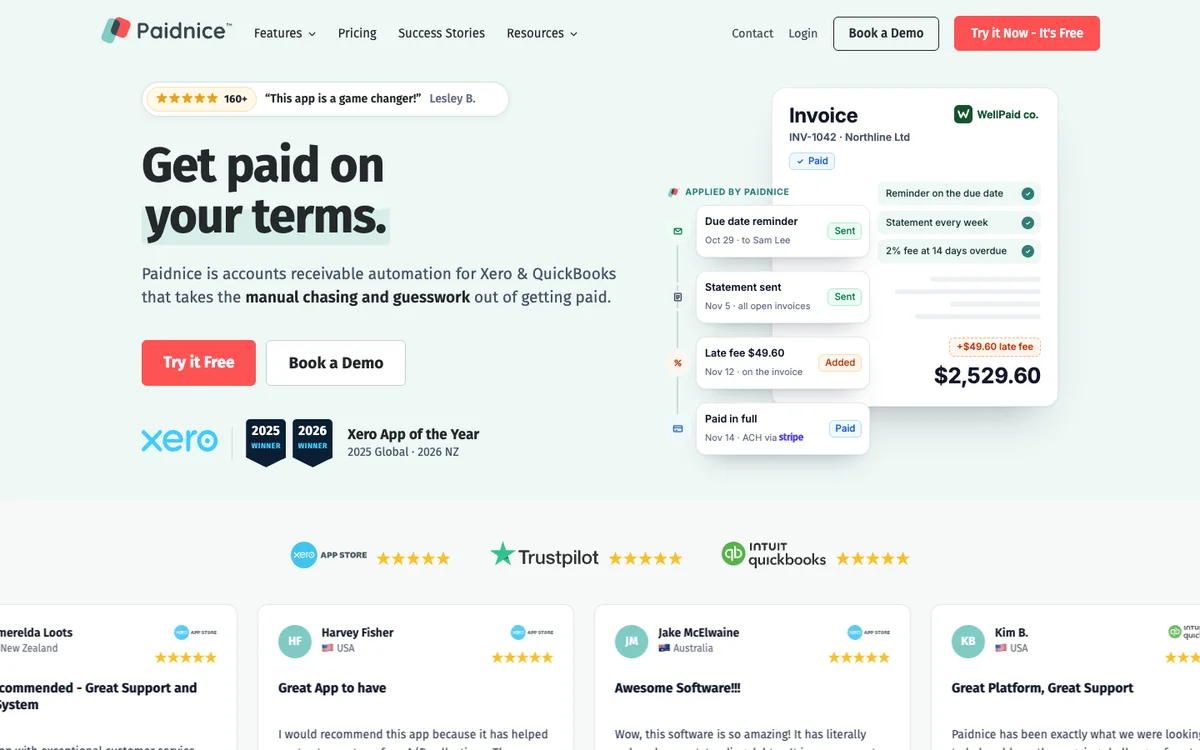
On Pro, mail leaves through the company's authenticated domain by email and SMS, so it arrives from billing@ rather than from a vendor's server. Essentials sends from outbound@paidnice.com.
The reason grain matters here more than on a single-segment book is that the two halves want opposite settings. A self-serve account that failed a card and an enterprise account sitting on net 60 need different tone, different timing and a different rate, and policies hang off customer groups so both run at once.
One invoice can be filtered out of a policy by its reference without moving the account, which is what a disputed line on a usage bill needs. Statement interest is recalculated at the moment the statement sends rather than at the last policy run, so the figure the customer opens is the figure that is owed that morning.
Limitations with Paidnice. Xero and QuickBooks Online are on every plan, and newer ledgers such as Rillet, Campfire, Digits, DualEntry, Puzzle, Accounting Seed and Odoo are available on every plan through Paidnice's closed testing program. Sage Accounting and other ERPs connect on the Custom plan. Invoices raised in a subscription engine have to reach one of these ledgers first. There is no Stripe Billing, Chargebee, Recurly or Zuora connector and no card retry or dunning logic, all of which stays with the billing engine.
Reaching NetSuite, Sage Intacct, MYOB or Dynamics 365 Business Central means the Custom plan and a build rather than a standard connector. Essentials covers two team members.
Best Accounts Receivable Software for SaaS: 5 Tools Compared (1:44)
Video chapters and transcript
- 0:00 Short answer
- 0:21 What matters for a SaaS business
- 0:44 Five tools, in alphabetical order
- 1:20 Published prices
Which accounts receivable software suits a SaaS company? It depends on your billing stack. The billing engine collects card revenue.
These five tools handle the invoiced half, off the accounting ledger. They are compared on whether they collect net-terms invoices, whether the fee rule can differ by account, and on published price. Check five things before a demo.
Rules that vary by account, so a self-serve plan and a large annual contract are not chased alike. A fee the customer's own books can see. Timing you can hold back before a renewal window.
One aged view across card and invoiced revenue. And a live payment read, so chasing stops when the payment run clears. Choose Chaser if you work a short list of large annual invoices and want letters, calls and a credit check before net sixty.
Choose Growfin if an enterprise finance team on NetSuite and Salesforce wants cash application and a shared AR inbox. Choose Kolleno if your bottleneck is matching hundreds of bank payments a month to invoices. Choose Paidnice if self-serve and enterprise accounts need different fee rules on Xero or QuickBooks Online.
Choose Upflow if you raise invoices in Stripe Billing, Chargebee or Zuora and want collections measured across both systems. On price, Chaser starts at one hundred ninety-nine pounds a month. Kolleno starts at six hundred fifty dollars per user.
Paidnice starts at sixty-nine dollars. Growfin and Upflow do not publish a price.
2. Chaser, best for few large annual invoices
Best for: A few large annual invoices on net terms.
Chaser is a credit control tool with email, SMS, letter and call chasing for SaaS teams billing enterprise contracts on net terms, from £199 a month for revenue under £4m.
What is Chaser best for?
Choose Chaser if your finance team chases a small number of large annual invoices and wants email, SMS, posted letters and recorded calls in one schedule, plus a credit check before net 60 is agreed.
- Fits
- Businesses with a named credit controller; Compact is priced for revenue under £4m, Core from £4m, and Complete runs to £100m
- Regions
- UK-registered, trading since 2014, sells worldwide
- Entry cost
- £199/mo on Compact for revenue under £4m with 4 users; Core £599/mo under £10m; Complete £899/mo to £100m. Yearly billing is £179, £539 and £809 a month.
- Rated
- 4.98 from 374 Xero App Store reviews; 4.3 from 71 on G2; 4.9 from 45 on Capterra
- Awards
- Finalist, UK Small Business App Partner of the Year, Xero Awards 2023
- Runs on
- Xero, QuickBooks, Sage 50, Sage 200, Sage Intacct, Sage Business Cloud Accounting, NetSuite, Dynamics 365 Business Central, AccountsIQ, SAP, HubSpot, Gmail, Outlook
- Late fees and interest
- Yes. Four calculation types, recalculated daily, but one set of late-fee rules, across the account or for selected debtors, not tied to schedules, with no documented way to run different rules per group. No fee is raised on payment-plan invoices, and Chaser's help says a late fee cannot be added or updated after a part payment when written to Xero
- Does best
- Chasing on four channels from the team's own mailbox, with SMS, posted letters and recorded calls in the same schedule as the email
- Customers
- Named on its website: Pact Coffee, Huttie and TaxAssist. Huttie's case study reports £15,000 of old debt recovered.
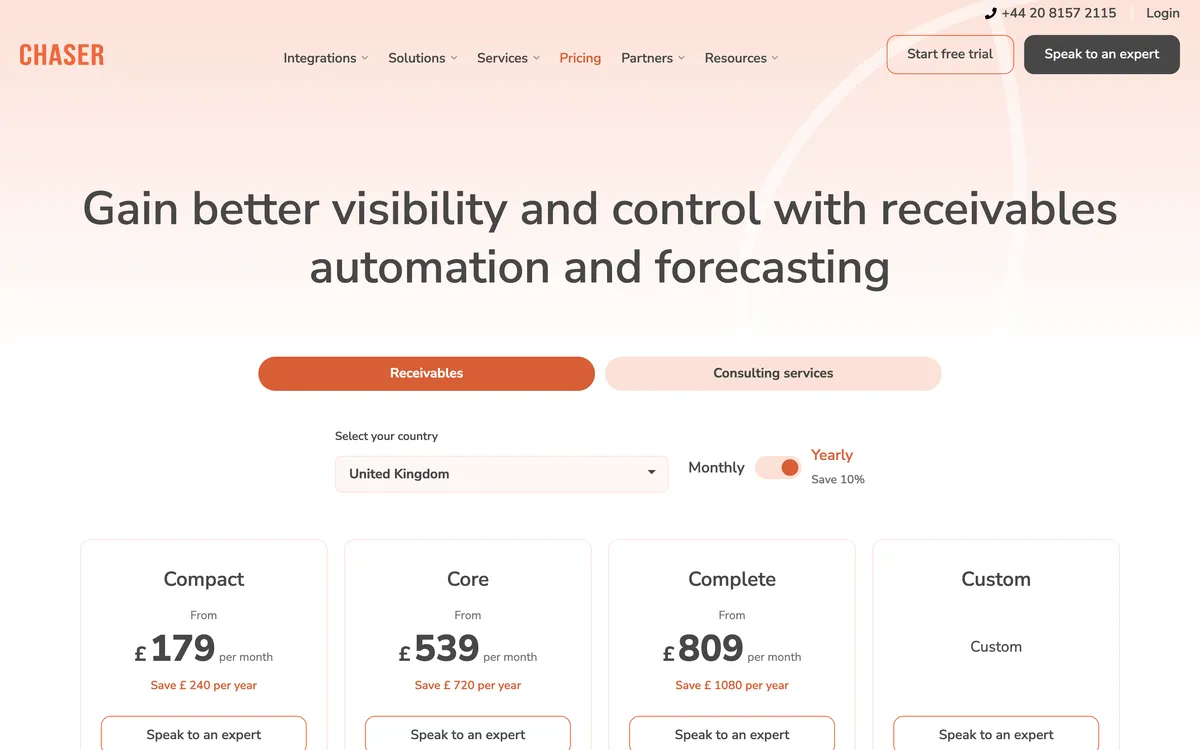
On a subscription book the channel ladder earns its money on the head rather than the tail: against a $60,000 annual renewal a posted letter reaches a different desk from a fifth email.
The credit report inside the app is supplied by Creditsafe, carrying a score with a recommended limit, the customer's own payment score, credit event history, and Companies House filing and director data, monitored continuously. Chaser credit checks need Chaser billing, not Xero App Store billing; monitoring is not offered in Australia.
Limitations with Chaser. One set of late-fee rules, across the account or for selected debtors, not tied to schedules, with no documented way to run different rules per group, which is the wrong shape for a book with a self-serve half and an enterprise half. No fee is raised on payment-plan invoices, and Chaser's help says a late fee cannot be added or updated after a part payment when written to Xero. Statements are monthly only, on one fixed day. Compact stops at four users.
Price is banded by company revenue rather than invoice volume, so the bill steps up as ARR grows rather than as the ledger fills.
3. Growfin, best for NetSuite and Salesforce
Best for: Enterprise SaaS teams on NetSuite and Salesforce.
Growfin is an enterprise collections and cash application platform for NetSuite and Salesforce SaaS finance teams, with no price published.
What is Growfin best for?
Choose Growfin if you run an enterprise SaaS finance team collecting out of NetSuite and Salesforce and want remittance extraction, matching and a shared AR inbox in one place.
- Fits
- Enterprise and upper mid-market finance teams on NetSuite, with collections run alongside Salesforce. No revenue band published
- Regions
- Delaware-registered, engineering team largely in Chennai, selling mainly to United States enterprises
- Entry cost
- Not published. The vendor publishes no pricing page. One 2022 buyer review records $2,500 of setup and $8,500 a year due upfront, indexed to revenue.
- Rated
- 4.5 from 70 G2 reviews; 4.3 from 6 on Capterra
- Awards
- Not published
- Runs on
- NetSuite, Salesforce, Slack, Zuora. No Xero, QuickBooks Online, Sage Intacct or SAP evidence
- Late fees and interest
- None found. No late fee or interest function is marketed on any product page
- Does best
- Cash application, with remittance extracted from PDFs, spreadsheets, lockboxes and email, and matches proposed with a confidence score and a stated reason on the exceptions
Growfin has two real products: cash application and a shared AR inbox. The inbox summarizes a thread, classifies it against an account, recommends the next action and drafts a reply for someone to approve.
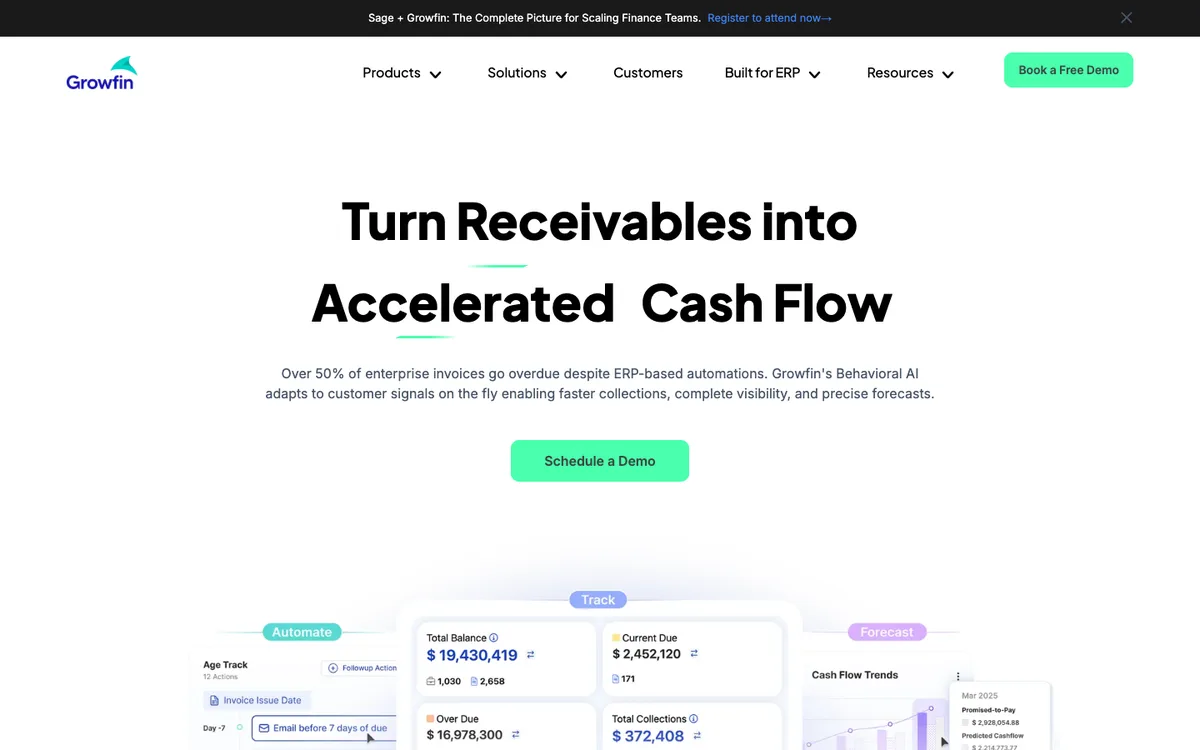
Its collections logic separates low-touch accounts from multi-stakeholder ones and adjusts follow-ups and escalations from account signals, which maps neatly onto a subscription book that carries both. Credit risk is scored from live factors and refreshed continuously through a bureau partnership added in January 2026.
Limitations with Growfin. Nothing is published on price at any tier, and there is no free tier and no trial. No late fee or interest function is marketed at all and no payment plan function is documented.
There is no Xero or QuickBooks Online evidence, which rules it out for most subscription businesses under $10m of ARR. Reviewers name mailbox handling, limited customization and slow page switching, and the G2 listing now holds 70 reviews.
4. Kolleno, best for hundreds of bank payments
Best for: SaaS teams that match hundreds of bank payments a month to their invoices.
Kolleno is an order-to-cash platform for subscription businesses, from $650 per user a month; payment matching (auto-reconciliation) is on Enterprise only, by quote.
What is Kolleno best for?
Choose Kolleno if you receive hundreds of bank payments a month and need remittance parsing and bank-file matching, not another reminder schedule.
- Fits
- Order-to-cash teams: BusinessPay for turnover under £1m, Business Plus £1m to £100m, Enterprise £100m to £1bn
- Regions
- London head office, founded 2020, selling internationally
- Entry cost
- $650 per user a month on BusinessPay, $545 on annual billing, minimum one user, for turnover under £1m; Business Plus $1,245 per user.
- Contract
- Default 24-month term, renews for 12 months, 90 days' notice, fees non-refundable.
- Rated
- 4.9 from 117 G2 reviews; 5.0 from 8 on Capterra · Xero App Store listing
- Awards
- G2 Best Software Awards 2024
- Runs on
- NetSuite, SAP S/4HANA and Business One, Sage Intacct, Business Central, Workday, Oracle JD Edwards, Epicor, Infor, Odoo, Zuora, Xero, QuickBooks Online
- Late fees and interest
- None found. No feature page or help article documents a late fee or interest calculation
- Does best
- Cash application, with email remittance parsing, BAI2, NACHA and ISO 20022 bank files, match scoring and NetSuite multi-currency journal entries
- Customers
- Named on its website: Miro, 1Password and Rentsync. Rentsync's case study reports bad debt cut by 50%.
Kolleno is built around cash application. Remittance emails are parsed into suggested matches, bank connections run over SFTP, and one-to-many matching, partials, credit-note offsets, foreign exchange and bank-fee handling are all in scope. A subscription business collecting by bank transfer in several currencies is the case it was designed for, and Zuora sits on its integration list beside the ERPs.
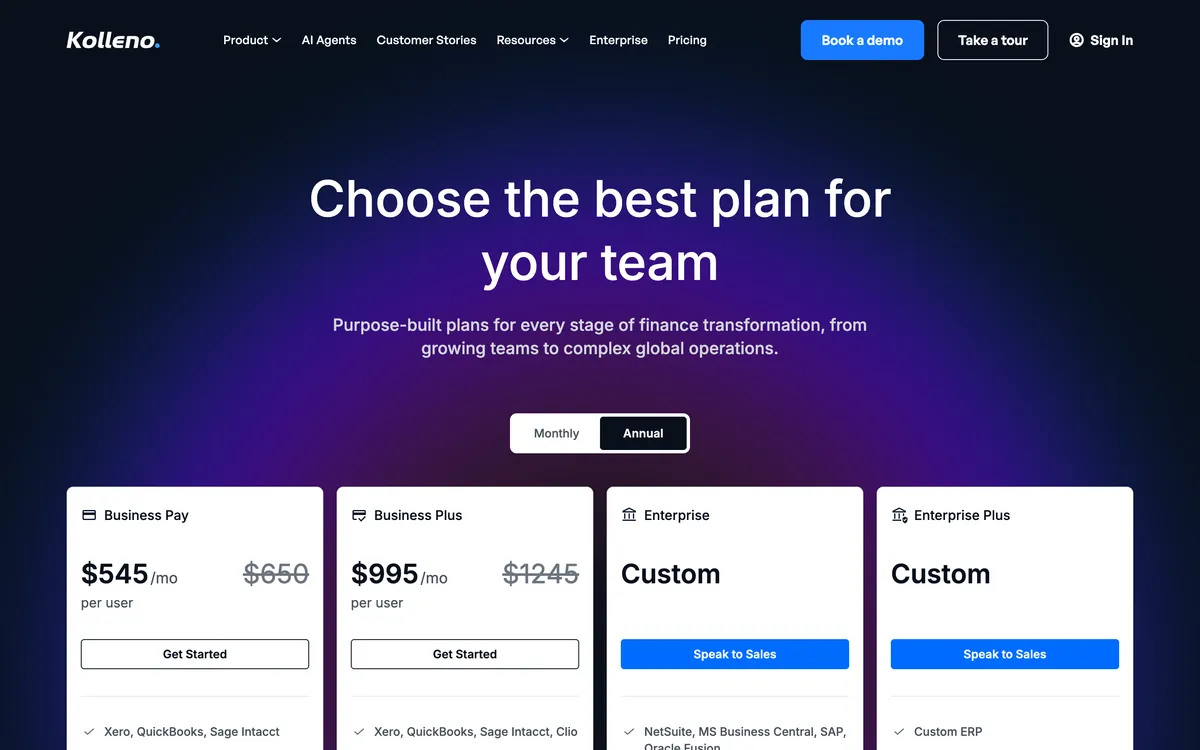
Kolleno lists AI agent support from Business Plus: insights, a copilot that drafts messages for review, and an agent that works a collections policy. Fully automated agent runs and AP portal features are billed separately by token use. Payment plans split weekly, monthly or bi-monthly with automations linked to the plan, and the portal carries saved methods, scheduled payments, credit notes and disputes.
Limitations with Kolleno. $650 per user a month on BusinessPay, a tier for turnover under £1m that leaves out workflow automation, puts it above the budget of most SaaS businesses below Series B, and workflow automation needs the next tier at nearly double, with two users minimum.
No late fee or interest function is documented anywhere in its materials, so the charge stays a manual job. On the subscription side there is Zuora and nothing else, with no Stripe Billing, Chargebee or Recurly connector. Reviewers keep naming navigation and reporting depth as the weak points. Kolleno includes 100 to 600 calls a plan. Its pricing page does not say which actions a workflow can hold.
5. Upflow, best for DSO across subscriptions
Best for: Measuring DSO across a subscription book.
Upflow is a collections analytics platform that reads Stripe Billing, Chargebee and Zuora, quoted in five tiers by gross invoice value, from up to $10m to above $100m, with last published prices of $440 a month for Grow and $880 for Scale, and current prices hidden and to be requested from Upflow.
What is Upflow best for?
Choose Upflow if your finance team wants countback DSO and collection effectiveness measured across a subscription book, reading from the billing engine as well as the ledger, before anything is automated.
- Fits
- B2B finance teams that manage by metric, quoted in five tiers by gross invoice value, from up to $10m on Starter to above $100m on Enterprise
- Regions
- New York head office, Paris origin, customers in 30-plus countries
- Entry cost
- Not published. Upflow prints no figures and quotes five tiers by gross invoice value; its pricing FAQ mentions a free Discover plan for analytics, but it is not among the plan cards. Upflow's last published prices were $440 a month for Grow and $880 for Scale. Upflow takes payments through its optional Payments add-on: $390 a month platform fee, 3.5% + $0.30 per card payment, 0.8% capped at $5 for ACH
- Rated
- 4.8 from 235 G2 reviews; 4.5 from 15 on Capterra · Xero App Store listing
- Awards
- Not published
- Runs on
- Xero, QuickBooks Online, NetSuite, Sage Intacct, Stripe Billing, Chargebee, Zuora
- Late fees and interest
- No, via your ERP only. Upflow's own documentation points the job back to the ERP and there is no native computation
- Does best
- Collections analytics, with countback DSO against best possible DSO, collection effectiveness and an at-risk rate above 90 days
- Customers
- Named on its website: Vercel, Productboard and ActivTrak. ActivTrak's case study reports a 23-day DSO.
Upflow is the only tool in this comparison that connects to Stripe Billing, Chargebee and Zuora directly as well as to Xero, QuickBooks Online, NetSuite and Sage Intacct. For a business that raises invoices in one system and books them in another, that is the difference between one aged receivables view and two that disagree.
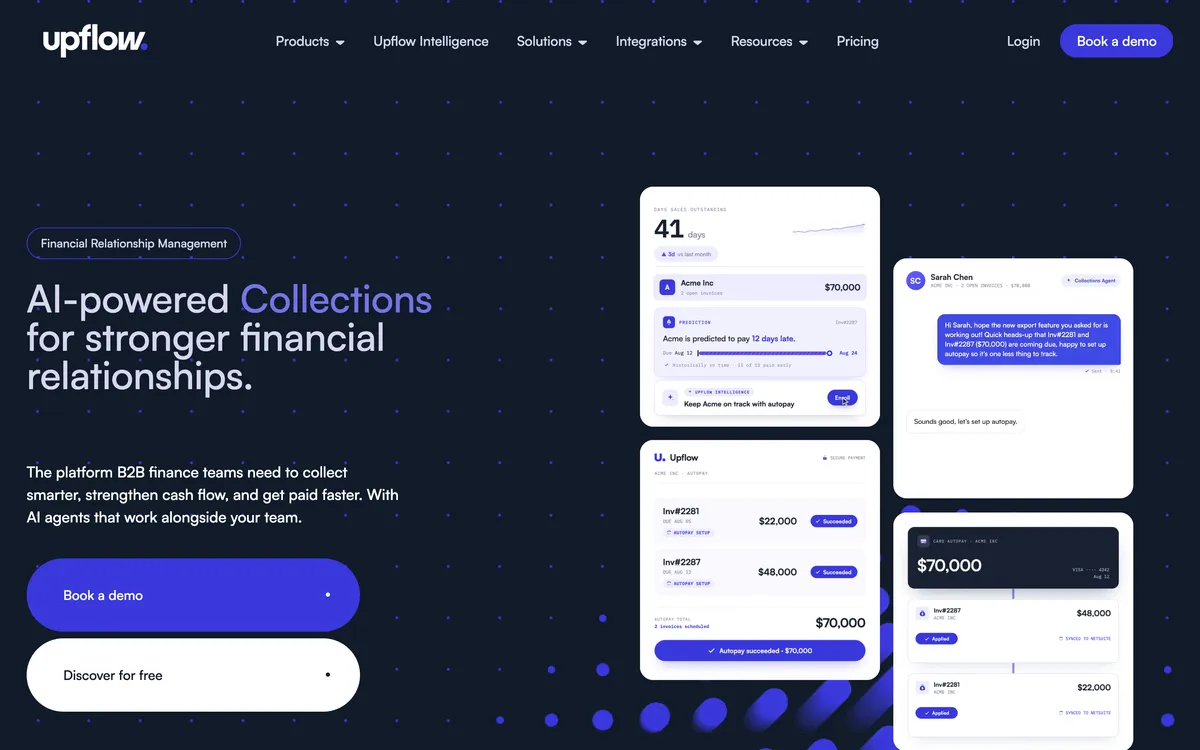
Billing cohorts are the subscription-shaped cut of that data, because they show whether a January cohort pays worse than a July one, which is a question no aged listing answers.
Limitations with Upflow. Fees are pushed back to the ERP, and a business on Xero or QuickBooks Online has no ERP to push them to, so no late fee is raised for it. There are no payment plans at all, only part payments a customer starts and promises to pay.
Automated actions run once a day, and only on business days. Sending through your own SMTP switches off open and click tracking, the QuickBooks link is one way and polled every five minutes with payments landing in Undeposited Funds for manual reconciliation, and custom fields are capped at three text-only entries.
Where does the billing engine stop and the ledger start?
A business that is still 90% card revenue can leave this category alone. A business where a quarter of ARR now arrives as invoices cannot, because that quarter is the part of the book nothing is currently chasing.
How do you chase without spending the renewal?
A subscription business has a constraint on enforcement that almost no other kind of business has: the renewal date. A fee raised six weeks before an annual renewal is a retention decision rather than a collections one, and customer success usually hears about it after the customer does.
On the self-serve half the fee should be fast and automatic. The balances are small, there is no account manager, the relationship is with a product rather than a person, and nobody escalates a $40 charge to a quarterly review.
On the enterprise half it should be slow and reviewed. The balance is large enough for the interest to matter, the rate is already written into the order form, and the sequence needs to stop short of the renewal window.
Raising the charge as a draft rather than an approved document is what makes that reviewable by a human before it reaches the customer.
Running both at once needs more than one policy. Chaser's four calculation types sit behind one set of rules. Neither Growfin nor Kolleno documents an interest function.
Paidnice holds a policy per customer group, so a self-serve group, an enterprise group and a group inside its renewal window each carry their own rate and timing. Upflow points fee calculation back to the ERP.
Why does a SaaS customer sit in two systems at once?
A SaaS customer exists twice, as a subscription in the billing engine and as an invoice in the ledger, and both systems are writing to the same accounts payable inbox.
A dunning email from the billing engine and a chase from the AR tool land on the same morning quoting different amounts, and the accounts payable clerk who receives both now has to work out which one is real.
Two things prevent it. The first is deciding which system owns which half of the book and suppressing the other, which in practice means keeping accounts the billing engine is already dunning out of the ledger-side policy, as a customer group somebody maintains. The second is agreeing on the identifier.
A billing engine keys on a subscription or customer object; a ledger keys on a contact record. The two disagree the moment a customer has more than one entity, a parent company, or a procurement alias that does not match the name on the subscription.
None of the five tools here reads dunning state out of a billing engine. Upflow connects to Stripe Billing, Chargebee and Zuora and can therefore see the invoices, but invoice data is not retry state.
How is a late fee enforced on an enterprise contract?
On the invoiced half a late fee is a contract term rather than an entitlement. The rate has to be in the signed order form or master services agreement, inside whatever limit the customer's state allows, before a cent of it can be charged.
Enterprise contracts carry that clause more reliably than almost any other kind of agreement, and charge it less often. Part of the reason is the renewal.
The rest is turnover: the person who signed the order form has often left by the time the invoice is 60 days late, and nobody remaining on the account wants to be first to raise interest with their replacement.
The counter-argument is that a raised fee is the only thing an account manager has left to give away. A charge sitting on the customer's own ledger can be waived in writing, on the record, in exchange for the invoice clearing this week.
How much is a late fee worth on one annual invoice?
The calculation is the overdue balance multiplied by the annual rate, apportioned across the days the invoice ran late.
On $24,000 overdue for 45 days at 12% a year, the late fee is $355.07. Every further 30 days adds $236.71, and by 90 days overdue the fee reaches $710.14.
Which tools offer installments against an annual invoice?
Installments against an open invoice come from Paidnice, Chaser and Kolleno. Upflow offers a promise to pay plus ad-hoc part payments rather than a schedule, and no installment function is documented for Growfin.
Two things that sound alike are worth separating first. Monthly billing on an annual contract changes what the billing engine raises in the first place, and it is a pricing decision. An installment plan splits an invoice that already exists and is already late, and it is a collections instrument.
What decides the choice is what chases the plan once it has been agreed. Chaser splits an invoice from weekly through to yearly, but the chasing stays pinned to the original invoice due date rather than to the installment dates, and its own documentation advises chasing the installments manually.
Kolleno splits weekly, monthly or bi-monthly with automations linked to the plan, though uneven totals are split manually and there are no interest, deposit or approval options.
There is also a fee interaction worth knowing before a plan is offered to anybody. Chaser raises no fee on a payment-plan invoice, so agreeing a plan on that tool switches enforcement off for that invoice permanently. Its help also says a late fee cannot be added or updated after a part payment when written to Xero.
How much does SaaS AR software cost on top of the billing stack?
Published entry prices: Paidnice £49 (US$69) a month, Chaser £199, Kolleno $650 per user. Growfin publishes nothing at any tier, and Upflow now hides its prices (last published: $440 a month for Grow and $880 for Scale).
None of these prices replaces anything. Stripe Billing, Chargebee or Recurly is still a separate line on the same budget, so a SaaS business buying accounts receivable software is adding to that spend rather than swapping it out.
Watch the pricing axis rather than the headline, because two of these models scale on things a SaaS business grows quickly. Kolleno charges per user within turnover bands, so the bill moves with the size of the finance team and again with the size of the company.
Chaser bands by company revenue, so it steps up as ARR does rather than as the ledger fills. Paidnice charges on invoice volume, flat, with no per-seat fee.
Upflow's $440 and $880 are its last published prices, and Growfin's only figures come from one 2022 buyer review.
Roughly where each tool lands by ARR:
- Under $1m. Mostly card revenue with a handful of invoiced contracts. Paidnice at £49 (US$69) a month if the fee matters as much as the reminder, and the billing engine's own dunning for the card side.
- $1m to $10m. The invoiced half is now material. Chaser at £199 a month for four-channel chasing (credit checks are sold by credit on any plan), Paidnice for per-group policies and flat pricing, Upflow if nobody can currently state DSO.
- $10m to $50m. Chaser Core from £599 a month for a single system, Kolleno if bank payments arrive faster than anyone can match them, Upflow for measurement across the billing engine and the ledger.
- Above $50m. Kolleno and Growfin, both priced for a finance team rather than a founder, both built around cash application, and both leaving the late fee to you.
Which accounts receivable software for SaaS fits your use case?
Start from where the invoice is raised and how much of the book is invoiced rather than card revenue.
| Use case | Start with | Watch out |
|---|---|---|
| Invoiced contracts on Xero or QuickBooks Online, self-serve and enterprise on different rules | Paidnice | Billing-engine invoices must reach the ledger first |
| Short list of large annual invoices that need letters and calls | Chaser | One set of fee rules; price steps with revenue |
| Enterprise team on NetSuite and Salesforce | Growfin | No published price or trial |
| Hundreds of bank payments a month to match | Kolleno | $650 per user a month |
| Invoices raised in Stripe Billing, Chargebee or Zuora | Upflow | No late fees or payment plans; quote only |
| Still 90% card revenue | Your billing engine's own dunning | No AR tool needed yet |
What do SaaS finance leads ask?
Which accounts receivable tool should a SaaS business choose?
Choose Paidnice if you are on Xero or QuickBooks Online and want the reminder, the fee policy and the statement schedule set per customer group, so a self-serve account and an enterprise contract run different rules, from $69 a month.
Choose Chaser if the book is a short list of large invoices and the escalation needs letters and calls, from £199 a month.
How is a SaaS receivable different from an ordinary one?
A SaaS receivable is two receivables in one book. Recurring card revenue is collected by the billing engine, which retries the card and emails the account owner while the subscription is live.
Invoiced revenue on annual and enterprise contracts is collected off the accounting ledger on net 30 or net 60, in somebody else's payment run, and that half grows every time the business moves upmarket.
Do we still need this if we already run a subscription billing engine?
If any revenue is invoiced on net terms, yes: a billing engine runs the recurring charge and the card retry.
Can a late fee be raised without risking the renewal?
Only where the rule can be pointed at some accounts and not others. Paidnice runs a policy per customer group and raises the charge on the customer's ledger as Draft or Approved, so an enterprise group inside a renewal window can be held back while the self-serve group carries on.
Chaser applies one set of late-fee rules, not tied to schedules, that skips payment-plan invoices, and its help says a late fee cannot be added or updated after a part payment when written to Xero, Growfin and Kolleno document no interest function, and Upflow points the job at your ERP.
Which tools read from Stripe Billing, Chargebee or Zuora?
Upflow connects to all three directly, alongside Xero, QuickBooks Online, NetSuite and Sage Intacct. Growfin and Kolleno connect to Zuora. Paidnice and Chaser treat Stripe as a payment rail rather than as a source of invoices, so anything raised in a billing engine has to reach Xero or QuickBooks Online before either tool can chase it.
What does this cost on top of the billing stack?
Paidnice is £49 (US$69) a month on Essentials with up to two team members and from £74 (US$99) on Pro with unlimited users, Chaser costs £199 a month for revenue under £4m, and Kolleno is $650 per user a month on BusinessPay.
Growfin publishes no price, and Upflow's last published prices were $440 a month for Grow and $880 for Scale; current prices are hidden and must be requested from Upflow.
Our accounting package already sends reminders. What does this add?
Xero and QuickBooks Online do not know a renewal date and cannot vary the chase by contract type, which is the whole problem on a subscription book.
They send one reminder on a fixed schedule, raise no fee, issue no statement across several open contracts, and report nothing on collection performance. On a book where a $49 self-serve account and a $60,000 annual contract sit in the same aged listing, one reminder template is not a policy.
To compare the same tools for any business type, read the best credit control software guide, which sets out six tools by size, ledger and price.
Related reading for subscription finance
Buyer's guide
Best accounts receivable software (by business type)
The pillar guide: the category end to end, sorted by size and by ledger.
Dunning
Best dunning software
Where a dunning sequence stops, and who raises the charge at the end of it.
By accounting system
Best AR software for Xero
What plugs into a Xero organisation, compared on what happens after the reminder.
Alternatives
Best Upflow alternatives
Six tools against Upflow on who raises the fee, what it costs and who rated it.
Sources
14 sources, checked by Julie Turnbridge on November 3, 2026
- Xero Small Business Insights xero.com/resources/small-business-insights/latest-united-...
- Xero App Store apps.xero.com/uk/app/paidnice
- Capterra capterra.com/p/254868/Paidnice
- Xero App Store apps.xero.com/uk/app/chaser
- G2 g2.com/products/chaser/reviews
- Capterra capterra.com/p/157101/CHASER
- G2 g2.com/products/growfin/reviews
- Capterra capterra.com/p/250264/Growfin
- G2 g2.com/products/kolleno/reviews
- Capterra capterra.com/p/227932/Kolleno
- Xero App Store listing apps.xero.com/uk/app/kolleno
- G2 g2.com/products/upflow-upflow/reviews
- Capterra capterra.com/p/193097/Upflow
- Xero App Store listing apps.xero.com/us/app/upflow