The best AR automation software in 2026 is Paidnice, for a business on Xero or QuickBooks Online that wants the late fee applied automatically with a different rule per customer group, from £49 (US$69) a month. Chaser, Upflow, Kolleno, Invoiced and ezyCollect complete the six, compared on whether each applies late fees and interest itself and at what grain.
AR automation software chases, charges and reconciles invoices a business has already issued, on whichever accounting ledger it runs. Subscription billing software such as Stripe Billing, Chargebee or Recurly is a separate category: it raises recurring charges and retries failed cards.
| Tool | Best for | |||||
|---|---|---|---|---|---|---|
| Best for | Late fees per customer group on Xero or QuickBooks Online | Creditsafe checks and multi-channel chasing | Measuring collections before automating | Cash application on NetSuite or SAP | US invoicing, receivables and payments together | Australian and New Zealand teams on MYOB |
| Paidnice | A business on Xero or QuickBooks Online that wants the late fee applied automatically, with a different rule per customer group | |||||
| Chaser | A team with a named credit controller that wants Creditsafe checks and multi-channel chasing in one system | |||||
| Upflow | A B2B finance team that needs collections measured, with countback DSO and effectiveness, before it automates | |||||
| Kolleno | An order-to-cash team on NetSuite or SAP whose bottleneck is matching cash to invoices | |||||
| Invoiced | A US mid-market buyer that wants invoicing, receivables and payments on one platform | |||||
| ezyCollect | An Australian or New Zealand team on MYOB or Xero that wants bureau credit checks, demand letters and agency referral in one platform |
This guide covers every ledger; the QuickBooks-only shortlist, including the platforms that also process card and ACH payments, is the AR automation platforms for QuickBooks guide.
The collections-stage shortlist, ranked on cash application and revenue band, is the accounts receivable collections software guide.
What is AR automation software?
AR automation software runs the work of getting issued invoices paid, on whichever accounting ledger a business uses. It reads Xero, QuickBooks Online or the ERP and acts on what is open and overdue without a person chasing each invoice.
- Reminders and escalation by email and SMS, and on some tools letters and calls.
- Late fees and interest raised as a document on the ledger. Paidnice, Chaser and Invoiced do this; the other three do not, or do not document it.
- Statements and payment plans.
- Payment capture through a portal or a payment link.
- Cash application, matching money received to the invoices it settles, where Kolleno and Upflow go deepest.
- Reply reading on some tools: accounts receivable AI reads what the customer sends back and drafts the answer for a person to approve.
It is not the ledger, and on five of the six tools here it does not send the invoice itself. It does not resolve disputes or decide when to stop chasing: those stay with a person. It is not a collection agency either, though ezyCollect puts a referral to a collections partner behind a button.
Reminders and statements alone are a full use case. A late fee is optional, and outside the UK the rate has to be written into your own terms.
How this list was put together
This list helps a business on Xero, QuickBooks Online or an ERP choose software that gets issued invoices paid without manual chasing.
| What we checked | Where the evidence came from |
|---|---|
| Late fee grain, raised as a document on the ledger | Vendor help pages on fees and interest |
| Ledger integrations | Vendor integration pages |
| Statements, payment plans and a portal | Vendor feature pages |
| Credit checks | Vendor product pages |
| Published from-price | The vendor's pricing page, and the last reported price where it is now hidden |
| Rating and review count | The Xero App Store, including the Australian store, or G2 |
Which of the eight stages from invoice to cash does AR automation cover?
Eight things happen between issuing an invoice and having the money. "AR automation" is a claim about how many of them run without a person, and across this shortlist the answer runs from four to five.
- Invoice delivery. Getting the invoice itself to the customer. On five of these six the ledger does it and the tool starts afterwards.
- Reminder. Scheduled follow-ups before and after the due date. Every tool here runs this one, which is why it separates nobody.
- Escalation. Changing tone, channel or recipient as the debt ages, without somebody deciding to.
- Fee and interest. Calculating a charge and raising it as a document on the ledger. Three of six.
- Payment plan. Splitting a balance into dated instalments and then chasing those dates rather than the original one.
- Payment capture. A portal or a link where the customer pays without emailing anyone.
- Cash application. Matching money that arrived to the invoices it settles, from a remittance advice or a bank file.
- Dispute. Working out why an invoice is being held and getting the hold released. Nobody on this page automates it.
| Tool | Stages run without a person | Which ones |
|---|---|---|
| Paidnice | 5 of 8 | Reminder, escalation, fee and interest, payment plan, payment capture |
| Kolleno | 5 of 8 | Reminder, escalation, payment plan, payment capture, cash application |
| Chaser | 4 of 8 | Reminder, escalation, fee and interest, payment capture |
| Upflow | 4 of 8 | Reminder, escalation, payment capture, cash application |
| ezyCollect | 4 of 8 | Reminder, escalation, payment plan, payment capture |
| Invoiced | Not documented | It issues the invoice, which nothing else here does, and it documents late fees by customer group. No other mechanic could be confirmed from its public materials |
Scored from each vendor's own documentation. A stage counts only where the tool performs it without a person; a capability that raises a task for somebody else to do the work is a task, not a stage.
Chaser's payment plans are the clearest example of the scoring rule. Chaser splits an invoice weekly through to yearly, so the plan exists, but the chasing follows the original invoice due date rather than the instalment dates, and Chaser's own documentation advises following the instalments up manually.
What does a vendor mean by AR automation?
The distinction that costs money is between sending something about a charge and applying the charge. A tool that emails "a 2% late fee may apply under our terms" has automated the wording and left the charge itself to a person.
A tool that computes the fee, raises it as an invoice on the ledger and carries it into the next statement has automated stage four. The first leaves the customer's accounts payable team nothing to act on. The second gives it an invoice to schedule.
How do the six AR automation tools compare by stage?
The same six tools, read across the capabilities that make up the eight stages.
 |
 |
 |
 |
 |
 |
|
|---|---|---|---|---|---|---|
| Revenue fit | Any size up to $50m a year, or 50,000 invoices a year | Compact under £4m, Core from £4m, Complete to £100m | Gross invoice value tiers, up to $10m through above $100m | Under £1m on BusinessPay, tiers to £1bn and above | Not published | Not published |
| From (monthly) | US$69 | £199 | Not published (last published: $440 a month for Grow and $880 for Scale; now hidden, request a quote) | $650 per user | Not published | A$275 a month for ezyStart (last published; current prices are hidden and must be requested) |
| Ledger integrations | Xero, QuickBooks Online and newer ledgers such as Rillet and Campfire (closed testing) on every plan; Sage Accounting and other ERPs on Custom | Xero, QuickBooks, Sage, NetSuite, Dynamics 365 Business Central | Xero, QuickBooks Online, NetSuite, Sage Intacct | Xero, QuickBooks Online, NetSuite, SAP, Sage Intacct, Business Central | Xero, QuickBooks Online and Desktop, NetSuite, Sage Intacct | Xero, MYOB, NetSuite, Sage 300; QuickBooks logo on homepage, no connector page |
| Late fee grain | Yes (per customer group) | Yes (one set of late-fee rules, not tied to schedules) | No (via your ERP only) | None found | Yes (schedules per customer group) | No |
| Statements | Yes (any schedule) | Yes (monthly, fixed day) | Portal PDF statement, no scheduled send | Yes (in the portal) | Not documented | Yes (monthly) |
| Payment plans | Yes (on Pro) | Yes | No | Yes | Not documented | Yes |
| Portal | Yes | Yes | Yes | Yes | Yes | Yes |
| Credit checks | Yes: native checks from payment behaviour, plus Creditsafe via API on the Custom plan | Yes (Creditsafe) | Yes (light scoring) | Yes (AI scores, bureau integrations) | Not documented | Yes (Experian data) |
| AI | Advanced Reads customer replies, drafts answers and follow-up actions (like PO updates) for your approval; MCP server for Claude, ChatGPT and other agents | Advanced Collections and cash application agents, from suggest-only to autonomous (Scale plan and up; Cash Application Agent on Accelerate) | Advanced Insights, Copilot drafts and an autonomous Agent; Kolleno lists AI agent support from Business Plus, and fully automated agent runs and AP portal features are billed separately by token use | Advanced Agentic AI (Assist, Automate, Advise) and CashMatch AI matching | Basic an AI email template generator as a paid add-on | |
| Rated (source, count) | 5.0 (84, Xero App Store) | 4.98 (374, Xero App Store) | 4.8 (235, G2) | 4.9 (117, G2) | 4.5 (418, G2) | 4.9 (35, Xero App Store AU) |
"Not documented" means the vendor does not document the capability. "Not published" means the vendor does not print a price. "None found" means no evidence either way. Prices are the vendor's published from-price.
The six tools in five checked facts
- Three of the six publish a starting price: Paidnice from £49 (US$69), Chaser from £199 and Kolleno from US$650. Upflow, Invoiced and ezyCollect quote.
- Each published price grows with something different: invoice volume (Paidnice), revenue band (Chaser) and users (Kolleno).
- Three of the six apply a late fee themselves: Paidnice (per customer group), Invoiced (schedules by customer group) and Chaser (one set of late-fee rules).
- All six connect to Xero; five of the six connect to QuickBooks Online, and ezyCollect shows a QuickBooks logo on its homepage but no connector page.
- AI that handles collections work or customer replies: Paidnice, Upflow, Kolleno and Invoiced. AI that scores or predicts only: ezyCollect.
We checked each tool's own pricing, integration and help pages on October 26, 2026. "None found" in the data means the vendor's pages do not show the feature.
1. Paidnice, best for Xero and QuickBooks
Best for: Xero and QuickBooks Online businesses that want reminders and late fees applied with a different rule for each customer group.
Any size up to $50m a year, or 50,000 invoices a year.
Paidnice uses AI to read every customer reply and draft the answer.
What is Paidnice best for?
For a business on Xero or QuickBooks Online that wants the reminder and the fee that follows it applied automatically, with a different rule for each customer group.
- Fits
- SMBs on Xero or QuickBooks Online of any size up to $50m a year, or 50,000 invoices a year, with or without a credit controller
- Regions
- United States, United Kingdom, Australia, New Zealand, Canada, South Africa
- Entry cost
- £49 (US$69) a month on Essentials, covering 150 invoices, 600 emails and up to 2 team members; Pro from £74 (US$99) a month with unlimited users and no per-seat fee. Payment plans and sending from your own domain start on Pro.
- Rated
- 5.0 from 84 Xero App Store reviews; 4.9 from 14 on Capterra
- Awards
- Xero Global Small Business App of the Year 2025 and NZ Small Business App of the Year 2026
- Runs on
- Xero, QuickBooks Online, Stripe, Pinch Payments, CloudDepot, HubSpot, Pipedrive, Zapier. Newer ledgers such as Rillet, Campfire, Digits, DualEntry, Puzzle, Accounting Seed and Odoo on every plan through Paidnice's closed testing program. NetSuite, Sage Accounting, Sage Intacct, MYOB and Dynamics 365 Business Central on the Custom plan only
- Late fees and interest
- Yes. Flat, percentage and compounding charges, with UK rates indexed to the Bank of England base rate where that applies, and policies sit under customer groups so different groups run different rules at once
- Does best
- Two charge types on the same customer group, an invoice late fee and a statement interest charge, both posted to the ledger
- MCP server
- Pro and Custom; Claude, ChatGPT or any agent with a custom connector; one connection covers every organisation.
- Agent jobs
- Triage replies by balance, check "we already paid" claims, brief before a call, keep contacts current, client updates, morning digest in Slack, every client in one chat, month-end pack per client, this week's cash forecast, whole-ledger questions, approval queue, send reminders and statements, log calls, log promises and disputes, build policies by asking, offer payment plans, work escalations.
- Calls
- In-app calling from the browser or your phone; a person calls, and it is recorded, transcribed and logged.
Paidnice runs five of the eight stages on a Xero or QuickBooks Online ledger: the reminder, the escalation, the fee and interest, the payment plan and the payment capture.
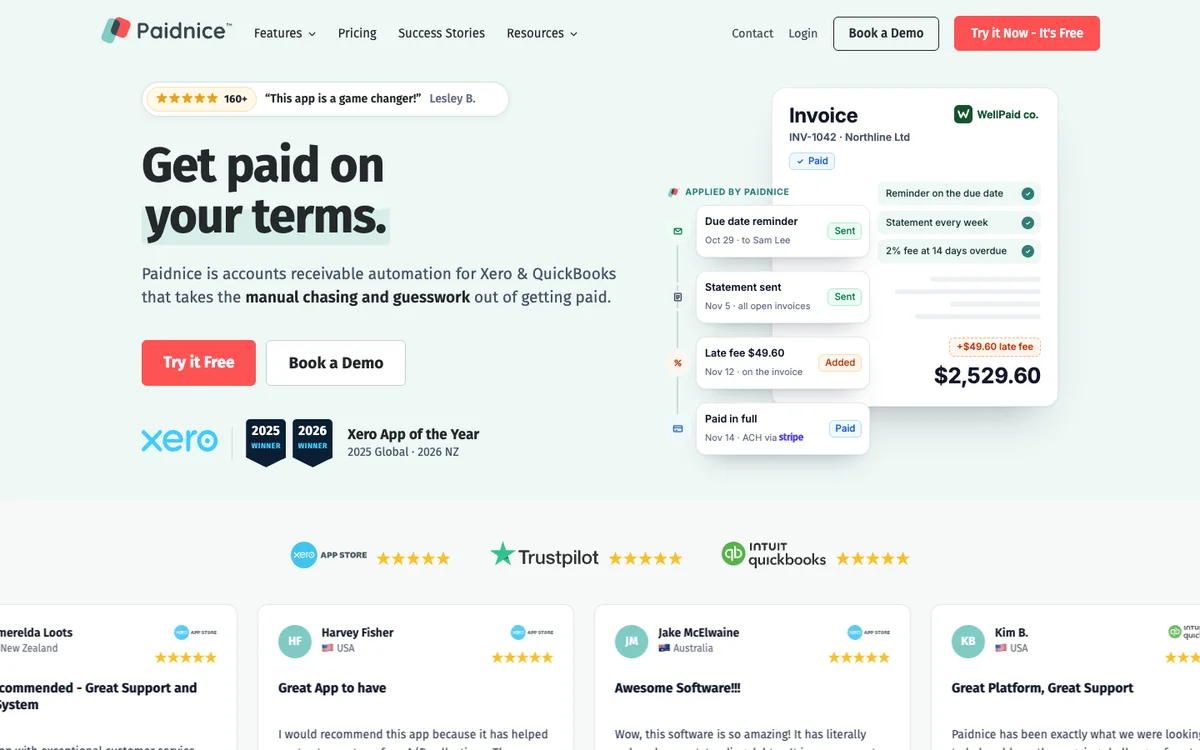
All five hang off the same customer group, so moving an account between groups changes every one of them at once. Sending goes out by email and SMS, from your own authenticated domain on Pro or through a connected Gmail or Outlook (Microsoft 365) mailbox. Sending from your own domain keeps chasing bounces off the reputation of the mailbox the team uses for everything else chasing bounces off the reputation of the mailbox the team uses for everything else.
The charge is raised on the ledger as Draft or Approved, which is what carries it into the customer's own aged payables and their payment run. The vendor reports customers having half as many late invoices in the first 30 days.
Limitations with Paidnice. Native to Xero and QuickBooks Online on every plan, and newer ledgers such as Rillet, Campfire, Digits, DualEntry, Puzzle, Accounting Seed and Odoo are available on every plan through Paidnice's closed testing program. NetSuite, Sage Accounting, Sage Intacct, MYOB and Dynamics 365 Business Central sit on the Custom plan as a build rather than a standard connector, and some payment features differ between the two ledgers.
The entry tier covers two team members.
2. Chaser, best for in-tool bureau checks
Best for: Mid-market finance teams that want credit checking in the same tool, under £4m on the entry tier.
What is Chaser best for?
For a finance team with a named credit controller that wants Creditsafe credit checks and multi-channel chasing running from one system.
- Fits
- Businesses with a named credit controller; the entry tier is priced for turnover under £4m, and the tiers run to £100m
- Regions
- UK-registered, trading since 2014, sells worldwide
- Entry cost
- £199/mo on Compact for turnover under £4m with 4 users; Core £599/mo under £10m; Complete £899/mo to £100m.
- Rated
- 4.98 from 374 Xero App Store reviews; 4.3 from 71 on G2; 4.9 from 45 on Capterra, mostly dated 2020 to 2022
- Awards
- Finalist, UK Small Business App Partner of the Year, Xero Awards 2023
- Runs on
- Xero, QuickBooks, Sage 50, Sage 200, Sage Intacct, Sage Business Cloud Accounting, NetSuite, Dynamics 365 Business Central, AccountsIQ, SAP, HubSpot, Gmail, Outlook
- Late fees and interest
- Yes. Four calculation types including a Bank of England base rate type, recalculated daily, but one set of late-fee rules, across the account or for selected debtors, not tied to schedules, with no documented way to run different rules per group. No fee is raised on payment-plan invoices, and Chaser's help says a late fee cannot be added or updated after a part payment when written to Xero
- Does best
- Creditsafe credit checking and monitoring in the same tool as email, SMS and letter chasing
- Customers
- Named on its website: Pact Coffee, Huttie and TaxAssist. Huttie's case study reports £15,000 of old debt recovered.
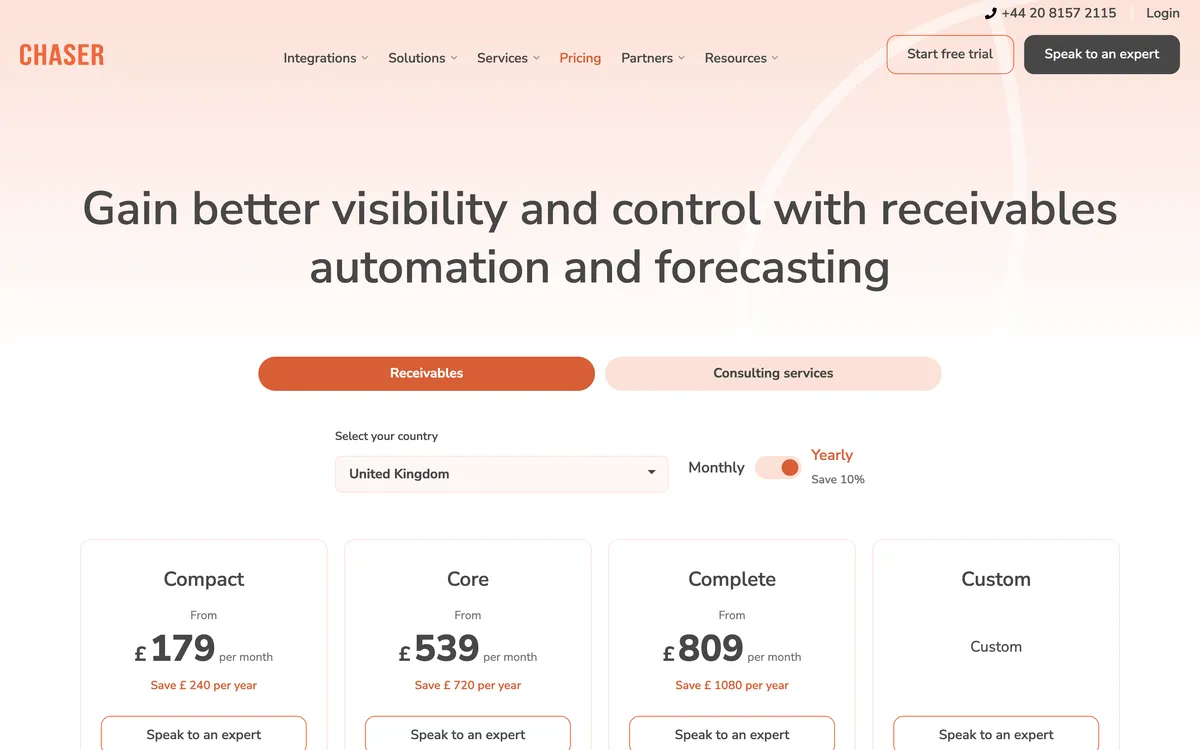
A mailbox send covers stages two and three well, because tone, channel and recipient can all change as the invoice ages. It reaches no further on its own: the mailbox has no view of the balance, so the fee at stage four is a separate engine, and stage seven is not attempted at all.
Limitations with Chaser. One set of late-fee rules, across the account or for selected debtors, not tied to schedules, and no documented way to run different rules per group. No fee is raised on payment-plan invoices, and Chaser's help says a late fee cannot be added or updated after a part payment when written to Xero. Statements go monthly only, on a fixed day. Creditsafe credit checks are not available to Xero App Store subscribers, who must move to Chaser billing first. Credit-check monitoring is not offered in Australia.
Compact caps the team at four users, and channels are credit-metered, with SMS, letters and calls billed per use. The entry price is tiered by company turnover rather than invoice volume.
3. Upflow, best for unmeasured collections
Best for: Analytics-led finance teams, quoted in five gross invoice value tiers from up to $10m to above $100m.
What is Upflow best for?
For a B2B finance team whose problem is that nobody can measure collections, and whose ERP already applies whatever fees it charges.
- Fits
- B2B teams sold by gross invoice value: Starter up to $10m, Grow up to $25m, Scale up to $50m, Accelerate up to $100m, Enterprise above $100m
- Regions
- Founded in Paris, headquartered in New York, with more than 500 clients across 30 or more countries
- Entry cost
- Not published. Upflow removed prices from its site and quotes five tiers by gross invoice value; Upflow's last published prices were $440 a month for Grow and $880 for Scale; current prices are hidden and must be requested. Upflow takes payments through its optional Payments add-on: $390 a month platform fee, 3.5% + $0.30 per card payment, 0.8% capped at $5 for ACH. Its Cash Application Agent is on Accelerate.
- Rated
- 4.8 from 233 on G2; 4.5 from 15 on Capterra; 5.0 from a single Xero App Store review, too small a base to read as a quality signal
- Awards
- None found
- Runs on
- Xero, QuickBooks Online, NetSuite, Sage Intacct, Stripe Billing, Chargebee, Zuora, with Salesforce, Slack and Zapier cited
- Late fees and interest
- No. Its own documentation applies them through the connected ERP, and no native computation is documented
- Does best
- Countback DSO against best possible DSO, collections effectiveness index, at-risk rate and collection rate on dashboards you can filter and schedule
- Customers
- Named on its website: Lattice, Vercel and Front. Lattice's case study reports 99% collection with one person in AR.
Upflow runs four of the eight stages, and the reason to buy it sits outside the map.
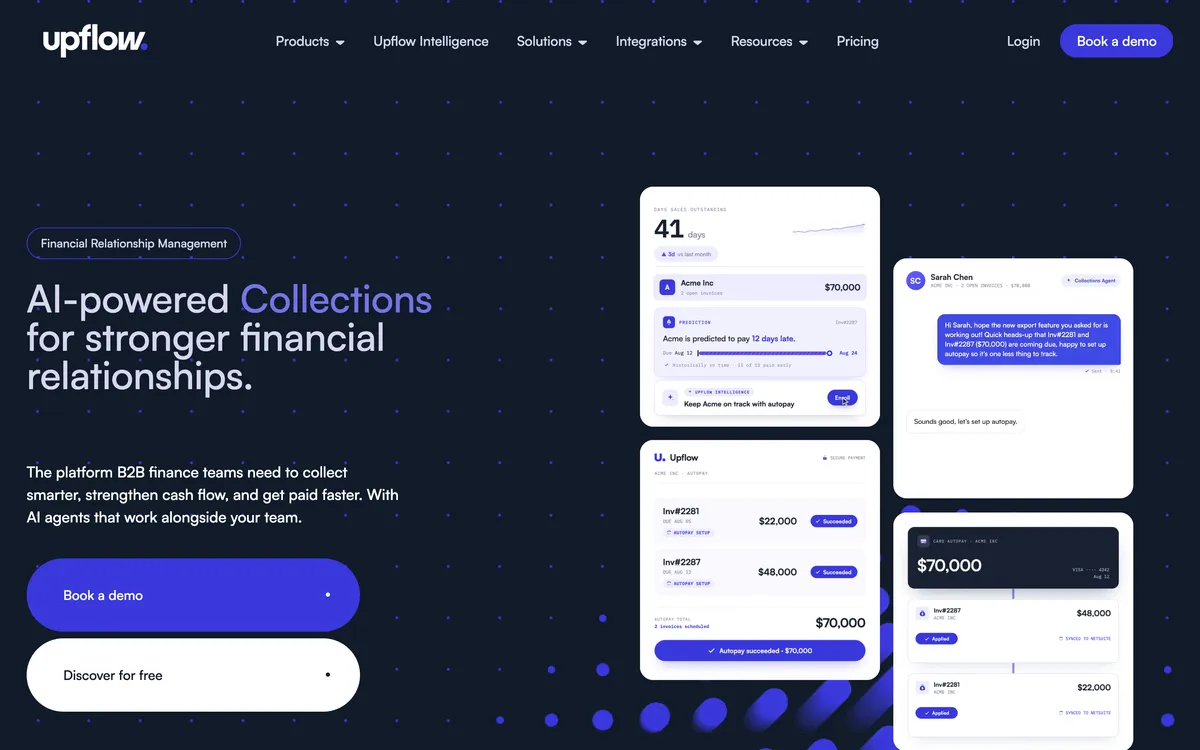
The product cadence is fast. Promise-to-pay detection, dispute-signal detection, autopay with multiple saved methods and agentic cash application all shipped between late 2025 and mid 2026, and the payment portal handles disputes and customer-set promises to pay.
Limitations with Upflow. No native fee or interest calculation, and no payment plans: customer-initiated partial payments and promises to pay are the offered mechanism. Automatic actions fire once a day at a fixed org-level time, business days only.
Sending through your own SMTP disables open and click tracking. The QuickBooks connection is one-way and polled every five minutes with no webhooks, and payments land in Undeposited Funds needing manual reconciliation.
4. Kolleno, best for cash matching on SAP
Best for: Order-to-cash teams on NetSuite or SAP.
What is Kolleno best for?
For a finance team whose bottleneck is matching cash to invoices rather than sending the reminder in the first place.
- Fits
- Order-to-cash teams under £1m turnover on BusinessPay, £1m to £100m on Business Plus, and £100m to £1bn on Enterprise
- Regions
- Founded in London in 2020, sells internationally
- Entry cost
- $650 per user a month on BusinessPay, or $545 per user on annual billing, minimum one user, for turnover under £1m and under 100 invoices.
- Contract
- Default 24-month term, renews for 12 months, 90 days' notice, fees non-refundable.
- Rated
- 4.9 from 117 on G2; 5.0 from 18 Xero App Store reviews; 5.0 from 8 on Capterra
- Awards
- G2 Best Software Awards 2024
- Runs on
- NetSuite, SAP S/4HANA and Business One, Sage Intacct, Business Central, Workday, Oracle JD Edwards, Epicor, Infor, Odoo, Zuora, Xero, QuickBooks Online, Salesforce, ServiceNow
- Late fees and interest
- None found. No feature page or help article documents an interest, late fee or fixed-sum function
- Does best
- Cash application: email remittance parsing, SFTP bank connections, BAI2, NACHA and ISO 20022 files, match scoring, one-to-many matches, partials, credit-note offsets and NetSuite multi-currency journal entries
- Customers
- Named on its website: Wise, Deel and Laundryheap. Laundryheap's case study reports 94% of payments collected on time.
Kolleno brings receivables, payments and reconciliation into one platform, with trigger-based workflows, conditional branches, run-hour restrictions and automatic escalation. Kolleno lists AI agent support from Business Plus, and fully automated agent runs and AP portal features are billed separately by token use. Insights scores payment likelihood, Copilot drafts the next action for review, and Agent runs policy-based collections and reconciliation on its own.
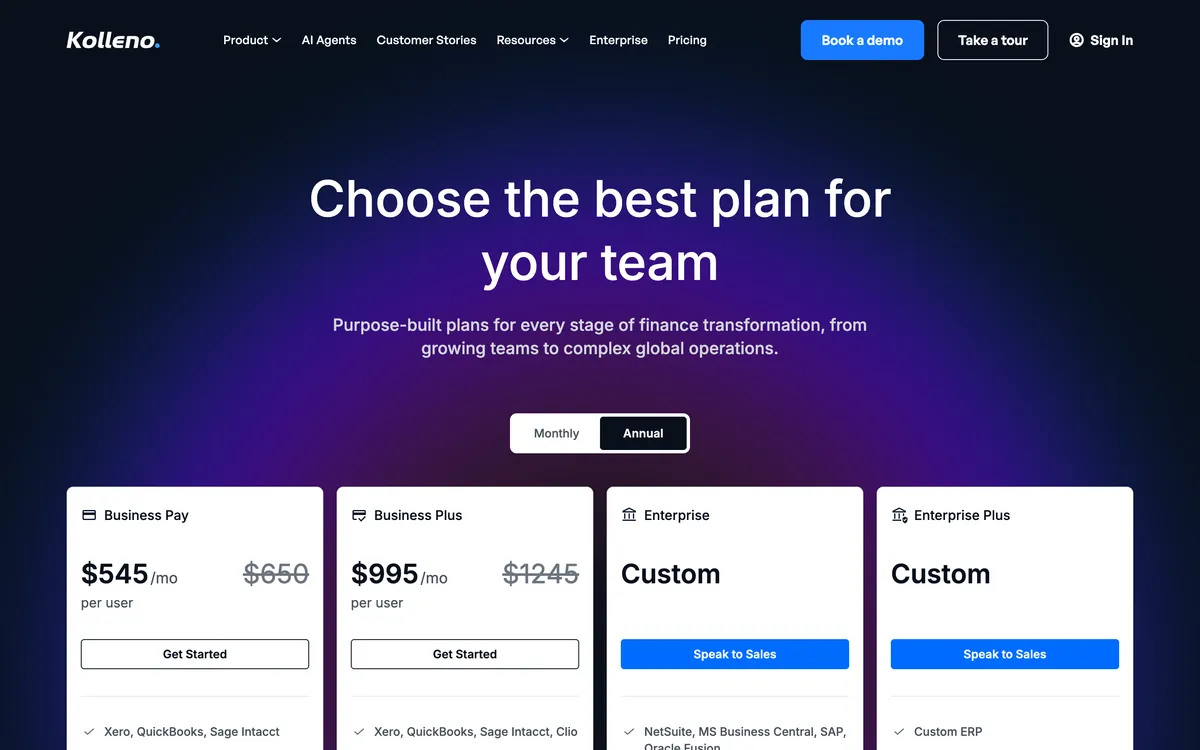
Limitations with Kolleno. No late fee or interest function appears anywhere in its public materials. Pricing is per user, so a collections team of three multiplies the bill. Kolleno includes 100 to 600 calls a plan. Its pricing page does not say which actions a workflow can hold. Custom sending domains are set up by an account manager rather than self-serve, and reviewers ask for more customizable reporting and easier in-app navigation. Auto-reconciliation starts on Enterprise, not on BusinessPay or Business Plus. Xero and QuickBooks connect on BusinessPay and Business Plus; NetSuite and SAP start on Enterprise.
5. Invoiced, best for US billing and receivables
Best for: US businesses that want billing and receivables on one platform, no price published.
What is Invoiced best for?
For a US upper-mid-market or enterprise B2B finance team that wants invoicing, receivables and payments on one platform rather than a chasing layer bolted to a ledger.
- Fits
- US upper-mid-market and enterprise B2B finance teams. No revenue band published
- Regions
- United States focus, now part of Flywire
- Entry cost
- Not published
- Rated
- 4.7 from 149 on Capterra; 4.5 from 418 reviews on G2
- Awards
- None found
- Runs on
- Xero, QuickBooks Online, QuickBooks Desktop and Enterprise, NetSuite, Sage Intacct, Workday and Dynamics 365 Finance, per its own site
- Late fees and interest
- Yes. Flat or percentage fee with a grace period, raised as a separate invoice line item, with multiple schedules assignable to different customer groups and a per-invoice waiver; payment-plan invoices are excluded
- Does best
- Covering invoicing, receivables and payments end to end on a single US platform
- Customers
- Named on its website: WebPT, iWave and Apartment Life. Apartment Life's case study reports overdue accounts cut by 50%.
Invoiced is a US invoice-to-cash platform, now part of Flywire, spanning invoicing, receivables and payments.

Limitations with Invoiced. It publishes no price, so the published from-price check cannot be scored for it. Its ratings sit on Capterra (4.7 from 149) and G2 (4.5 from 418). Its late fees are documented on its late-fee automation use case page. The move upmarket deprioritizes the Xero and QuickBooks Online audience its integration pages nominally serve.
6. ezyCollect, best for ANZ trade businesses
Best for: Australian and New Zealand trade businesses that want Experian credit data and escalation with their chasing.
200 debtors on the entry tier
What is ezyCollect best for?
For an Australian business on MYOB or Xero that wants credit checks, demand letters and referral to a collection agency inside one platform.
- Fits
- Australian and New Zealand mid-market. The entry tier covers 200 debtors, 3 users and 1 workflow; the tiers run to 3,000 debtors
- Regions
- Australia and New Zealand core, with UK and US customers. Acquired by Sidetrade in October 2025 and relaunched in July 2026
- Entry cost
- ezyCollect's last published prices were A$275 a month for ezyStart, with a setup fee from A$900. Current prices are hidden and must be requested. Prices are on a 12-month plan; month by month is 20% higher. Last published on ezyCollect's pricing page, seen on the Wayback Machine.
- Rated
- 4.9 from 35 Xero App Store reviews in Australia; 4.7 from 25 on G2; 4.9 from 12 on Capterra
- Awards
- None found
- Runs on
- Xero, MYOB AccountRight, Exo, Essentials and Acumatica, NetSuite, Dynamics, Sage 300, Sage Intacct, SAP Business One, Pronto Xi, Attaché, JCurve, ABM, CSV; QuickBooks logo on its homepage, no connector page
- Late fees and interest
- No. Absent from the entire help centre and from the July 2026 relaunch materials. Card surcharging is the only charge mechanic documented
- Does best
- Credit risk in the collections flow: credit insights built on Experian data, risk groups, in-app demand letters and manual referral to collection partners
- Customers
- Named on its website: Feral Brewing, Hampers with Bite and Skillinvest. Feral Brewing's case study reports overdue accounts cut by over 50%.
ezyCollect is a long-standing Australian collections engine with the deepest local ERP coverage on this list, reaching MYOB Exo, Pronto Xi, Attaché, JCurve and SAP Business One as well as Xero. Workflows run at customer level, consolidating a customer's overdue invoices rather than chasing each one separately, and monthly statements go out automatically.

Limitations with ezyCollect. No late fee or interest anywhere in the product. Mail, SMS, fax, Credit Insights, Payment Plans and the AI email template generator are charged on top of the plan, demand letters are A$49 each plus GST, and the payment gateway carries a A$90 monthly fee plus GST.
Customers who pass the end of a workflow window get no further automated follow-ups. Review volume is thin and mostly predates 2024, and one reviewer reports a quoted price near three times the advertised one.
Grain: the three tools that apply a fee, compared
Stage four is where this shortlist splits hardest. Paidnice, Chaser and Invoiced all apply a late fee without help from the ledger. Invoiced documents flat or percentage fees, a grace period and schedules by customer group; Paidnice and Chaser are compared below.
Charging for late payment is a contractual right in most markets and a statutory one in some. In the United Kingdom the Late Payment of Commercial Debts (Interest) Act 1998 sets a default of 8% a year above the Bank of England base rate on an overdue business invoice.
In the United States and Australia the rate is whatever your own terms say, so what the software has to do is hold your rate and apply it the same way every time.
Chaser's late fee is one set of late-fee rules, across the account or for selected debtors, not tied to schedules, with no documented way to run different rules per group. It raises no fee on a payment-plan invoice, and its help says a late fee cannot be added or updated after a part payment when written to Xero. Paidnice's policies sit under customer groups, so a wholesale group, a retail group and a disputed-accounts group can each run a different rule at the same time.
One set of late-fee rules (Chaser)
- Four calculation types, including the base rate
- Recalculated daily
- No documented way to run different rules per group
- No fee on payment-plan invoices, and none added or updated after a part payment written to Xero
A policy per customer group (Paidnice)
- Flat, percentage or compounding, per period
- Multiple policies running at once
- An invoice fee and a statement charge together
- Raised on the ledger as Draft or Approved
Grain decides whether stage four can be switched on at all. A business with one class of customer is served by either tool. A business selling to wholesale accounts on 60-day terms and retail accounts on 7-day terms has to pick one rate for both, or run no rate, and in practice that means running none.
Recalculation is the other property of the stage. A charge computed at the last policy run is out of date the moment a payment lands; a charge computed when the statement leaves is not. Paidnice recomputes at send time, on the balance after any credit on the account, and Chaser recalculates daily.
The two stages nobody automates for you
Disputes. Three of the six detect one. Upflow flags dispute signals in a thread, Kolleno branches a workflow on them, and portals from several vendors let a customer raise a query against a line. Detection is not resolution.
Somebody still has to find out whether the delivery was short, the purchase order was wrong or the invoice went to the wrong entity, fix it, and reissue. Every hour of that is manual on all six tools, and a disputed invoice sitting inside an automated chase sequence makes the relationship worse rather than better.
The decision to stop chasing. Escalation inside a sequence is automated.
Deciding that the sequence has failed, and that the account now goes to a demand letter, a collections partner or a solicitor, is not. ezyCollect gets closest by putting demand letters and a referral to a collections partner behind a button in the product, and even there a person presses it.
Rules, schedules and triggers: three ways these tools decide when to act
Every tool here needs an answer to one question: what starts the next action.
- A schedule fires on days relative to the due date. ezyCollect runs a pre-reminder and a set of follow-up steps (six in the help centre's example) per customer; Upflow's automatic actions fire once a day, on business days only. Predictable, and blind to anything that happens between two steps.
- A rule evaluates state. Paidnice checks every invoice against the policies attached to its customer group, so what happens next depends on which group the customer is in and what the balance is at that moment rather than on which day it is.
- A trigger fires on an event. Kolleno branches on invoice creation, a payment landing in the ledger, an email bouncing and a file being uploaded, with run-hour restrictions and automatic escalation on top.
A schedule can be live in an afternoon. A rule set repays the hour it takes to describe your customer groups. A trigger graph is the most capable and the one most likely to sit half-built six months later.
What automation costs per stage automated
Published entry prices: Paidnice £49 (US$69) a month, ezyCollect A$275 a month (last published; current prices are hidden and must be requested) on a 12-month plan plus setup from A$900, Chaser £199, Kolleno US$650 per user.
Invoiced publishes no price, and Upflow's last published prices were $440 a month for Grow and $880 for Scale; current prices are hidden and must be requested.
Divide the published entry price by the number of stages the tool runs. Each figure stays in the vendor's own currency, with nothing converted, so ezyCollect (AUD) and Chaser (GBP) do not rank against the US dollar figures. Paidnice at £49 (US$69) a month across five stages is about US$14 a stage.
Chaser at £199 across four is roughly £50. Kolleno at US$650 per user across five is US$130 a user. ezyCollect at A$275 across four is about A$69, before the setup fee from A$900, the A$90 monthly gateway fee and the per-item charges for post, SMS and demand letters.
Chaser bands by company turnover, so the figure steps when the business grows rather than when the chasing does. Kolleno charges per user, so a collections desk of three multiplies it. ezyCollect meters debtors, users and workflows at once.
Paidnice bands by invoice and email volume on a flat tier, billed in the customer's own currency from a fixed local price table rather than a conversion, with unlimited users from Pro up, so its cost per stage moves with the work rather than with the headcount.
Which AR automation software fits your use case?
Start from your ledger and the stage that is costing you the most time.
| Use case | Start with | Watch out |
|---|---|---|
| Xero or QuickBooks Online with fee rules per customer group | Paidnice | Xero and QuickBooks Online on every plan; ERPs such as NetSuite and Sage on Custom |
| Credit controller who wants bureau credit checks in the same tool | Chaser | One set of fee rules; channels billed per use |
| Nobody can measure collections today | Upflow | No late fees or payment plans; quote only |
| Cash application is the bottleneck | Kolleno | $650 per user a month on BusinessPay; auto-reconciliation starts on Enterprise |
| Billing and receivables on one US platform | Invoiced | No published price |
| MYOB or another Australian ERP | ezyCollect | No late fees; setup from A$900 on the last published price |
Questions about AR automation
What is the best AR automation software in 2026?
For an SMB on Xero or QuickBooks Online, Paidnice, because it applies late fees and interest as a separate policy per customer group and posts the charge to the ledger, from £49 (US$69) a month. For a team that wants bureau credit checks in the same tool, Chaser, from £199 a month.
What does AR automation software do?
It automates the work of getting invoices paid: scheduled email and SMS reminders, late fees and interest, statements, payment plans, taking the payment and matching it back to the correct invoice. The goal is to close the gap between when an invoice is issued and when the cash arrives, without a person chasing each one.
Which AR automation tools apply late fees automatically?
Paidnice, Chaser and Invoiced. Paidnice runs a policy per customer group and posts the charge to the ledger as Draft or Approved; Chaser runs four calculation types as one set of late-fee rules, across the account or for selected debtors, not tied to schedules, raises no fee on payment-plan invoices, and Chaser's help says a late fee cannot be added or updated after a part payment when written to Xero; Invoiced documents flat or percentage fees with a grace period and schedules by customer group.
What is the difference between a reminder-only tool and full AR automation?
A reminder-only tool sends follow-ups and stops, which improves visibility without changing behaviour. Full AR automation also enforces the terms, applying the fee, the interest and the escalation. The fee is the part that carries into the customer's payables system, because only a posted invoice reaches their aged payables and their payment run.
How much does AR automation software cost?
Paidnice is £49 (US$69) a month; ezyCollect's last published prices were A$275 a month for ezyStart, with a setup fee from A$900 (current prices are hidden and must be requested); Chaser is £199 a month for turnover under £4m, £599 under £10m and £899 to £100m; Kolleno is $650 per user a month, or $545 on annual billing.
Upflow quotes five tiers by gross invoice value (last published at $440 a month for Grow and $880 for Scale; current prices are hidden and must be requested; the Cash Application Agent is on Accelerate) and Invoiced publishes no price.
Which AR automation tools integrate natively with Xero?
All six connect to Xero. Paidnice, Chaser, Kolleno and ezyCollect hold Xero App Store listings with published ratings and review counts, and Upflow holds a listing with a single review. Paidnice is native to Xero and QuickBooks Online on every plan, offers newer ledgers such as Rillet, Campfire and Odoo on every plan through its closed testing program, and connects MYOB, NetSuite, Sage Accounting, Sage Intacct and Business Central on the Custom plan.
How quickly can you go live?
It depends on the tool. Tools that connect through the ledger's own authorization flow can be sending the same day. Enterprise-oriented platforms take weeks of onboarding, Kolleno includes self-onboarding on BusinessPay and three to eight or more hours of onboarding on higher tiers, and ezyCollect charges a separate setup fee starting at A$900.
Can AR automation damage customer relationships?
The risk comes from one blunt schedule applied to every customer. Tools that route actions by customer group let a strategic account get a gentle nudge while a repeat late payer gets the full sequence, and Paidnice policies can be held in Draft with an approval step before anything sends.
For the six main credit control tools side by side, with prices, free trials and the main limit of each, see the credit control software comparison.
People also read
Buyer's guide
Best accounts receivable software (by business type)
The pillar guide: pick by size and accounting system, with a recommendation matrix.
Alternatives
Best Chaser alternatives
Six Chaser alternatives on enforcement, price and reviews.
Alternatives
Best Upflow alternatives
The best Upflow alternatives by business type.
By accounting system
Best AR software for Xero
The top accounts receivable tools for Xero businesses, compared.
Sources
15 sources, checked by Julie Turnbridge on November 3, 2026
- Xero App Store apps.xero.com/app/paidnice
- Capterra capterra.com/p/254868/Paidnice
- Xero App Store apps.xero.com/uk/app/chaser
- G2 g2.com/products/chaser/reviews
- Capterra capterra.com/p/157101/CHASER/reviews
- G2 g2.com/products/upflow-upflow/reviews
- Capterra capterra.com/p/193097/Upflow
- Xero App Store apps.xero.com/us/app/upflow
- G2 g2.com/products/kolleno/reviews
- Xero App Store apps.xero.com/uk/app/kolleno
- Capterra capterra.com/p/227932/Kolleno/reviews
- Wayback Machine web.archive.org/web/20240617113004/https://ezycollect.io/...
- Xero App Store apps.xero.com/au/app/ezycollect
- G2 g2.com/products/ezycollect/reviews
- Capterra capterra.com/p/135729/ezyCollect/reviews