The five best accounts receivable software tools for construction and trades in 2026 are Paidnice, Chaser, BILL, ezyCollect and Billtrust. On a contracting ledger the deciding question is what a tool does with a partially paid invoice, because part payment is the normal state of a construction receivable.
Paidnice is the best choice for a trade subcontractor on Xero or QuickBooks Online, and the only one of the five that raises a late fee on a part-paid invoice, from $69 a month. BILL starts at $49 per user a month.
| Tool | Best for |
|---|---|
| Paidnice | A trade subcontractor on Xero or QuickBooks Online that wants a late fee on part-paid draws and a separate rule for slow general contractors |
| Chaser | A contracting office with a named credit controller that wants posted letters and a Creditsafe check on a new builder, under £4m revenue on the entry tier |
| BILL | A contractor whose subcontractor and supplier payment run is the bigger job and wants customer invoices in the same login, priced per user |
| ezyCollect | An Australian or New Zealand contractor or trade supplier on MYOB, Xero or an ERP that wants bureau credit checks and demand letters in one tool |
| Billtrust | A large contractor or building-materials supplier that mails invoices at volume and submits them into customers' AP portals |
None of the five generates AIA G702 and G703 pay applications, tracks retainage or produces lien waivers. That work belongs to a construction accounting or pay-application system such as Foundation Software, Siteline, GCPay, Procore or Sage Intacct Construction.
What accounts receivable software for construction is (and what it is not)
Accounts receivable software works on invoices that already sit on your ledger. Construction billing software produces the pay application in the first place: the G702 and G703 forms, the schedule of values, the retainage calculation and the lien waiver that travels with the draw.
They are two purchases and the order matters. Foundation Software, Siteline, GCPay, Procore and Sage Intacct Construction sit on the billing side, producing and submitting the draw and tracking what is held back, and nothing on this page replaces any of them.
Trade job systems sit in the same relationship. Tradify, Fergus, simPRO, ServiceM8 and Jobber raise the invoice inside their own system and push it into Xero or QuickBooks Online, where the ledger rebuilds it from the line items under its own branding theme.
Housecall Pro lists no Xero integration, and Jobber, Housecall Pro and ServiceM8 push invoices one way only. Whichever of them raises the invoice, the receivable ends up on the ledger, and the ledger is where an AR tool picks it up.
Across every industry Xero Small Business Insights measures, the average US wait in the latest quarter is 29.7 days, with invoices settling 8.6 days past their due date. In California the average wait is 25.6 days.
How this list was put together
This list helps a contractor or subcontractor choose software that chases part-paid invoices on a Xero, QuickBooks Online or ERP ledger.
| What we checked | Where the evidence came from |
|---|---|
| What happens to a part-paid invoice, and the late fee grain | Vendor help pages on fees and part payments |
| Retainage and AIA billing | Vendor product pages; none of the five documents either |
| Reminder grain per customer | Vendor workflow documentation |
| Statements across jobs, payment plans and a portal | Vendor feature pages |
| Published from-price | The vendor's pricing page, and the last reported price where it is now hidden |
| Rating and review count | The Xero App Store, including the Australian store, or G2 |
Five things to test on a contracting ledger
- What happens to a part-paid invoice. The single most important question on a construction ledger, and the one covered in the part-payment section below.
- Chasing that varies by customer. Tone, cadence and channel set per customer or per group, so a general contractor on a long approval chain is not chased on the same schedule as a homeowner a week late.
- A dated charge on the ledger. A fee raised as a document on the customer's ledger enters their payables run carrying its own date and reference, which a note inside a chasing tool never does.
- Statements across jobs. One document covering every open invoice against a builder, because that is how their payment run is organized.
- A live payment read. Chasing has to stop the day the draw clears, which means reading the ledger rather than a nightly file.
How do the five construction AR tools compare?
 |
 |
 |
 |
 |
|
|---|---|---|---|---|---|
| Best for | Subcontractor on Xero or QuickBooks Online chasing slow general contractors | Contracting office with a credit controller wanting letters and checks | Contractor whose payables run outweighs the customer chase | Australian or New Zealand contractor wanting credit checks and demand letters | Large contractor or supplier delivering into customers' AP portals |
| Revenue fit | Any size up to $50m a year, or 50,000 invoices a year | Compact under £4m, Core from £4m, Complete to £100m | Not published | Not published. Tiers are set by debtor count, 200 on the entry plan | Not published |
| From (monthly) | $69 | £199 | $49 per user | A$275 plus a setup fee from A$900 (last published prices; current prices hidden and must be requested) | Not published |
| Ledger integrations | Xero, QuickBooks Online and newer ledgers such as Rillet and Campfire (closed testing) on every plan; Sage Accounting and other ERPs on Custom | Xero, QuickBooks, Sage, NetSuite, Dynamics 365 Business Central | QuickBooks Online and Xero two-way from the Team tier, CSV only below it | Xero, MYOB, NetSuite, Dynamics, Sage 300, Sage Intacct, SAP Business One, Pronto Xi; QuickBooks logo on homepage, no connector page | Not documented |
| Late fee grain | Yes (per customer group) | Yes (one set of late-fee rules) | No (none native) | None found | Not documented |
| Reminder grain | Per customer group | Per schedule, several schedules at once | Company-wide only, 3 templates | Per customer workflow, a pre-reminder plus a set of follow-up steps (six in the help center's example) | Not documented |
| Retainage and AIA billing | None found | None found | None found | None found | None found |
| Statements | Yes (any schedule) | Yes (monthly, day set per schedule) | None found | Yes (monthly) | Not documented |
| Payment plans | Yes (on Pro) | Yes | No | Yes | Not documented |
| Portal | Yes | Yes | Yes | Yes | Not documented |
| AI | Advanced Reads customer replies, drafts answers and follow-up actions (like PO updates) for your approval; MCP server for Claude, ChatGPT and other agents | None No AI in receivables (its AI agents are for payables) | Basic an AI email template generator as a paid add-on | Advanced AI calling, AI prioritisation and cash application | |
| Rated (source, count) | 5.0 (84, Xero App Store) | 4.98 (374, Xero App Store) | 4.4 (1,806, G2) | 4.9 (35, Xero App Store AU) | 4.4 (515, G2) |
"Not documented" means the vendor does not document the capability. "Not published" means the vendor does not print a price. "None found" means no evidence either way. Prices are the vendor's published from-price, in the currency the vendor prints.
The five tools in five checked facts
- Three of the five print a monthly price: BILL from US$49 per user, Paidnice from £49 (US$69) and Chaser from £199. ezyCollect and Billtrust quote.
- Each published price grows with something different: users (BILL), invoice volume (Paidnice) and revenue band (Chaser).
- Two of the five apply a late fee themselves: Paidnice (per customer group) and Chaser (one set of late-fee rules).
- Three of the five connect to both Xero and QuickBooks Online: Paidnice, Chaser and BILL.
- AI that handles collections work or customer replies: Paidnice and Billtrust. AI that does not handle replies: ezyCollect. No AI in receivables: BILL.
We checked each tool's own pricing, integration and help pages on October 26, 2026. "None found" in the data means the vendor's pages do not show the feature.
1. Paidnice, best for slow general contractors
Best for: Trade subcontractors chasing slow general contractors on Xero or QuickBooks Online, any size up to $50m a year, or 50,000 invoices a year.
What is Paidnice best for?
For a subcontractor or trades business that wants the chase, the late fee and the statement schedule set per customer group, so a general contractor who pays at day 75 is treated differently from a repeat builder who pays on time.
- Fits
- Contractors and trades businesses on Xero or QuickBooks Online of any size up to $50m a year, or 50,000 invoices a year, with or without a dedicated finance hire
- Regions
- United States, United Kingdom, Australia, New Zealand, Canada, South Africa
- Entry cost
- £49 (US$69) a month on Essentials, covering 150 invoices, 600 emails and up to 2 team members; Pro from £74 (US$99) a month with unlimited users and no per-seat fee. Payment plans and sending from your own domain start on Pro. Check current pricing with the vendor.
- Rated
- 5.0 from 84 Xero App Store reviews; 4.9 from 14 on Capterra
- Awards
- Xero Global Small Business App of the Year 2025 and NZ Small Business App of the Year 2026
- Runs on
- Xero, QuickBooks Online, Stripe, Pinch Payments, CloudDepot, HubSpot, Pipedrive, Zapier. NetSuite, Sage Intacct, MYOB and Dynamics 365 Business Central on the Custom plan only
- Late fees and interest
- Yes. Two charge types available on the same customer group, an invoice late fee and a statement interest charge, both raised on the customer's ledger as Draft or Approved. Compounding is on by default
- Does best
- Running several late fee policies at once, one per customer group, so a general contractor group and a disputed-jobs group never share a rule
Paidnice runs on top of a Xero organisation or a QuickBooks Online company and covers what the ledger stops short of: reminder sequences, statements on any schedule including consolidated parent accounts, payment plans, a customer portal, and a charge raised on the customer's own ledger when an invoice runs late.
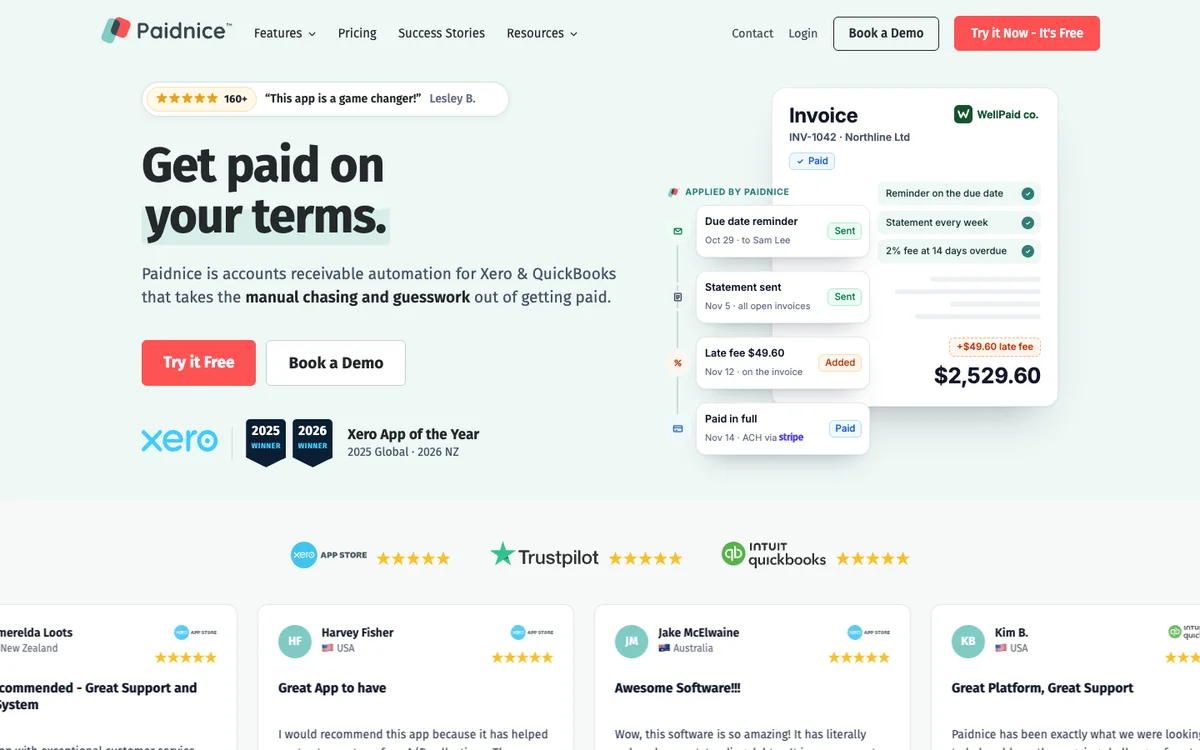
On Pro, mail leaves through the business's authenticated domain by email and SMS, so it arrives from accounts@ rather than from a vendor. Essentials sends from outbound@paidnice.com and includes SMS and escalation workflows.
Two mechanics matter on a contracting ledger specifically. The first is that the charge is calculated on the balance net of any credit on the account, so a draw that has been partly paid still carries a fee on what remains.
The second is grain: policies hang off customer groups, so a general contractor group, a private client group and a disputed-jobs group each run their own rule at once, and one disputed invoice can be pulled out of a policy by its reference without moving the customer.
Statement interest is recalculated at the moment the statement sends rather than at the last policy run, so the figure on a monthly statement across three jobs is right that morning.
Limitations with Paidnice. It does not track retainage, generate G702 or G703 pay applications, or handle lien waivers, so a contractor whose shortlist is built on those three needs a construction billing system as well.
Xero and QuickBooks Online are on every plan. Newer ledgers such as Rillet, Campfire, Digits, DualEntry, Puzzle, Accounting Seed and Odoo are available on every plan through Paidnice's closed testing program. A business billing out of a job system has to land its invoices in one of those ledgers first. Sage Accounting, NetSuite, Sage Intacct, MYOB, Dynamics 365 Business Central and other ERPs connect on the Custom plan, as a build rather than as a standard connector.
Essentials covers two team members.
Video: the five tools above in one walkthrough.
2. Chaser, best for a named credit controller
Best for: Contracting businesses with a named credit controller.
Under £4m of revenue on the entry tier
What is Chaser best for?
For a contracting office with a named credit controller that wants email, SMS, posted letters and recorded calls in one schedule, plus a Creditsafe check on a new builder before 60-day terms are agreed.
- Fits
- Contracting businesses with a named credit controller; Compact is under £4m revenue, Core from £4m, Complete to £100m
- Regions
- UK-registered, trading since 2014, sells worldwide
- Entry cost
- £199/mo on Compact for revenue under £4m with 4 users; Core £599/mo under £10m; Complete £899/mo to £100m. Yearly billing is £179, £539 and £809 a month.
- Rated
- 4.98 from 374 Xero App Store reviews; 4.3 from 71 on G2; 4.9 from 45 on Capterra
- Awards
- Finalist, UK Small Business App Partner of the Year, Xero Awards 2023
- Runs on
- Xero, QuickBooks, Sage 50, Sage 200, Sage Intacct, Sage Business Cloud Accounting, NetSuite, Dynamics 365 Business Central, AccountsIQ, SAP, HubSpot, Gmail, Outlook
- Late fees and interest
- Yes. Four calculation types, recalculated daily, but one set of late-fee rules, across the account or for selected debtors, not tied to schedules, and no fee is raised on payment-plan invoices or, on Xero, after a part payment
- Does best
- Chasing on four channels from the team's own mailbox, with SMS, posted letters and recorded calls in the same schedule as the email
- Customers
- Named on its website: Pact Coffee, Huttie and TaxAssist. Huttie's case study reports £15,000 of old debt recovered.
Trading since 2014, Chaser works out of the team's existing Gmail or Outlook mailbox and stacks SMS, posted letters, recorded calls, a payer portal and a partner collections handoff on top of the email.
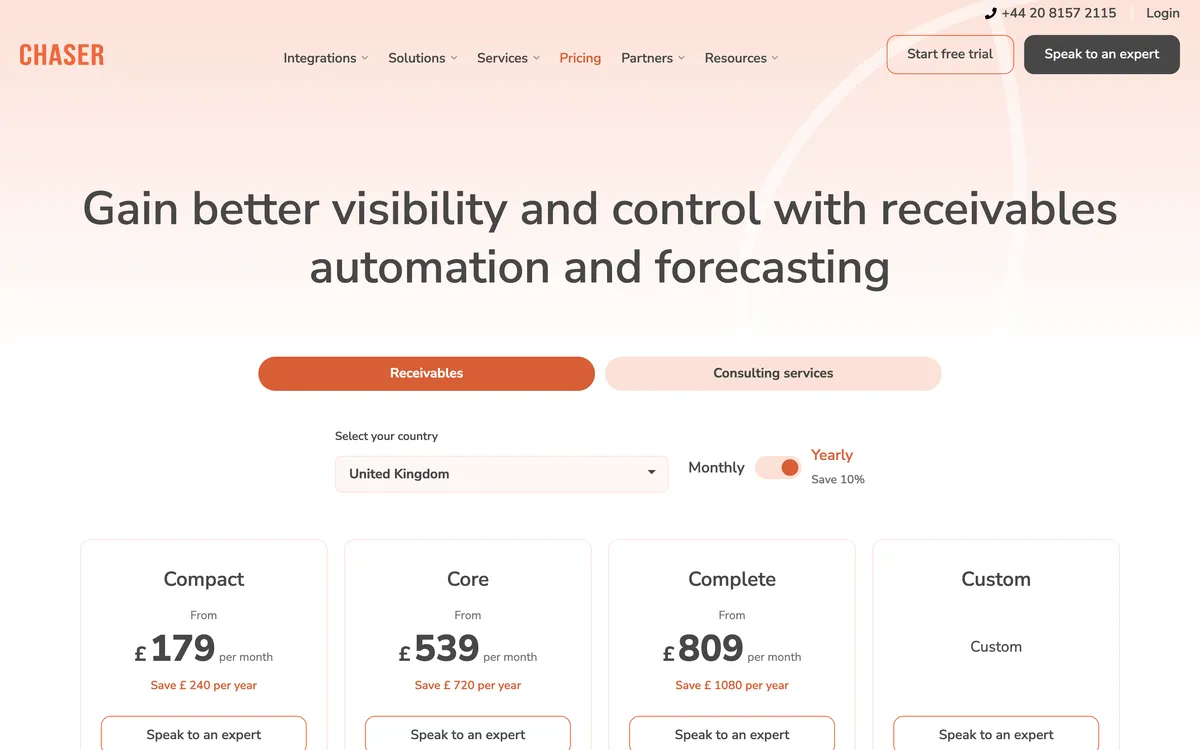
On a long approval chain the letter is the channel worth paying for, because it reaches a project manager who stopped opening email around the third reminder, and it does so without an owner having to telephone the person who hands out the next job.
The Creditsafe report inside the app carries a score with a recommended limit, the customer's own payment score, credit event history, and Companies House filing and director data, monitored continuously in the UK, USA and Canada.
Limitations with Chaser. The late fee is one set of late-fee rules, across the account or for selected debtors, not tied to schedules, with no documented way to run different rules per group, and no fee is raised on payment-plan invoices or, on Xero, after a part payment, which on a contracting ledger is most of the book. Statements go out once a month, on a day chosen per schedule. Compact stops at four users. Chaser credit checks need Chaser billing, not Xero App Store billing; monitoring is not offered in Australia.
Price is banded by company revenue rather than invoice volume, so the bill steps up when a contractor wins a large job rather than when it sends more invoices. Nothing in it handles retainage, AIA billing or lien waivers.
3. BILL, best for paying subs and chasing
Best for: Contractors paying subs and suppliers and chasing customers in one place, priced per user.
What is BILL best for?
For a contractor whose payables run is the bigger monthly job, paying subcontractors and material suppliers, and who wants the customer invoice and the ACH payment on the same platform.
- Fits
- Contractors and builders that already run payables at volume, mainly in the United States. No revenue band published; the product is priced per user
- Regions
- United States-centered, founded 2006 in San Jose, listed on the NYSE
- Entry cost
- $49 per user a month on Essentials, $65 on Team, $89 on Corporate, plus transaction fees of $0.59 an ACH payment and 2.9% on cards.
- Rated
- 4.4 from 1,806 G2 reviews; 4.1 from 563 on Capterra. Its Trustpilot score is 1.6 across 1,679 reviews, most of them about payment holds and support
- Awards
- Not published
- Runs on
- QuickBooks Online and Xero two-way from the Team tier; CSV import and export only on Essentials; NetSuite, Sage Intacct, Dynamics, Acumatica and QuickBooks Enterprise on Enterprise
- Late fees and interest
- No. Nothing is computed by BILL. Fees raised in QuickBooks Desktop sync in, and that is the whole of it
- Does best
- Payables and receivables on one platform, with ACH, card and mailed-check rails inside the invoice workflow
- Customers
- Named on its website (mostly payables): Marine Layer, KiwiCo and Spikeball.
The case for BILL on a construction shortlist is the payment run.
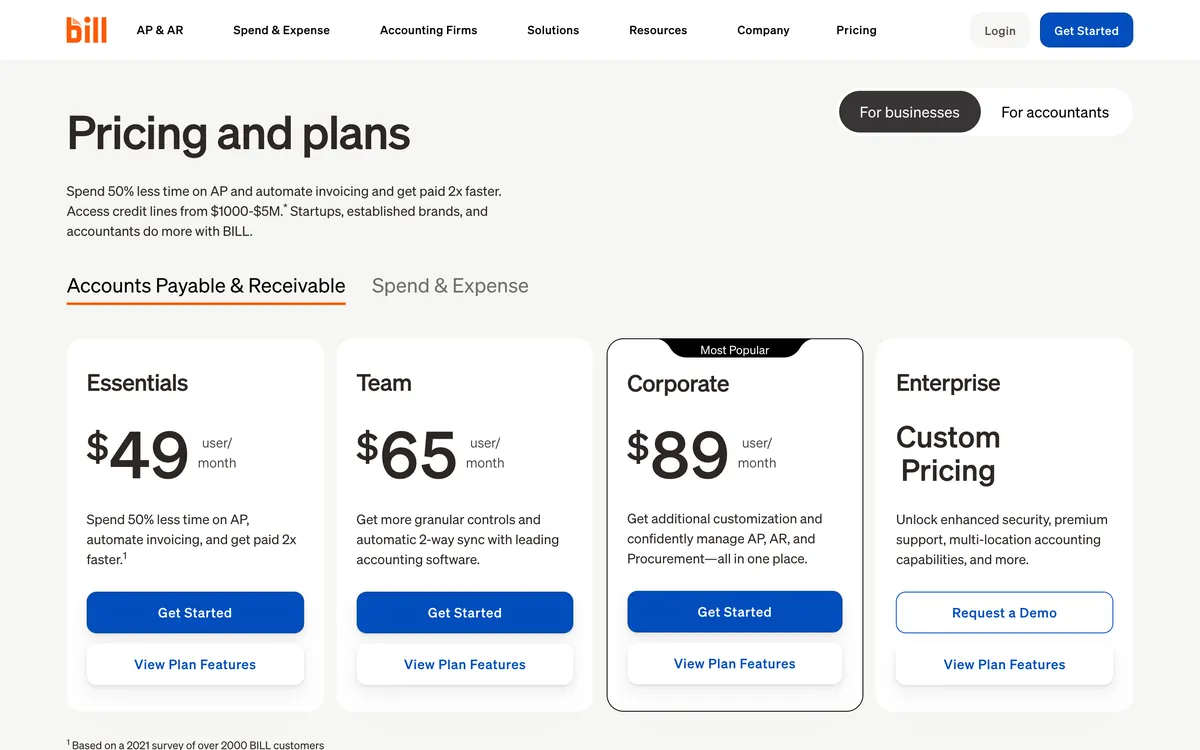
BILL handles that side at volume with ACH, card and mailed-check rails, and the same platform raises the customer invoice and collects it. Its distribution through accounting firms is wider than anything else here, so most contractors meet it through their bookkeeper rather than through a search.
Reminders are three templates set once for the whole company, defaulted to 30, 60 and 90 days past due and switched off until somebody enables them, and a reminder goes to every contact on any invoice carrying a balance, including one that has already been part paid.
On a ledger where part payment is the normal condition, that means chasing a builder who paid most of the draw last week.
Limitations with BILL. On receivables this is the smallest feature surface in the comparison: no late fees, no statements, no payment plans, no quote reminders, and three company-wide reminder templates with no per-customer timing.
Every AI agent BILL has released so far is on the payables side. Pricing is per seat, so an office of five is $245 a month at the entry tier before transaction fees, and two-way ledger sync only begins one tier above the entry plan.
Under activist pressure the company cut about 30% of its workforce by June 2026, and none of the remaining investment has reached receivables.
4. ezyCollect, best for ANZ credit checks
Best for: Australian and New Zealand contractors and trade suppliers that want credit checks and demand letters in the same tool, no revenue band published.
What is ezyCollect best for?
For an Australian or New Zealand trade supplier or contractor on MYOB, Xero or an ERP that wants a credit check before terms, automated chasing after, and a demand letter without leaving the platform.
- Fits
- Australian and New Zealand contracting and trade-supply businesses on MYOB, Xero or a mid-market ERP. No revenue band published; the tiers are set by debtor count, starting at 200 debtors, 3 users and 1 workflow
- Regions
- Australia and New Zealand, founded 2014 in Sydney, owned by Sidetrade since October 2025
- Entry cost
- ezyCollect's last published prices were A$275 a month for ezyStart, with a setup fee from A$900, billed annually; monthly billing is 20% higher. Current prices are hidden and must be requested. Last published on ezyCollect's pricing page, seen on the Wayback Machine.
- Rated
- 4.9 from 35 Xero App Store reviews in the Australian store; 4.7 from 25 on G2; 4.9 from 12 on Capterra
- Awards
- Not published
- Runs on
- Xero, MYOB AccountRight, Exo, Essentials and Acumatica, NetSuite, Dynamics, Sage 300, Sage Intacct, SAP Business One, Pronto Xi, Attaché, JCurve, CSV; QuickBooks logo on homepage, no connector page
- Late fees and interest
- None found. No late fee or interest mechanic appears in its help center or its relaunch materials; card surcharging is the only charge it adds
- Does best
- Credit checks, in-app demand letters and referral to a collections partner, in the same platform as the chasing
- Customers
- Named on its website: CW Systems, Martec and Ultimate Security. CW Systems' case study reports DSO cut by 20% in three months.
ezyCollect carries the deepest integration list here, and its home market explains why: Australian trade supply and contracting runs on MYOB, Pronto Xi and SAP Business One at least as often as it runs on Xero, and ezyCollect connects to all of them.

Chasing is built as a customer-level workflow, a pre-reminder plus about six steps across email, mail, SMS, fax and call tasks, and it consolidates a customer's overdue balance instead of chasing invoice by invoice, which suits a supplier with several open jobs against one builder.
The escalation ladder is the distinctive part. Credit Insights scores a customer from your own aged trial balance, your terms and external data.
An in-app demand letter can be sent for a fixed fee, and a customer who ignores it can be referred to a collections partner from inside the tool, so the whole sequence for a builder who has gone quiet sits in one place.
Limitations with ezyCollect. Its market is Australia and New Zealand, so outside those two countries it scores lower on criterion 1 despite better ratings and far wider ledger coverage.
The entry plan is A$275 a month for ezyStart plus a setup fee from A$900 on an annual contract (last published prices; current prices are hidden and must be requested), with monthly billing adding 20 percent, the highest cost of entry on this page.
No late fee or interest mechanic is documented anywhere in its help center. Customers who reach the end of a workflow stop receiving automated follow-ups. SMS, mail and fax are charged on top, demand letters are A$49 each, and a collections referral starts at 25% of what is recovered.
The verified review base is 35 on the Australian Xero App Store and 25 on G2, most of it predating 2024. Nothing in it handles retainage, AIA billing or lien waivers.
5. Billtrust, best for large order-to-cash suites
Best for: Large contractors and building-materials suppliers already buying an order-to-cash suite, no price published.
What is Billtrust best for?
For a large contractor or supplier that mails paper invoices at volume, delivers into customers' accounts payable portals, and wants invoicing, payments and collections bought as one enterprise suite.
- Fits
- Large contractors and building-materials suppliers already running an order-to-cash suite. No revenue band published
- Regions
- United States-centered, owned by EQT
- Entry cost
- Not published. Billtrust prints no price and sells through a quote
- Rated
- 4.4 from 515 G2 reviews; 4.7 from 33 on Capterra
- Awards
- Not published
- Runs on
- Not documented. No ledger or ERP integration list is published
- Late fees and interest
- Not documented. No late fee or interest mechanic is documented in the material checked
- Does best
- Invoice delivery at scale, including print and mail, delivery into customers' AP portals and e-invoicing compliance, with a digital lockbox on the payment side
- Customers
- Named on its website: United Rentals, 84 Lumber and Carter Machinery. Carter Machinery's case study reports touchless payments up to 84%.
Billtrust is the enterprise end of this list, and delivery is what puts it here. Invoicing covers print and mail as well as email, invoices can be submitted straight into a customer's accounts payable portal, e-invoicing compliance is handled, and payments arrive through a digital lockbox, with a collections module and a B2B ecommerce product alongside.
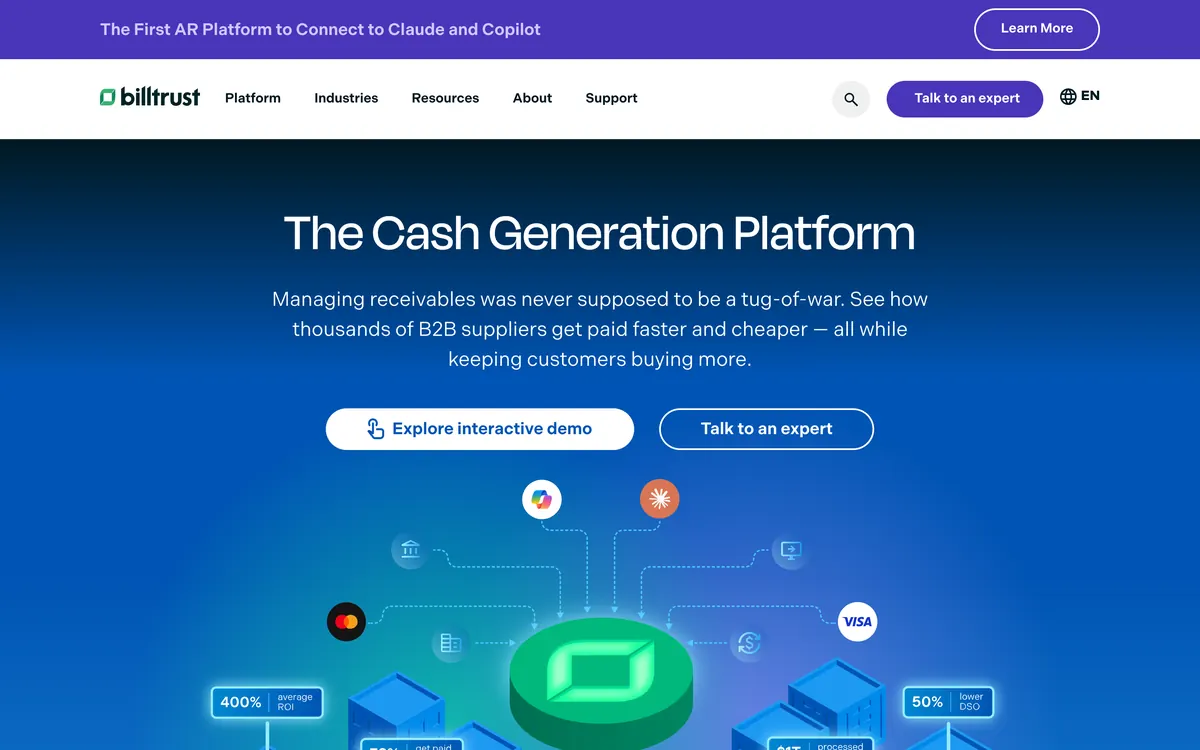
For a materials supplier whose largest accounts insist on portal submission, that delivery surface is the reason it reaches a construction shortlist at all.
It is also the tool here that publishes least. No price at any tier and no ledger integration list on its own site, so two of the five criteria cannot be scored for it. Its review scores sit on G2 and Capterra.
Limitations with Billtrust. Nothing about the packaging is aimed at a business chasing a few hundred invoices a month, and there is no self-serve entry point.
No late fee or interest mechanic is documented, and no retainage, AIA or lien waiver handling appears in the material checked.
What does a late fee do on a part-paid or retainage invoice?
Part payment is the normal state of a construction receivable rather than an exception, and it switches off one of the two enforcement engines on this page completely.
A progress draw is paid down in pieces. Retainage is held back by design, often five or ten percent, and it sits unpaid for months after the work is finished and everyone agrees it was done properly.
A supply invoice gets short-paid because two line items are in dispute and the rest is fine. On a contracting ledger, an invoice sitting at a partial balance is the ordinary condition of the book.
Chaser raises no fee on a payment-plan invoice, and on Xero it adds or updates none after a part payment. On most ledgers that rule trims the edges of the book. On a construction ledger it removes the middle, because the invoices that are large, old and partly settled are exactly the ones the fee was written for, and they are the ones it will never touch.
Chaser documents four calculation types recalculated daily, as one set of late-fee rules, across the account or for selected debtors, not tied to schedules. BILL computes nothing at all; a fee raised in QuickBooks Desktop syncs in, and that is the whole of its mechanic. No interest function is documented for ezyCollect, and Billtrust does not document one.
The test worth running in a demo is to take one real invoice with a partial payment against it and ask what the tool does with it on day 45. If the answer is nothing, the tool will not charge a fee on most of a construction ledger.
A charge that lands on the customer's own ledger is also the only version that can be waived in writing in exchange for payment this week.
What a fee is worth on one overdue draw
An annual rate is the overdue balance multiplied by the rate, apportioned across the days it ran late.
On $45,000 overdue for 60 days at 12% a year, the late fee is $887.67. Every further 30 days adds $443.84, and by 90 days overdue the fee reaches $1,331.51.
Chasing up a pay-when-paid chain
A subcontractor chasing a general contractor is usually chasing somebody who is waiting on an owner draw, so escalating language aimed at a project manager who cannot release funds achieves nothing except making the next bid harder.
Send a statement covering every open job with that builder rather than a fifth reminder on one invoice, because it matches how their accounts payable team pays: one run, several jobs, one remittance.
Paidnice issues statements on any schedule, including consolidated parent accounts, which is the shape a contractor with three jobs running for one builder needs. Chaser issues them monthly, on a day chosen per schedule. ezyCollect issues them monthly. BILL has none, and Billtrust does not document one.
Timing changes too. A general contractor's own draw arrives on a known cycle, and one chase landing two days before that cycle is worth more than three landing after it on a fixed day-30, day-60, day-90 schedule. That needs a schedule that varies by customer group, so it can be set to the builder's calendar.
Which tool chases progress draws and installments?
Installments against an open invoice are scheduled by Paidnice, Chaser and ezyCollect. BILL offers recurring invoices and auto-charge instead, and no installment function is documented for Billtrust.
Worth separating first: a progress draw and a retainage release are both separate invoices raised by the billing system, each with its own due date, which is why the reminder rules on this page matter more to a contractor than the installment feature does.
Chaser splits an invoice from weekly through to yearly, but its chasing stays pinned to the original invoice due date rather than to the installment dates, and its own documentation advises chasing the installments manually. ezyCollect sells Payment Plans as a paid add-on, set up at the invoice or customer level.
BILL's recurring invoice with a variable amount needs a placeholder value before it can be set up at all.
What the lien clock needs from your chasing schedule
Mechanics lien deadlines and state prompt-payment acts set dates that do not move, and none of the five tools on this page tracks any of them.
Your preliminary notice deadline, notice of intent window and lien recording date come from the contract, the state statute and whoever advises the business on them. This page compares software and is not legal advice.
What the software can do is feed whoever tracks those dates with three records: a timestamped chase history sent from the business's own authenticated domain, a late fee posted to the ledger as a document with its own date and reference, and a statement setting out every open invoice, amount and charge before any formal notice goes out.
Which tool fits your revenue band, from one crew to a regional contractor?
Published entry prices: BILL $49 per user a month, Paidnice £49 (US$69), Chaser £199, ezyCollect A$275 plus a setup fee from A$900 (last published prices; current prices hidden and must be requested). Billtrust publishes nothing at any tier. Check current pricing with the vendor.
The pricing axis matters more than the headline, because a contracting business breaks two of these models. BILL charges per seat, so an office of five is $245 a month at the entry tier before transaction fees.
Chaser bands by company revenue, so the price steps up when a contractor wins a large job rather than when it sends more invoices.
Paidnice charges on invoice volume, flat, with no per-seat fee, which is the model that survives hiring a second estimator. ezyCollect prices by debtor count from 200 debtors and adds a setup fee plus per-message charges for SMS, mail and fax.
- Under $1m. One crew, a short customer list and no office manager. Paidnice at £49 (US$69) a month if the fee matters as much as the reminder, or the reminder built into Xero or QuickBooks Online if the nudge is all that is needed.
- $1m to $4m. Paidnice or Chaser. Chaser Compact is £199 a month for revenue under £4m, sells credit checks by credit on any plan, and caps the team at four users.
- $4m to $20m. The real head-to-head. Paidnice for per-group policies, part-paid enforcement and pricing that does not move with headcount, Chaser for bureau credit monitoring, posted letters and the deeper ledger list from £599 a month on Core.
- Above $20m. BILL if the subcontractor and supplier payment run costs more office time than the customer chase, ezyCollect in Australia and New Zealand for bureau credit checks and demand letters in one platform, and Billtrust where invoices are mailed and submitted into AP portals at volume. Consider Paidnice for the chasing around any of them, up to $50m a year.
Two costs are easy to miss on that list. ezyCollect's A$900 setup fee and its 20% surcharge for monthly billing sit outside the headline price, and BILL's ACH and card fees sit outside its per-user price.
Which tool works with Xero, QuickBooks Online, MYOB or an Australian ERP?
- Xero. Paidnice, Chaser and ezyCollect all connect. BILL syncs both ways from the Team tier at $65 per user, and Essentials is CSV only.
- QuickBooks Online. Paidnice and Chaser, with BILL again from Team. ezyCollect shows a QuickBooks logo on its homepage but no connector page.
- MYOB, Pronto Xi and SAP Business One in Australia. ezyCollect is the only tool here that reaches all three, which is why it appears on Australian and New Zealand shortlists that would otherwise be empty.
- NetSuite, Sage Intacct or Dynamics 365. Chaser and ezyCollect, with BILL on Enterprise. Paidnice touches NetSuite, Sage Intacct, MYOB and Dynamics 365 Business Central on the Custom plan alone, and as a build.
- A construction ERP. If job costing lives in a construction accounting system rather than a general ledger, check that integration before anything else on this page. Nothing here connects to a construction ERP as a standard connector.
Which accounts receivable software for construction fits your use case?
| Use case | Start with | Why | Watch out |
|---|---|---|---|
| Subcontractor on Xero or QuickBooks Online that needs a fee on part-paid draws | Paidnice | The charge is calculated on the balance net of any credit, with a policy per customer group | Xero, QuickBooks Online and newer ledgers (closed testing) on every plan, Sage Accounting and other ERPs on Custom; no retainage tracking |
| Reminders and statements across jobs, no late fees | Paidnice | Statements on any schedule, including consolidated parent accounts; the fee policy is optional | Essentials covers two team members |
| Credit controller who wants letters and a credit check on a new builder | Chaser | Posted letters, recorded calls and a Creditsafe check before 60-day terms | No fee on payment-plan invoices, or on Xero after a part payment |
| Payables run is the bigger monthly job | BILL | Subcontractor and supplier payments by ACH, card and mailed check on the platform that invoices | Reminders fire on part-paid invoices; no late fees or statements |
| Australian or New Zealand business on MYOB, Pronto Xi or SAP Business One | ezyCollect | Credit Insights, demand letters and a collections referral, with the widest ledger list | A$275 a month plus a setup fee from A$900, last published prices; current prices hidden and must be requested |
| Large supplier that submits invoices into customers' AP portals | Billtrust | Print and mail, AP portal delivery and a digital lockbox | No price or integration list published |
What contractors ask before they buy
Which tool should a contractor shortlist first?
On Xero or QuickBooks Online, Paidnice, because the chase, the fee policy and the statement schedule are set per customer group and the charge is calculated on the balance net of any credit, so a part-paid draw still carries a fee, from $69 a month.
Where there is a named credit controller and the escalation needs posted letters and bureau credit checks, Chaser, from £199 a month.
Do any of these track retainage or produce AIA pay applications?
No. None of the five tracks retainage, generates G702 or G703 forms, or produces lien waivers. They work only on invoices and approved draws that have already reached the ledger.
What happens to a late fee on an invoice that has been part paid?
Paidnice calculates the charge on the balance net of any credit on the account, so a partly paid draw still carries a fee on what remains.
Chaser raises no fee on payment-plan invoices, and on Xero it adds or updates none after a part payment, which on a construction ledger takes most of the book out of scope. BILL computes nothing, no mechanic is documented for ezyCollect, and Billtrust does not document one.
Can interest be charged on an overdue progress draw?
In the United States that depends on the contract rather than on statute, so the rate and the trigger have to be written into the subcontract or supply agreement before the draw is invoiced.
Once it is in the contract, the software question is whether the tool raises the charge itself and whether it can hold a different rate for a general contractor than for a private client.
Will any of this track my lien deadlines?
No, and none of these tools claims to. Mechanics lien and prompt-payment deadlines come from the contract and the state statute.
How much does this cost for a contracting business?
BILL is $49 to $89 per user a month plus transaction fees, and Paidnice is £49 (US$69) a month on Essentials, with unlimited users from the Pro plans.
Chaser is £199 monthly while revenue stays under £4m, and ezyCollect's last published prices were A$275 a month for ezyStart, with a setup fee from A$900 on an annual contract. Current prices are hidden and must be requested.
We already raise invoices in a job system. Does this still apply?
Yes, because they do different jobs. Tradify, Fergus, simPRO, ServiceM8 and Jobber raise the invoice and push it into Xero or QuickBooks Online, where the ledger rebuilds it from the line items.
None of them chases the invoice on a schedule, raises a fee on the ledger, or issues a statement across several jobs, which is what the tools on this page add on top.
To compare the same tools for any business type, read the best credit control software guide, which sets out six tools by size, ledger and price.
Related guides for contractors
Buyer's guide
Best accounts receivable software (by business type)
The pillar guide: the full field, sorted by business size and by ledger.
Wholesale
Best AR software for wholesale and distribution
Chasing a long debtor list, with trade-credit risk alongside it.
Property
Best AR software for property management
Rent arrears, recurring tenant statements and the fee that follows them.
Comparison
Best AR automation software
The automation field, compared on what each tool does without a human.
Sources
14 sources, checked by Julie Turnbridge on November 3, 2026
- Xero Small Business Insights xero.com/resources/small-business-insights/latest-united-...
- Xero App Store apps.xero.com/uk/app/paidnice
- Capterra capterra.com/p/254868/Paidnice
- Xero App Store apps.xero.com/uk/app/chaser
- G2 g2.com/products/chaser/reviews
- Capterra capterra.com/p/157101/CHASER
- G2 g2.com/products/bill-ap-ar/reviews
- Capterra capterra.com/p/166559/BILL
- Wayback Machine web.archive.org/web/20240617113004/https://ezycollect.io/...
- Xero App Store apps.xero.com/au/app/ezycollect
- G2 g2.com/products/ezycollect/reviews
- Capterra capterra.com/p/135729/ezyCollect
- G2 g2.com/products/billtrust/reviews
- Capterra capterra.com/p/139184/Billtrust-Invoice-Management