The best AR automation platform for QuickBooks Online in 2026 is Paidnice, which applies fees, statements and plans per customer group, from £49 (US$69) a month; payment plans and sending from your own domain start on Pro. AR Collect, Biller Genie, Chaser, Invoiced and Upflow complete the six, and all six add what QuickBooks does not: scheduled statements, escalation, payment processing or reconciliation back to the file. Prices from $39.95 a month.
| Tool | Best for | |||||
|---|---|---|---|---|---|---|
| Best for | In-house collector on QuickBooks Desktop | Card-heavy US business accepting a take rate | Fees, statements and plans per customer group | Multi-channel chasing with Creditsafe checks | ERP teams with complex or recurring billing | Measuring collections before choosing a processor |
| Paidnice | A QuickBooks Online business that wants fees, statements and payment plans applied per customer group on one ledger connection | |||||
| AR Collect | An in-house collector on QuickBooks Desktop Pro, Premier or Enterprise who works a call list every day | |||||
| Biller Genie | A card-heavy US business that wants surcharging, autopay and a branded portal and accepts a take rate | |||||
| Chaser | A QuickBooks team with a credit controller that wants multi-channel chasing and Creditsafe checks | |||||
| Invoiced | A team running an ERP alongside QuickBooks whose problem is complex or recurring billing | |||||
| Upflow | A finance team that wants collections measured before it signs a merchant agreement or a take rate with another vendor |
This guide covers QuickBooks Online and Desktop files only; the ledger-agnostic shortlist is the AR automation software guide.
Xero’s latest US small business data.
What are AR automation platforms for QuickBooks?
AR automation platforms for QuickBooks connect to a QuickBooks Online or Desktop file and run the receivables cycle on top of it. Four of the six here also move money: they take card and ACH payments through a portal and reconcile what arrives back to the file.
- Reminders by email, and on some platforms SMS, letters and calls, beyond the three emails QuickBooks Online sends per invoice.
- Statements on a schedule, which QuickBooks Online cannot send on its own.
- Late fees and interest. Paidnice and Chaser apply a documented calculation, Biller Genie adds a fee on a fixed 30-day cycle, and Invoiced applies a flat or percentage fee.
- Payment processing, surcharging and autopay, which is the core of Biller Genie.
- Cash application and collections analytics, where Upflow goes furthest.
They are not QuickBooks. QuickBooks Online already sends reminders and, in the US, adds an automatic late fee, so a business with few overdue invoices may need nothing more.
They are not simple AR apps either. An app chases and posts back for a subscription between $39.95 and about $100 a month; a platform that processes payments can also steer your card rate, and one here is reported to take 0.50% of collections.
They are not a collection agency or a lender, though Chaser can hand an account to a collections partner.
How this list was put together
This list helps a QuickBooks business choose a platform that adds statements, escalation and fees to what QuickBooks already sends.
| What we checked | Where the evidence came from |
|---|---|
| QuickBooks connection: Online, Desktop or both | Vendor integration pages and QuickBooks App Store listings |
| What the platform writes back to QuickBooks | Vendor help pages |
| Late fee grain | Vendor help pages on fees and interest |
| Payments and cash application | Vendor payment pages |
| Published from-price | The vendor's pricing page, and the last reported price where it is now hidden |
| Rating and review count | The Xero App Store, G2 or Capterra |
What does QuickBooks Online do on its own?
Before a platform, check the three receivables features QuickBooks Online already has.
| QuickBooks Online feature | What it does | Where it stops |
|---|---|---|
| Automatic invoice reminders | Up to three reminder emails per invoice, from 90 days before to 90 days after the due date. QuickBooks Online Advanced builds reminders through Workflows instead | Email only, one schedule for every customer |
| Automatic late fees (US) | A flat amount, a percentage or both, on a set frequency after an optional grace period, with a different fee per customer set on the customer record. Set in Account and settings, then Sales | Applies only to invoices that fall overdue after it is switched on, stops at six months overdue, and is documented for the US only. No daily interest calculation |
| Customer statements | Balance forward, open item and transaction statements | Sent manually in a batch; QuickBooks Online cannot send statements on a schedule |
Source: Intuit’s QuickBooks Online help articles on invoice reminders, automatic late fees and customer statements.
The late fee setting is the one most buyers miss. A US business that only needs a flat or percentage fee, with a different amount for a few customers, can switch it on today.
A platform earns its place when you need statutory or daily interest, fees for UK, Canadian or Australian customers, statements on a schedule, SMS, or payments reconciled back into the file.
Is an AR app or an AR automation platform the right shortlist?
The QuickBooks AR app guide covers tools that sit on the QuickBooks Online file and chase, charge and post back to it. This page covers platforms that also handle the money.
A platform takes the card and the ACH payment, holds the merchant relationship, reconciles what arrives, and in one case here is reported to price a percentage of everything it collects.
The test is where the workload sits. If invoices are simply not being followed up, an app between $39.95 and about $100 a month closes that gap and nothing on this page will close it better.
If the workload is card and ACH acceptance, surcharging, reconciliation and a portal customers actually use, the payment stack is the purchase and the chasing arrives with it.
Why does the payment stack decide this shortlist?
Four of the six here move money and two do not.
A subscription is a fixed cost you can forecast twelve months out. A take rate is a variable cost tied to revenue, and it keeps rising after the software has stopped doing anything new.
The second cost is the card processing rate, which no price list shows. A platform that pushes its own merchant services can steer who processes your cards, which sets your effective rate on every transaction, and that rate is usually larger than the software line above it.
How do the six QuickBooks AR automation platforms compare?
 |
 |
 |
 |
 |
 |
|
|---|---|---|---|---|---|---|
| Revenue fit | Any size up to $50m a year, or 50,000 invoices a year | Not published; the price band is set by open-invoice count | Not published; the bill scales with the value collected | Compact under £4m, Core from £4m, Complete to £100m | Not published | Gross invoice value tiers, up to $10m through above $100m |
| From (monthly) | US$69 | $39.95 up to 500 open invoices ($49.95 on Desktop) | $49.95 plus 0.50% collected (last reported; now hidden, request a quote); G2 and Capterra list from $24.95 | £199 | Not published | Not published |
| QuickBooks connection | QuickBooks Online, two-way | QuickBooks Online and Desktop Pro, Premier and Enterprise | QuickBooks Online and Desktop | QuickBooks Online | QuickBooks Online, Desktop and Enterprise | QuickBooks Online, one-way, polled every 5 minutes |
| Other ledgers | Xero and newer ledgers such as Rillet and Campfire (closed testing) on every plan; NetSuite, Sage Intacct, MYOB, Dynamics 365 Finance and Business Central on Custom | Xero | Xero, AccountingSuite | Xero, Sage 50, Sage 200, Sage Intacct, NetSuite, Dynamics 365 Business Central, AccountsIQ, SAP | Xero, NetSuite, Sage Intacct, Dynamics 365 Finance | Xero, NetSuite, Sage Intacct, Stripe Billing, Chargebee, Zuora |
| What it writes back to QuickBooks | Late fees and interest as invoices on the ledger | Not documented | Payments and refunds; invoices created in Biller Genie do not sync back | Not documented; fee line items sync to Xero only | Payments, with matching details | Payments as a Receive Payment to Undeposited Funds; processing fees are not pushed |
| Late fee grain | Yes (per customer group) | None found | Yes (fixed 30-day cycle, add-on) | Yes (one set of late-fee rules, across the account or for selected debtors, not tied to schedules) | Yes (flat or percentage, schedules by customer group) | No (via your ERP only) |
| Payments and cash application | Stripe and Pinch, portal, reconciled to the ledger | Card and ACH with no vendor-added card fees; no cash application | Card and ACH through its own merchant services or a connected gateway; payments sync back | Payment portal; no bank-file cash application | Payments module; CashMatch AI cash application | Card, ACH and direct debit; rules-based cash application; Cash Application Agent on Accelerate |
| Payment plans | Yes (on Pro) | No (promise to pay only) | Yes (customer requests, you approve) | Yes (chasing follows the invoice due date) | Not documented | No (part payments and promises to pay) |
| Portal | Yes | Yes | Yes (branded, with autopay) | Yes | Yes | Yes |
| AI | Advanced Reads customer replies, drafts answers and follow-up actions (like PO updates) for your approval; MCP server for Claude, ChatGPT and other agents | None No AI feature found | Basic Reminders + AI module (you approve each send) and a Billie connector for Claude and ChatGPT | Advanced Agentic AI (Assist, Automate, Advise) and CashMatch AI matching | Advanced Collections and cash application agents, from suggest-only to autonomous (Collections Agent from Scale, Cash Application Agent from Accelerate) | |
| Rated (source, count) | 5.0 (84, Xero App Store) | 4.0 (2, G2) | 4.8 (27, Capterra) | 4.98 (374, Xero App Store) | 4.7 (149, Capterra) | 4.8 (235, G2) |
"Not documented" means the vendor does not document the capability. "Not published" means the vendor does not print a price. "None found" means no evidence either way. Prices are the vendor's published from-price.
The six tools in five checked facts
- Three of the six print a monthly price: AR Collect from $39.95, Paidnice from £49 (US$69) and Chaser from £199. Biller Genie, Invoiced and Upflow do not publish one.
- Each published price grows with something different: open invoices (AR Collect), invoice volume (Paidnice) and revenue band (Chaser).
- Four of the six apply a late fee themselves: Paidnice (per customer group), Invoiced (schedules by customer group), Biller Genie (fixed 30-day cycle) and Chaser (one set of rules).
- All six connect to both QuickBooks Online and Xero.
- AI that handles collections work or customer replies: Paidnice, Upflow and Invoiced. AI that drafts reminders for approval: Biller Genie. No AI in receivables: AR Collect.
We checked each tool's own pricing, integration and help pages. "None found" in the data means the vendor's pages do not show the feature.
1. Paidnice, best for automating the whole cycle
Best for: QuickBooks Online businesses that want the whole cycle automated, at any size up to $50m a year, or 50,000 invoices a year, from £49 (US$69) a month.
What is Paidnice best for?
Choose Paidnice if you run a QuickBooks Online business that wants reminders, fees, statements, payment plans and reconciliation running as one policy set, with no implementation project.
- Fits
- Businesses on QuickBooks Online or Xero of any size up to $50m a year, or 50,000 invoices a year, with or without a credit controller
- Regions
- United States, Canada, United Kingdom, Australia, New Zealand, South Africa
- Entry cost
- £49 (US$69) a month on Essentials, covering 150 invoices, 600 emails and up to 2 team members; Pro from £74 (US$99) a month with unlimited users and no per-seat fee. Payment plans and sending from your own domain start on Pro. Essentials sends from outbound@paidnice.com and includes SMS and escalation workflows
- Rated
- 5.0 from 84 Xero App Store reviews; 4.9 from 14 on Capterra
- Awards
- Xero Global Small Business App of the Year 2025 and NZ Small Business App of the Year 2026
- Runs on
- QuickBooks Online, Xero, Stripe, Pinch Payments, CloudDepot, HubSpot, Pipedrive, Zapier. Newer ledgers such as Rillet, Campfire, Digits, DualEntry, Puzzle, Accounting Seed and Odoo are available on every plan through closed testing. NetSuite, Sage Accounting, Sage Intacct, MYOB, Dynamics 365 Finance, Dynamics 365 Business Central and other ERPs connect on the Custom plan
- Late fees and interest
- Yes. Two charge types run on the same customer group: an invoice late fee charged per overdue invoice, and a statement interest charge levied per customer against the whole overdue balance. Both are raised on the ledger as Draft or Approved
- Main strength
- Running every stage on one ledger connection: delivery, chasing, fees, statements, plans, portal and reconciliation
Connect QuickBooks Online and Paidnice evaluates every invoice against your policies, then runs the sequence: reminders by email and SMS from your own domain on Pro or from a connected Gmail or Outlook (Microsoft 365) mailbox, automatic late fees and interest, scheduled statements including consolidated parent accounts, payment plans on Pro, escalation through manual task workflows, a branded customer portal, and reconciliation back to the ledger.
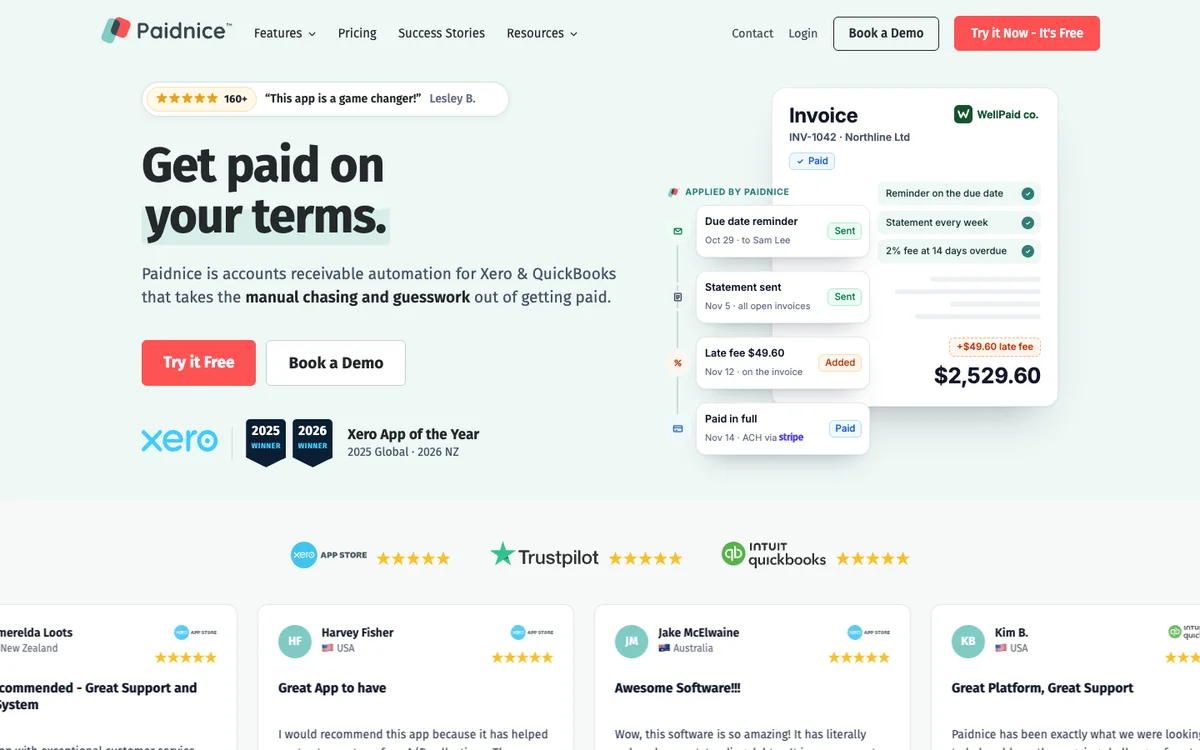
Paidnice calculates statement interest on the balance net of any credit on the account, and compounding is on by default, so simple interest is the deliberate choice. Policies sit under customer groups, so a wholesale group, a retail group and a disputed-accounts group can each run a different rule at the same time.
Limitations with Paidnice. QuickBooks Online and Xero on every plan, with no QuickBooks Desktop connector, which rules it out for a Desktop file entirely. Newer ledgers such as Rillet, Campfire, Digits, DualEntry, Puzzle, Accounting Seed and Odoo are available on every plan through Paidnice’s closed testing program. Sage Accounting and other ERPs connect on the Custom plan, which is where a QuickBooks business goes when it outgrows QuickBooks.
It does not process the payment itself, so the merchant arrangement stays yours and the take rate on this page does not apply to it. Some payment features differ between the two ledgers, and the entry tier covers two team members.
Prefer to watch? Here is the video version of this comparison.
2. AR Collect, best for QuickBooks Desktop
Best for: In-house collectors on QuickBooks Desktop.
From $49.95 a month on Desktop or $39.95 on QuickBooks Online for up to 500 open invoices
What is AR Collect best for?
Choose AR Collect if you work receivables every day on QuickBooks Desktop and want a call list with full history rather than a hands-off engine.
- Fits
- Small US teams on QuickBooks Online or Desktop. No revenue band published; the price band is set by open-invoice count
- Regions
- United States. No head office, founding year or funding is disclosed publicly
- Entry cost
- On QuickBooks Online, $39.95/mo up to 500 open invoices, $59.95 up to 1,500 and $99.95 up to 5,000; on QuickBooks Desktop, $49.95, $69.95 and $99.95; $199.95 up to 10,000 across both. Plus $4.95 per extra user and $29.95 per extra company on Online ($35.95 on Desktop), with an unrestricted 30-day trial.
- Rated
- 4.0 from 2 on G2 and 5.0 from a single Capterra review, both dated 2022, plus 2 Trustpilot reviews from 2026; no reviews yet on the Xero App Store listing
- Awards
- None found
- Runs on
- QuickBooks Online, QuickBooks Desktop Pro, Premier and Enterprise through the Web Connector, and Xero
- Late fees and interest
- None found. No late fee, interest or surcharge function appears anywhere in the vendor’s materials
- Main strength
- QuickBooks Desktop coverage, with group-based reminder series and promise-to-pay tracking that feeds a cash-flow forecast
AR Collect is built for someone who works receivables every day. Its AR Summary page behaves like a CRM for collections: every customer, the latest note and the full history in one view, with customer groups each linked to a template series and a schedule, plus advance and past-due reminders and a bulk send to everyone overdue.
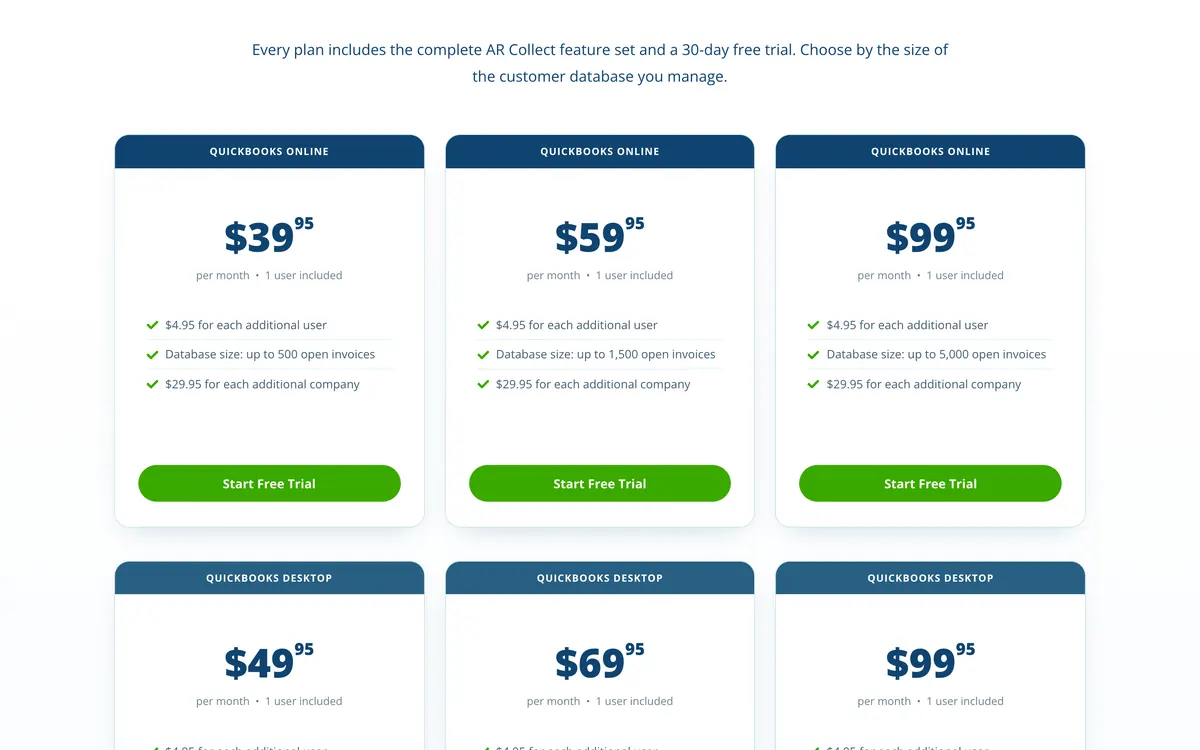
Its QuickBooks Desktop coverage is the rare and real part. Its terms name Pro, Premier and Enterprise, connected through the Web Connector, with a separate Desktop price list, which is the reason a Desktop shop shortlists it at all.
Limitations with AR Collect. It chases and does not charge. No late fee, interest or surcharge function is documented, and there are no payment plans and no bank-file cash application. AR Collect’s pricing page lists no SMS; its Terms mention SMS (last seen).
The whole public review base is five reviews, three from 2022 and two on Trustpilot from 2026, so the rating cannot be read as a quality signal.
3. Biller Genie, best for branded card portals
Best for: Card-heavy US teams that want invoicing, payments and a branded portal automated together, last reported at $49.95 a month plus 0.50% of collections, now hidden, request a quote.
What is Biller Genie best for?
Choose Biller Genie if you are a US small business where payments are the heart of receivables, and a branded portal with surcharging matters more than fee grain.
- Fits
- US small businesses on QuickBooks Online or Desktop. No revenue band published; the bill scales with the value collected
- Regions
- United States, Orlando head office, with an engineering office in Belfast
- Entry cost
- Biller Genie’s last reported price was $49.95 a month plus 0.50% of invoices collected, as third-party listings reported it. Current prices are hidden and must be requested. The same listings report ACH as a $20/mo add-on with a $25 setup fee and $0.50 per transaction, and paper mail at $1.50 per reminder plus $0.25 per extra page.
- Rated
- 4.8 from 27 on Capterra; 3.0 from 4 on G2; 2.33 from 3 on the Xero App Store listing
- Awards
- Inc. 5000, number 259, 2024
- Runs on
- QuickBooks Online, QuickBooks Desktop, Xero, AccountingSuite, and 20-plus US payment gateways
- Late fees and interest
- Yes, as an add-on, on a fixed cycle. An invoice is not treated as late until 30 days past due, then fees recur on a 30-day schedule and stack. There is no interest calculation
- Main strength
- The US payments stack: surcharging and dual pricing with auto-reconciled fees, a virtual terminal, check capture, and a branded autopay portal
Biller Genie sits between your invoicing and your payments, automating reminders, online collection and reconciliation that QuickBooks does not handle on its own.
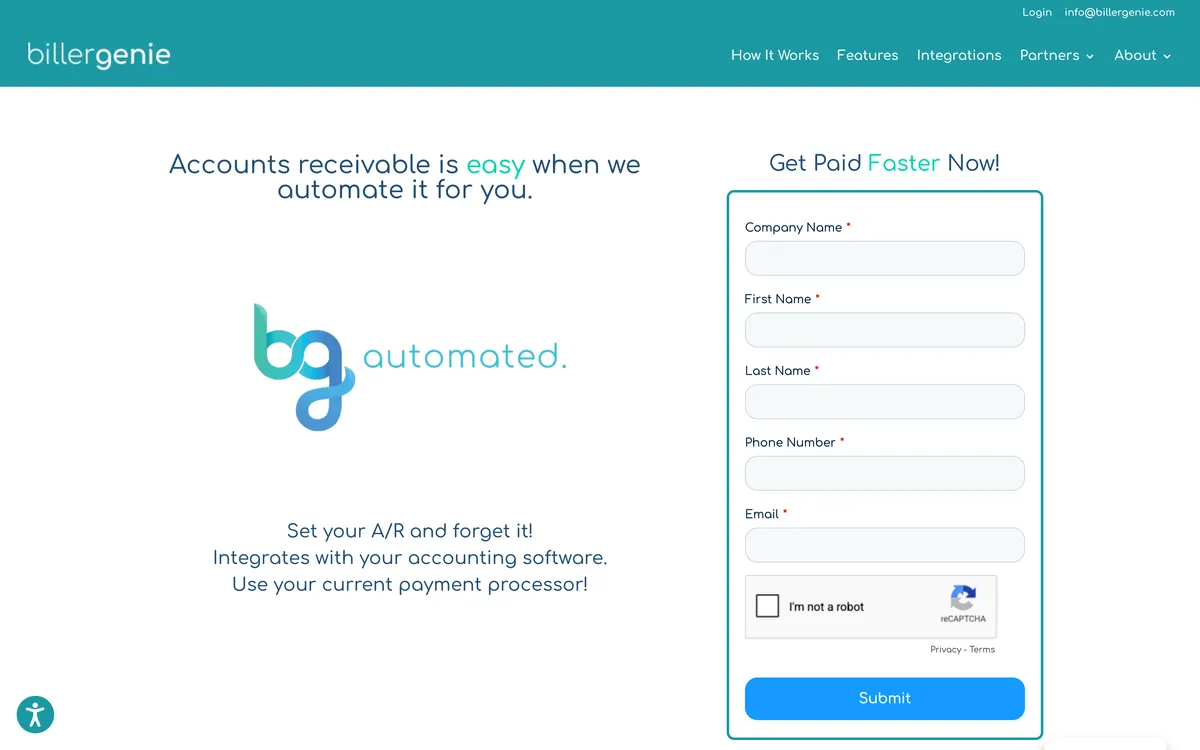
Reminders cover six types, from an upcoming payment notice through to an upcoming late-fee warning, and payments and fees sync back to the accounting file.
Limitations with Biller Genie. One global reminder cadence per account, so timing cannot change for a single customer, and there is no SMS. The late-fee add-on waits 30 days before an invoice counts as late and then recurs on a fixed 30-day cycle, with no interest calculation and no per-group grain.
The percentage of collections means the effective price climbs with volume. Reviewers name sync delays, and the Xero App Store US base of three reviews sits at 2.33 including a report of a duplicate-charge sync fault.
4. Chaser, best for reminder-led collections at scale
Best for: QuickBooks teams that want reminder-led collections at scale.
Under £4m turnover on the entry tier, from £199 a month
What is Chaser best for?
Choose Chaser if you have a finance team with a named credit controller that wants multi-channel chasing and Creditsafe credit checks running from one system.
- Fits
- Businesses with a named credit controller. Compact is priced for turnover under £4m, Core from £4m, and Complete runs to £100m
- Regions
- UK-registered, trading since 2014, sells worldwide
- Entry cost
- Compact £199/mo for turnover under £4m with 4 users; Core £599/mo under £10m; Complete £899/mo to £100m. Yearly billing is £179, £539 and £809 a month.
- Rated
- 4.98 from 374 Xero App Store reviews; 4.3 from 71 on G2; 4.9 from 45 on Capterra, where the base is mostly 2020 to 2022
- Awards
- Finalist, UK Small Business App Partner of the Year, Xero Awards 2023
- Runs on
- QuickBooks, Xero, Sage 50, Sage 200, Sage Intacct, Sage Business Cloud Accounting, NetSuite, Dynamics 365 Business Central, AccountsIQ, SAP, HubSpot, Gmail, Outlook
- Late fees and interest
- Yes. Four calculation types, recalculated daily, but one set of late-fee rules, across the account or for selected debtors, not tied to schedules. Chaser’s help says a late fee cannot be added or updated after a part payment when written to Xero, and fee line-item sync is Xero-only
- Main strength
- Multi-channel chasing from the team’s own mailbox, with Creditsafe credit checking and monitoring in the same tool. Chaser credit checks are sold by credit on any plan and need Chaser billing, not Xero App Store billing; monitoring is not offered in Australia
- Customers
- Named on its website: Pact Coffee, Huttie and TaxAssist. Huttie's case study reports £15,000 of old debt recovered.
Chaser has been in the market since 2014 and sends reminders from the team’s own Gmail or Outlook mailbox, adding SMS, letters, automated calls, a payer portal and integrated collections through a partner network.
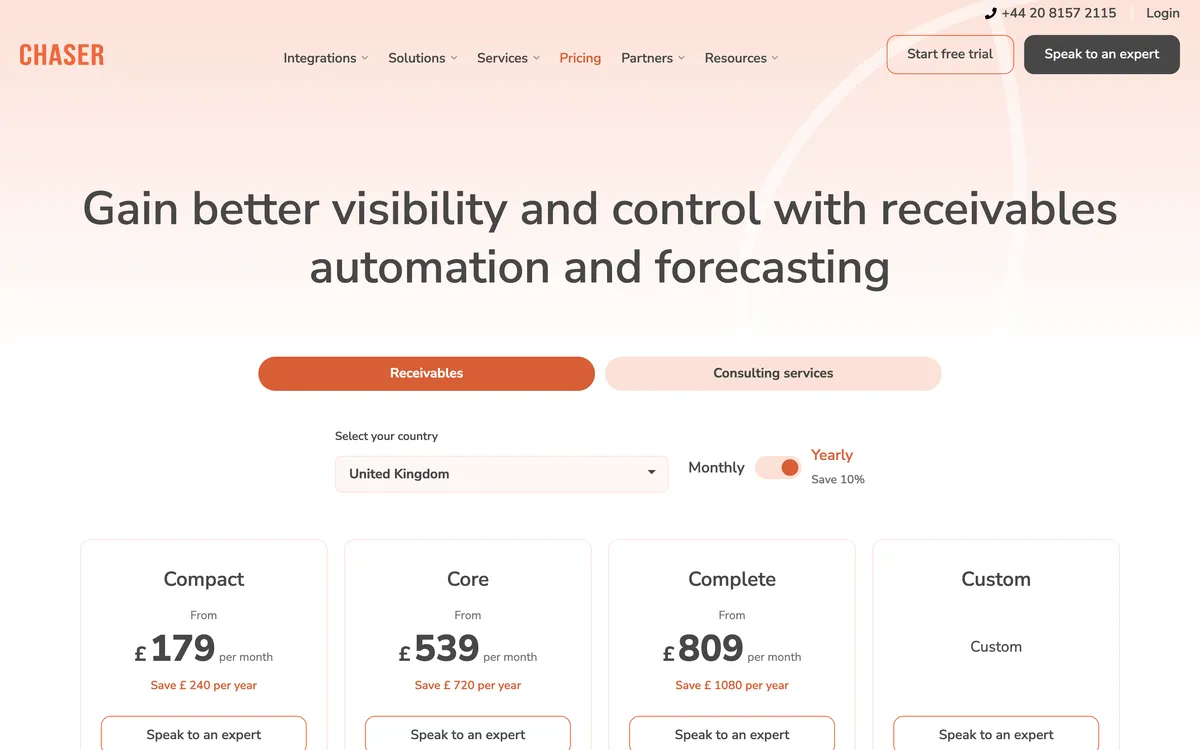
Its in-app credit report is supplied by Creditsafe and carries a credit score with a recommended limit, the customer’s payment score, credit event history, and Companies House filing and director data, with continuous monitoring on top.
Limitations with Chaser. Fee configuration is one set of late-fee rules, across the account or for selected debtors, with no documented way to run different rules per group. Chaser’s help says a late fee cannot be added or updated after a part payment when written to Xero. Fee line-item sync reaches Xero only.
Statements go monthly, on a fixed day, there is no bank-file cash application, and Compact caps the team at four users. Chaser prices by revenue band, not by invoice volume or by what you collect.
5. Invoiced, best for complex recurring billing
Best for: Higher-volume teams with complex or recurring billing.
No revenue band or price published
What is Invoiced best for?
Choose Invoiced if your core problem is billing complexity rather than chasing, and you already run an ERP alongside QuickBooks.
- Fits
- Upper-mid-market and enterprise B2B finance teams. No revenue band published
- Regions
- United States. Part of Flywire
- Entry cost
- Not published. No price is published
- Rated
- 4.7 from 149 reviews on Capterra; 4.5 from 418 reviews on G2
- Awards
- None found
- Runs on
- QuickBooks Online, QuickBooks Desktop, QuickBooks Enterprise, Xero, NetSuite, Sage Intacct, Dynamics 365 Finance
- Late fees and interest
- Yes. Invoiced documents late fees: flat or percentage, grace period, and schedules by customer group
- Main strength
- Invoice-to-cash for ERP buyers, with dunning sequences, recurring billing and a customer portal across QuickBooks Online, Desktop and Enterprise
- Customers
- Named on its website: WebPT, iWave and Apartment Life. Apartment Life's case study reports overdue accounts cut by 50%.
Invoiced is a US invoice-to-cash platform, now part of Flywire, spanning billing, collections and payments. It maintains integration pages for QuickBooks Online, Desktop and Enterprise alongside Xero, NetSuite, Sage Intacct and Dynamics 365 Finance, and its positioning has moved toward mid-market and enterprise ERP buyers.

Of the tools here it is the one whose feature detail is hardest to pin down.
Limitations with Invoiced. No price could be confirmed from a primary source, so one of the five criteria cannot be scored for Invoiced. Its late-fee page documents a flat or percentage fee with schedules assignable to customer groups.
The move upmarket after the Flywire acquisition deprioritizes the QuickBooks audience its integration pages nominally serve, so treat cost and onboarding weight as unknown until you have a written quote.
6. Upflow, best for analytics-led teams
Best for: Analytics-led finance teams on QuickBooks Online that accept a one-way, polled sync, last published at $440 a month for Grow and $880 for Scale, now hidden, request a quote.
What is Upflow best for?
Choose Upflow if you are a finance team that wants the collections numbers on the table before it signs a merchant agreement or a take rate with anybody else on this page.
- Fits
- B2B finance teams that manage by metric, quoted in five tiers by gross invoice value, from up to $10m on Starter to above $100m on Enterprise
- Regions
- New York head office, Paris origin, customers in 30-plus countries
- Entry cost
- Not published. Upflow prints no figures and quotes five tiers by gross invoice value, and its pricing FAQ mentions a free Discover plan for analytics, but it is not among the plan cards. Upflow’s last published prices were $440 a month for Grow and $880 for Scale; both tiers are now quote-only.
- Rated
- 4.8 from 235 G2 reviews; 4.5 from 15 on Capterra · Xero App Store listing
- Awards
- None found
- Runs on
- QuickBooks Online, Xero, NetSuite, Sage Intacct, Stripe Billing, Chargebee, Zuora
- Late fees and interest
- No, via your ERP only. Upflow’s own documentation points the job back to the ERP and there is no native computation
- Main strength
- Turning the ledger into numbers a finance lead can act on: countback DSO against best possible DSO, a collection effectiveness score, and the balance at risk beyond 90 days
- Customers
- Named on its website: Lattice, Vercel and Front. Lattice's case study reports 99% collection with one person in AR.
Upflow does not move money, which is the case for buying it alongside one of the payment platforms here rather than instead of one.
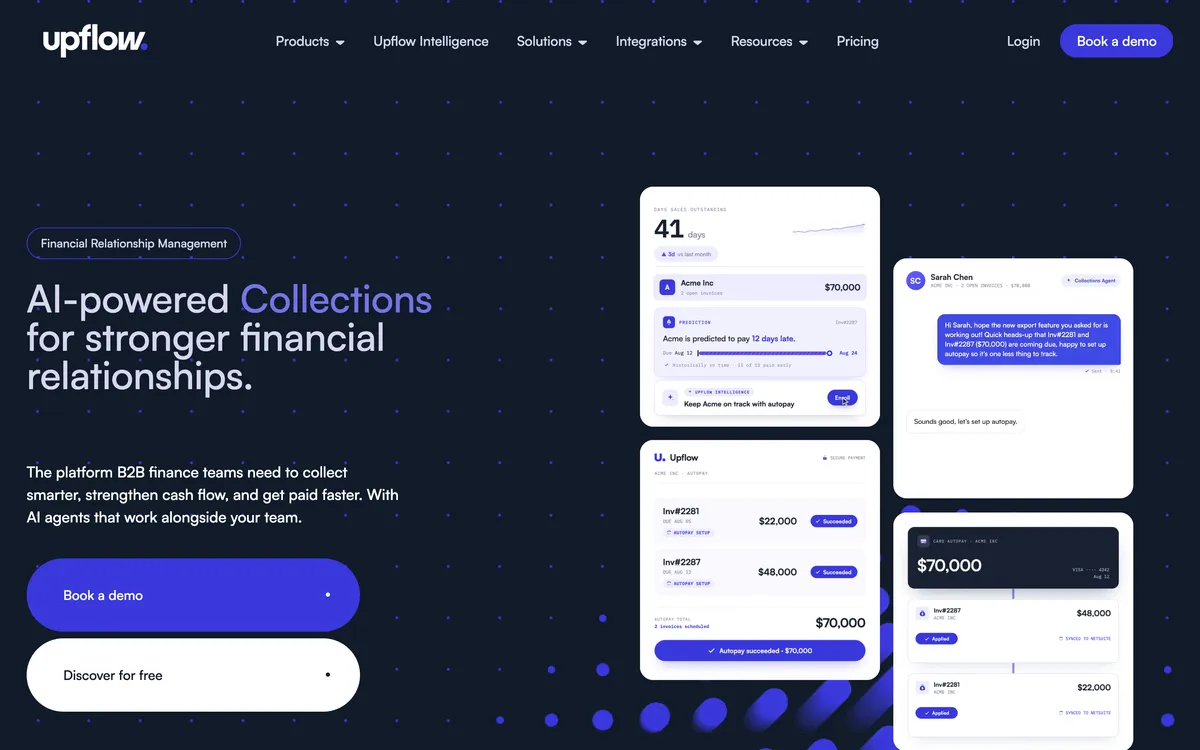
It reads the ledger and produces the collections numbers a QuickBooks file will not give you on its own: countback DSO against best possible DSO, collection effectiveness, at-risk balances and billing-cohort cash forecasting, on dashboards you can filter by workflow, country or account manager and schedule by email.
Automation sits on top of that: multi-step workflows across email, SMS, letter, call and task actions, a branded portal with autopay and disputes, and cash application with rules and suggested matches.
Limitations with Upflow. No native late fees, so fees go back to your ERP. No payment plans, only customer-initiated part payments and promises to pay. Automatic actions fire once a day, on business days only, and sending through your own SMTP disables open and click tracking.
The QuickBooks link is one-way and polls every five minutes rather than using webhooks, with payments landing in Undeposited Funds for manual reconciliation. Upflow's last published prices were $440 a month for Grow and $880 for Scale; current prices are hidden, request a quote.
What does a percentage take rate cost at $2m, $10m and $30m collected?
Biller Genie was last reported charging 0.50% of the invoices it collects, while Paidnice, AR Collect and Chaser publish flat subscriptions.
| Collected in a year | Paidnice US$99/mo on Pro | AR Collect $59.95/mo to 1,500 open invoices on QuickBooks Online | Biller Genie $49.95/mo plus 0.50% (last reported; now hidden, request a quote) |
|---|---|---|---|
| $2m | $99 a month, $1,188 a year | $59.95 a month, about $719 a year | $883.28 a month, about $10,599 a year |
| $10m | $1,188 a year | $719 a year | $4,216.62 a month, about $50,599 a year |
| $30m | $1,188 a year | $719 a year | $12,549.95 a month, about $150,599 a year |
Our arithmetic, applied to each vendor's published rate and to Biller Genie's last reported rate; Biller Genie now hides its prices, so request a quote. The flat figures hold only while invoice volume stays inside the published tier, and Invoiced and Upflow publish nothing, so neither can be placed on this table.
The percentage grows with every dollar collected, so the take rate is the dominant number in the comparison.
The percentage buys card and ACH acceptance, surcharging, dual pricing, a virtual terminal, check capture and reconciliation, and none of the flat-priced tools on this page does any of that.
AR Collect neither charges a fee nor processes a payment, so its $719 a year is not the same purchase at all.
The question the table answers is narrower and more useful: at your volume, is the payment stack worth the difference between a flat subscription of roughly $1,200 a year and 0.50% of everything you collect.
What does a platform cost beyond its subscription?
Four figures on this page are not the subscription. Third-party listings last reported Biller Genie's ACH as a $20 a month add-on with a $25 setup fee and $0.50 a transaction, and paper mail at $1.50 a reminder plus $0.25 an extra page.
AR Collect charges $4.95 per extra user and $29.95 per extra company ($35.95 on Desktop). Chaser meters SMS, letters and calls in credits, so a hard chasing month costs more than a quiet one. Paidnice caps the entry tier at two team members and goes unlimited from Pro.
Add the take rate to that list and the order by headline price stops matching the order by annual cost.
Which AR automation platform for QuickBooks fits your use case?
| Use case | Start with | Watch out |
|---|---|---|
| QuickBooks Online with fees and statements per customer group | Paidnice | No QuickBooks Desktop connector |
| QuickBooks Desktop file with a daily collector | AR Collect | Late fees not listed; pricing page lists no SMS; no payment plans |
| Card and ACH volume, surcharging and autopay | Biller Genie | 0.50% of collections on the last reported price |
| Credit controller who wants bureau credit checks in the same tool | Chaser | Fee line items sync to Xero only |
| Measure collections before committing to another vendor’s take rate | Upflow | One-way polled sync; quote only |
| Few overdue invoices and a flat US late fee is enough | QuickBooks Online on its own | No scheduled statements, SMS or daily interest |
Questions about QuickBooks AR platforms
Which AR automation platform suits which QuickBooks business?
It depends on the job. Paidnice fits a QuickBooks Online business that wants late fees, interest, statements and payment plans applied per customer group, from £49 (US$69) a month (payment plans and sending from your own domain start on Pro, from US$99), and AR Collect fits a QuickBooks Desktop file, from $49.95 a month on Desktop or $39.95 on QuickBooks Online.
Biller Genie fits a card-heavy US business that wants autopay and surcharging (last reported at $49.95 a month plus 0.50%, now hidden, request a quote), Chaser a team that wants multi-channel chasing with bureau credit checks from £199 a month, Invoiced complex or recurring billing, and Upflow collections analytics with a Cash Application Agent on Accelerate.
What is the difference between an AR app and an AR automation platform?
An AR app automates one slice of the process, such as reminders or payments. A platform orchestrates the whole order-to-cash cycle: invoice delivery, multi-step collections, enforcement, payments, cash application and reporting, in one connected workflow tied to your accounting system.
Which QuickBooks AR tools apply late fees automatically?
QuickBooks Online itself can add an automatic flat or percentage late fee in the US, and among the platforms Paidnice, Biller Genie, Chaser and Invoiced apply one.
Biller Genie adds a fee only once an invoice is 30 days past due, then every 30 days with no interest; Chaser runs four calculation types as one set of rules; Paidnice runs an invoice late fee and a statement interest charge per customer group and posts both to the ledger.
AR Collect documents no fee function, Upflow points the job back to your ERP, and Invoiced applies a flat or percentage fee with schedules assignable to customer groups.
Which AR automation tools work with QuickBooks Desktop?
AR Collect, Biller Genie and Invoiced work with QuickBooks Desktop. AR Collect names Desktop Pro, Premier and Enterprise in its terms, connected through the Web Connector, which is the reason a Desktop shop shortlists it. Paidnice, Chaser and Upflow are QuickBooks Online only.
How much do QuickBooks AR automation platforms cost?
The published figures on this page run from $39.95 a month for AR Collect to £899 a month for Chaser's top revenue band, and Paidnice is £49 (US$69) a month on Essentials with up to two team members and £74 (US$99) on Pro with unlimited users.
Biller Genie's last reported price was $49.95 a month plus 0.50% of invoices collected. Current prices are hidden and must be requested. G2 and Capterra list $24.95 a month as a starting price. Invoiced publishes no price, and Upflow's last published prices were $440 a month for Grow and $880 for Scale, and current prices are hidden.
Do I still need AR automation if QuickBooks sends reminders?
QuickBooks Online sends up to three reminder emails per invoice and, in the US, can add a flat or percentage late fee. It does not send statements on a schedule, send SMS, calculate interest by the day, take a payment plan or report on collection performance.
Merchant lock-in, surcharging and dual pricing
Biller Genie pushes its own merchant services, but its site and docs say you can connect your own gateway, and they list USAePay, Maverick, Sola, Authorize.Net, Elavon and PayPal. A business that already holds a processor and a negotiated rate should confirm in the demo that both come with it.
Surcharging and dual pricing are the two mechanisms that move the cost of card acceptance onto the payer, and Biller Genie handles both at checkout with the fees reconciled back automatically. Surcharging adds a fee to a card transaction.
Dual pricing prints two figures, one for cards and one for cash or ACH. Both are governed by state law and by card scheme rules, and both are conditions of your merchant agreement rather than settings inside the software, so confirm your own position before switching either on.
AR Collect takes the opposite approach: surcharging is available through its portal and the vendor adds no card fee of its own on top.
Centime, and what it does not publish
Centime markets an order-to-cash product embedded in QuickBooks and appears on other shortlists in this category.
Three things are not published: a price at any tier, a rating with a review count on a named platform, and any mechanic for late fees, interest or payment plans.
Invoiced sits in a milder version of the same position and is listed, because its ledger coverage, its ownership and its integration estate are all documented even though its price is not.
For tools on other ledgers, the credit control software buyer’s guide compares six tools across Xero, QuickBooks Online, Sage, NetSuite and Business Central.
People also read
Buyer's guide
Best accounts receivable software (by business type)
The pillar guide: pick by size and accounting system, with a recommendation matrix.
By accounting system
Best AR software for QuickBooks Online
Five accounts receivable apps for QuickBooks Online, compared.
By accounting system
Best AR software for Xero
The top accounts receivable tools for Xero businesses, compared.
Comparison
Best AR automation software
Six AR automation tools compared on features and price.
Sources
16 sources, checked by Julie Turnbridge on November 3, 2026
- Xero’s latest US small business data xero.com/us/resources/small-business-insights
- Xero App Store apps.xero.com/uk/app/paidnice
- G2 g2.com/products/arcollect/reviews
- Capterra capterra.com/p/176347/Biller-Genie/reviews
- Capterra capterra.com/p/222215/Invoiced/reviews
- G2 g2.com/products/upflow-upflow/reviews
- Capterra capterra.com/p/254868/Paidnice
- Capterra capterra.com/p/233202/AR-Collect
- Xero App Store listing apps.xero.com/us/app/ar-collect
- G2 g2.com/products/biller-genie
- Xero App Store listing apps.xero.com/us/app/biller-genie
- Xero App Store apps.xero.com/uk/app/chaser
- G2 g2.com/products/chaser/reviews
- Capterra capterra.com/p/157101/CHASER/reviews
- Capterra capterra.com/p/193097/Upflow
- Xero App Store listing apps.xero.com/us/app/upflow